
Join Curify to Globalize Your Videos
By using Curify, you agree to our
Terms of Service and Privacy Policy
Product photo retouching service
Have product photos that need a cleaner, more consistent finish? Send a brief for footwear, jewelry or a mixed product batch. We review representative images and agree the editing scope before quoting.
Request a batch review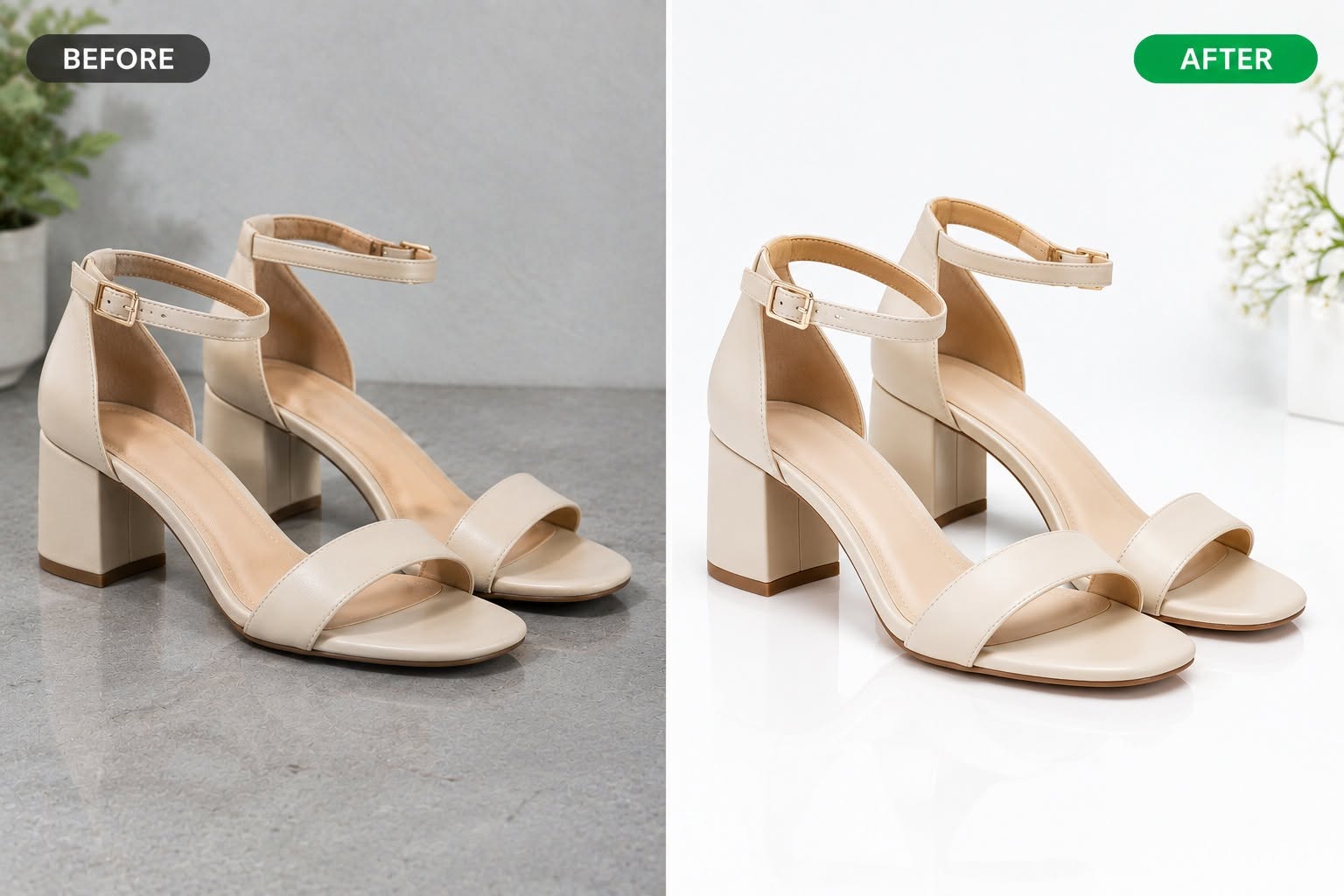
Discuss a product-photo batch
Leave your email, product category, photo count and deadline. We will reply with how to send representative images and a finish reference, then discuss a sample review and quote. This form does not upload or edit images.
What to include in your editing brief
- Background and shadow: specify a clean white, transparent or contextual finish for review, including the shadow you want to keep.
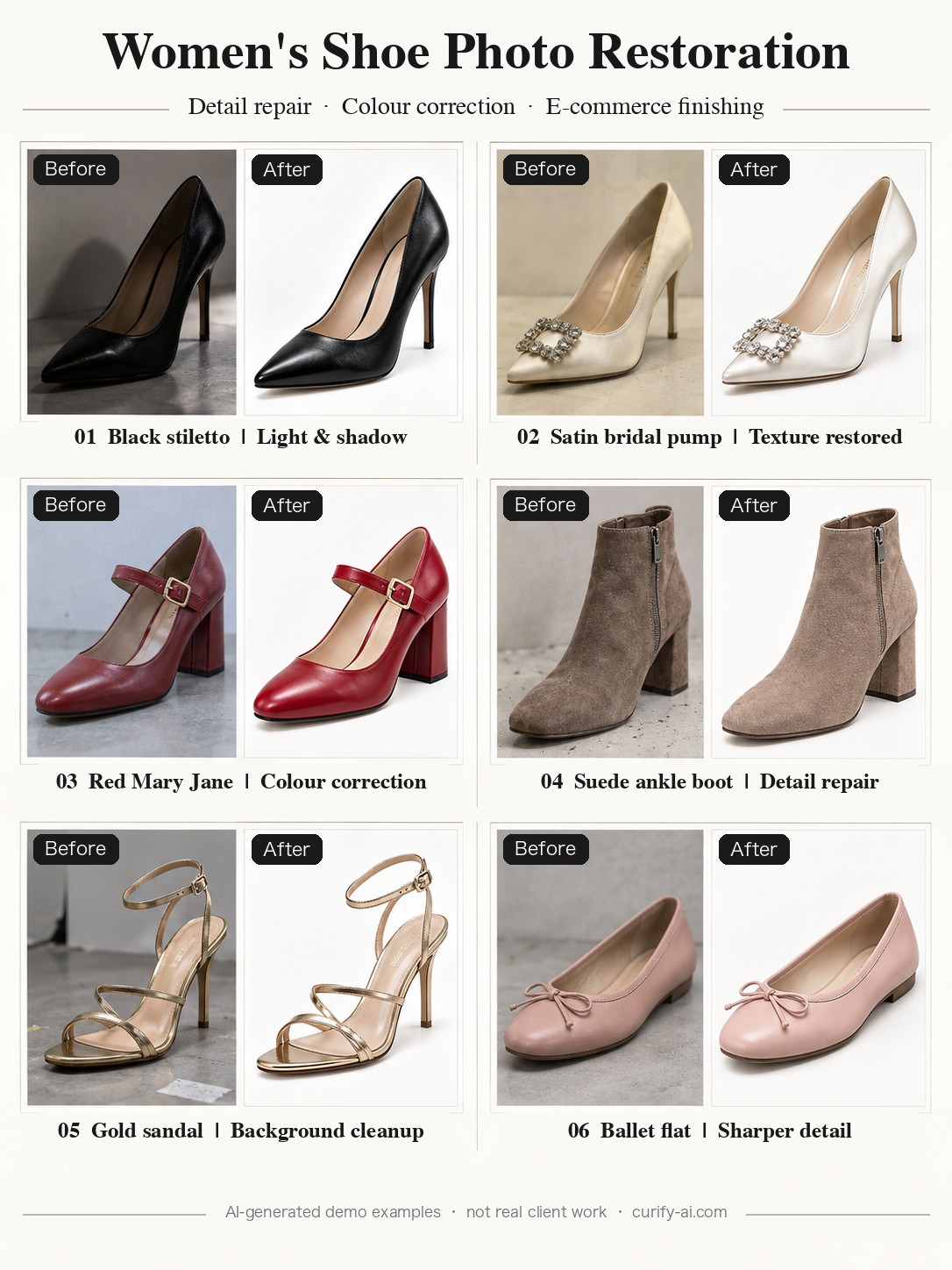
- Colour and material: supply a trusted reference for leather, satin, suede, metal or stones. A brighter image is not necessarily a more accurate product image.
- Surface detail: mark dust, scuffs or distracting reflections. Identify stitching, engraving, logos and other details that must remain readable.
- Batch consistency: choose representative products and angles so a sample can establish the look before a larger batch is agreed.
Product photo retouching FAQ
Is this a self-serve product photo editor?
No. This page collects service inquiries. We review your images and requirements before agreeing a sample, price and delivery scope.
Can I send footwear and jewelry in the same batch?
Yes, include both in your brief. Different materials need different treatment, so send representative images from each category for a feasibility review.
How much does product retouching cost?
We quote after reviewing sample images, edit complexity, image count and deadline. There is no fixed per-image price or turnaround promise on this page.
Will you preserve the exact product?
The original is the reference for product shape, colour, branding and construction. Identify critical details in the brief and check them in the sample. Generative edits can alter details, so pixel-exact preservation is not promised.
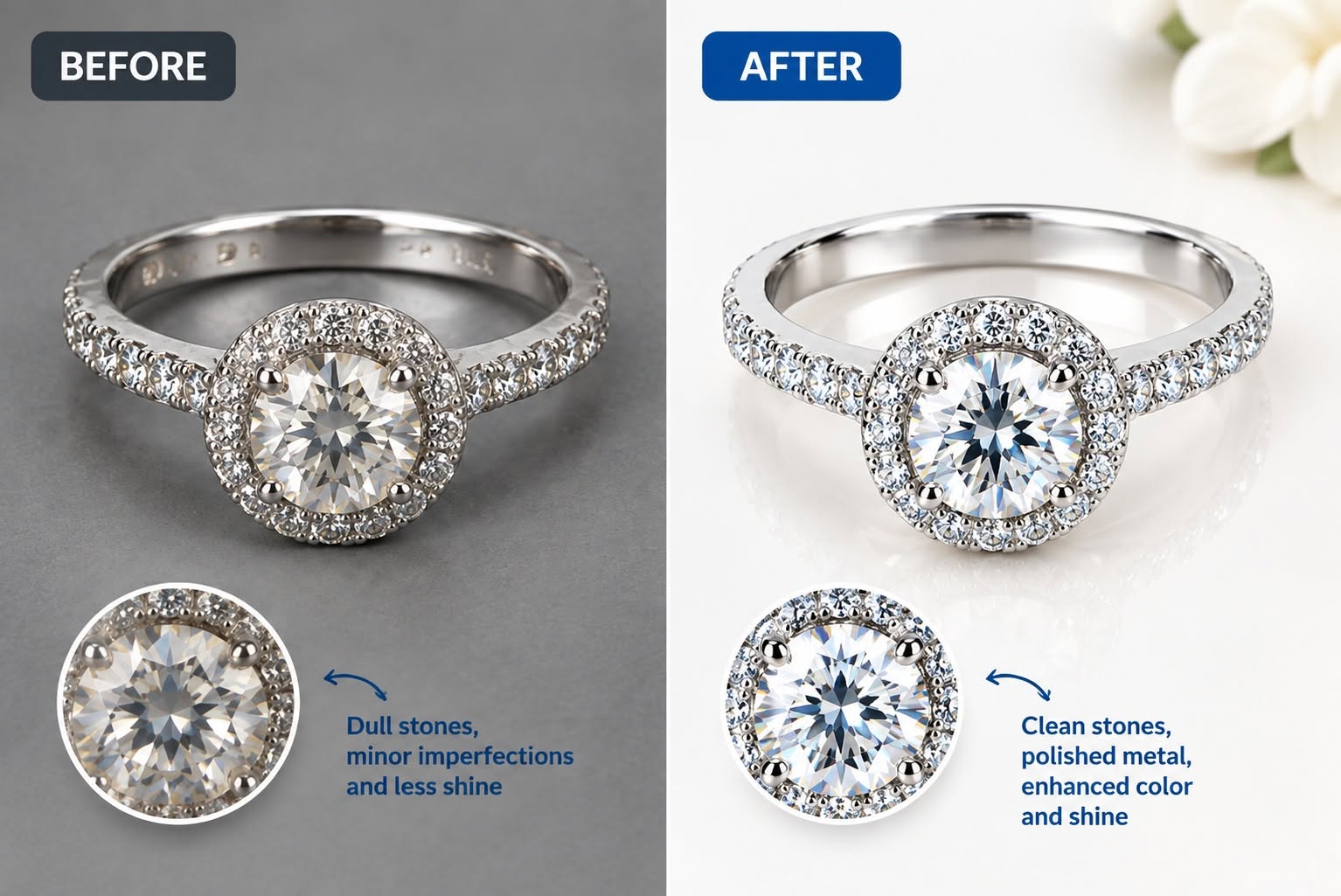
Can you remove backgrounds or polish jewelry reflections?
Describe the finish you want and send representative files. We assess the requested background, shadow and reflective-surface changes before committing to the batch.
What files and resolution should I request?
Tell us your source format, required pixel dimensions, background and intended use. Available output format and resolution are agreed after sample review; print-size or editable layered files are not assumed.
Are the examples customer deliveries?
The sandal and ring comparisons were supplied for this page. The six-shoe sheet is explicitly a generated demonstration collection. None is presented as proof of a delivered customer order.
How is retouching different from product-photo generation?
Retouching starts with a supplied photograph and an agreed editing brief. Product-photo generation creates new scenes or compositions. If you need a new scene, the related product-photo generator is a different workflow.
Editing an existing product photograph
A product listing needs a clear view of the item, not just an attractive image. Set the intended finish before changing the background, lighting or surface detail.
Our examples help describe the look you want. They do not replace a sample on your own product, especially for reflective jewelry, delicate stitching or colour-critical materials.
This is a lead-based service workflow. The batch is scoped with you after image review, rather than started automatically when you fill in the form.
How to request batch product photo retouching
1. Tell us the product category, image and SKU counts, and the deadline.
2. We reply with how to send representative images, including difficult materials and angles.
3. Specify your finish reference and the details that must not change.
4. Review the proposed sample, output dimensions, scope and quote before agreeing the batch.
5. Check the agreed deliverables against the original product and flag any details needing revision.
Who this service is for
Product photographers →
Prepare a consistent finish across a shoot while keeping a clear original-to-output review process.
Ecommerce brands →
Discuss a listing-photo batch, colour references and required dimensions for your storefront.
Agencies and marketing teams →
Include the campaign brief, SKU list and delivery requirements so the work can be scoped before production.
Related tools
AI Product Photo Generator
Turn a product photo into catalog-grade images — lifestyle grids, mockups, try-ons, and posters. Upload once; the template locks the style. Free demo.
AI Fashion Model Generator
One flat lay in, the garment on a model out — plus the 27 checks that decide if it is listable.
Real Estate & Hotel Photo Editing
Brighter rooms, real window views, tidy beds, and day-to-dusk twilight exteriors. Free samples on request.
Related reading
What Wedding Photo Retouching Costs in 2026 (And When Not to Buy It)
The Best Claude Code Design Skills, Actually Tested (2026)
Rebuilding Visual Productivity: Curify vs. GPT vs. Canva AI in Agentic Generative Capability
Add Subtitles

Drag & Drop or Click to Upload
.mp4/.mov/.webm/.avi/.wmv
Supported Languages
Add Subtitles
Require Translation
Auto Detect
Subtitles
Credits Required:0(Available: 0)