
Join Curify to Globalize Your Videos
By using Curify, you agree to our
Terms of Service and Privacy Policy
Real estate and hotel photo editing
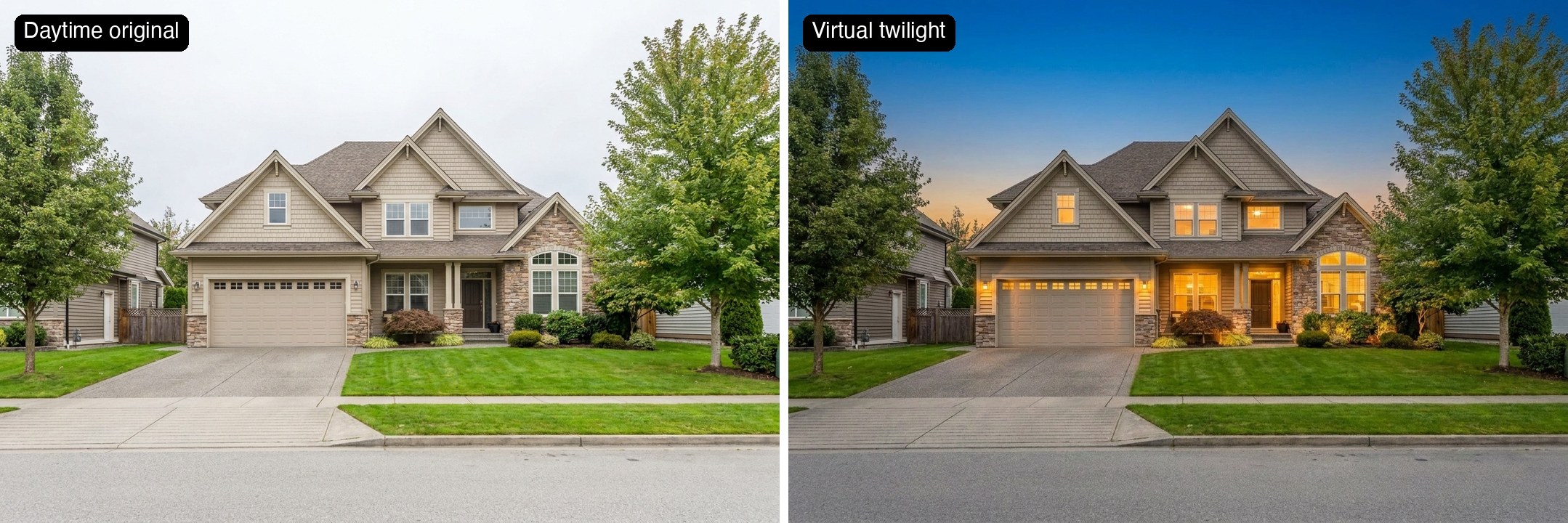
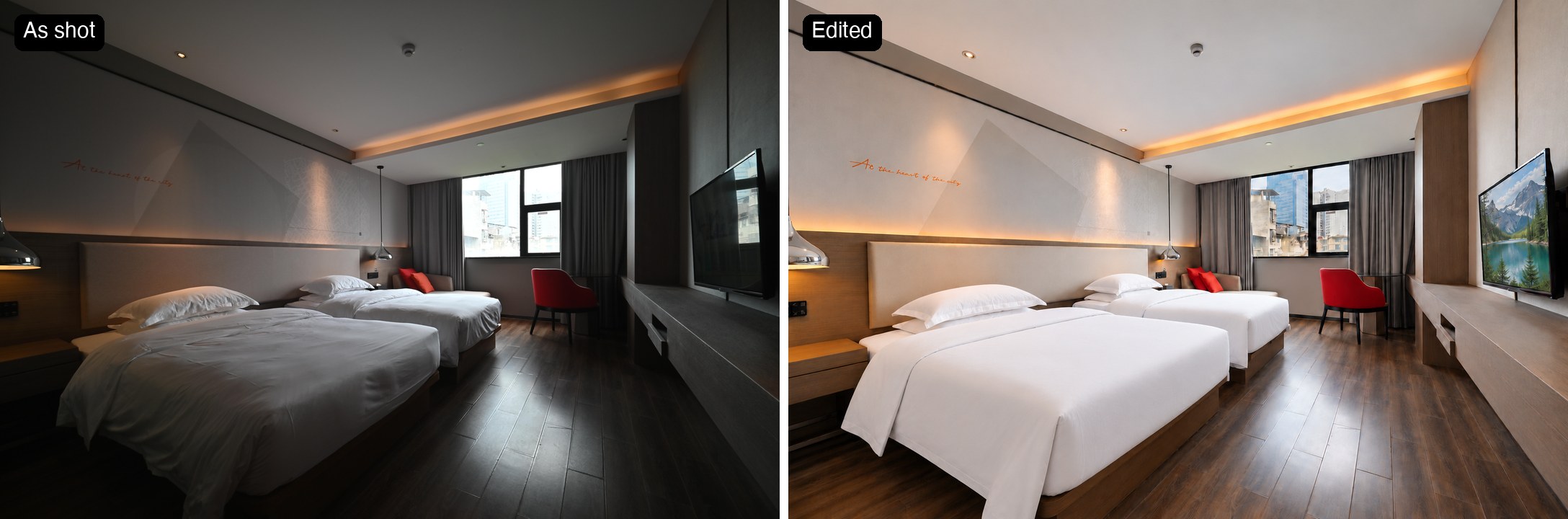
Brighter interiors, windows you can see through, made-looking beds, and day-to-dusk twilight exteriors. Send us a few listing photos and we'll send edited samples back, free.
Get free editing samples
Leave your email, photo count, deadline and property type. We’ll reply with where to send two or three interior or exterior photos and discuss samples and the full batch. No account or card.
What the edit fixes
- Dark rooms. Interiors shot in mixed light come out dim and amber. We lift the exposure and neutralise the colour so the room reads the way it feels in person.
- Blown-out windows. Send a darker exposure of the same frame and we recover the window from it, so what shows through the glass is the real view, not an invented one.
- Beds that look slept in. Creased duvets and slumped pillows are tidied so the beds look made, without restyling the room.
- Flat daytime exteriors. One exterior can become a dusk shot with lit windows, without a second visit after sunset.
Real estate photo editing FAQ
What does the editing include?
For interiors: exposure and colour correction, windows recovered from a darker exposure you supply, and tidier bedding. On request we can also put a picture on an existing TV screen. For exteriors: virtual twilight (day to dusk). We do not remove objects, add furniture or merge HDR brackets.
Are edited photos allowed on MLS and hotel booking sites?
Generally yes, as enhancements. The rules are about truthfulness rather than prohibition: the photo must still show the property as it is. That is why we recover windows from your own exposure instead of inventing a view. Check your MLS or OTA's rules and label edits where they require it.
Does the edit change the room or the house?
The room, the house and the view stay as shot: layout, furniture, fixtures, artwork and camera position. Edits are generated rather than pixel-exact, and some are additions you ask for, such as a picture on a TV screen. We check each edit against your original and redo any that moves the room or adds something you did not ask for.
Which photos work best?
Interiors shot level from a corner, plus one darker exposure of the same frame if the windows are bright. For twilight: a daylight exterior, straight-on or slightly angled, with the whole facade visible.
Do you do HDR real estate photo editing?
We do not merge brackets into an HDR frame. If you send a darker bracket, we use it as the reference for the window so the view is real, which covers the most common reason people shoot HDR in the first place.
Can you remove clutter or stage empty rooms?
No. We tidy bedding, but we do not remove objects or add furniture. We tested object removal and it was not good enough to sell, so we only offer the edits that passed.
How much does it cost?
Samples are free. If they work for you, tell us your monthly volume and we'll come back with a per-photo price.
What resolution do I get back?
Around 1,500 pixels on the long edge today, which suits listing portals, booking sites and social posts. It is not print resolution, and we would rather say so up front.
How is virtual twilight different from a real twilight shoot?
A real twilight shoot needs the photographer back on site in a short window after sunset, and depends on that evening's weather. A virtual twilight is made from the daytime frame, so it costs one edit.
Do you edit hotel and short-term rental photos?
Yes, the same edits: brighter rooms, real window views and made-looking beds for booking-site listings. The hotel room at the top of this page is one of them.
What real estate photo editing covers
Interior photos fail in predictable ways: rooms come out dark, mixed lighting turns walls amber, windows blow out to white, and beds look slept in. Editing fixes those without changing what is in the room.
Exterior photos fail differently: a flat daytime sky makes even a good house look ordinary. Virtual twilight, also called day to dusk, turns that frame into a dusk shot with lit windows.
Both are edits, and buyers and guests know it. What keeps them honest is that the property, its furniture and its view stay as they are, and anything added is something you asked for.
How we make the edit
We edit the whole frame in one pass. Exposure, colour and twilight light change everywhere at once, so they cannot be done patch by patch.
Windows come from your own darker exposure when you send one. We use it as the reference so the buildings and sky outside are the real ones, not a substitute view.
Then we check the edit against your original by its edges: walls, window frames, furniture and fixtures have to line up with the photo you sent. The edit is generated, so fine texture is not pixel-identical to the original.
For twilight, light only goes where light can be: windows, porch and wall lights, path and landscape lights.
What we do not do: object removal, virtual staging, HDR bracket merging, or print-resolution output. Our tests on those were not good enough to sell.
Who it is for
Real estate photographers →
Hand off the editing and twilight add-ons without booking a second shoot.
Listing agents →
Brighter rooms and a hero exterior for the listing portal and the open-house flyer, from the photos you already have.
Hotels and short-term rentals →
Booking-site photos with bright rooms, real window views and made beds. The property still has to look the way guests will find it.
Related tools
Wedding & Portrait Photo Editing
Upload one frame — flyaway hairs removed, skin evened without losing its texture, the amber cast pulled out of the whites. Your crop, your background and your dress stay exactly as shot.
AI Product Photo Generator
Turn a product photo into catalog-grade images — lifestyle grids, mockups, try-ons, and posters. Upload once; the template locks the style. Free demo.
Style Transfer AI
Restyle a video into Pixar, Ghibli, watercolor, anime, or any reference style — frame-coherent, identity-preserved, in early access.
Related reading
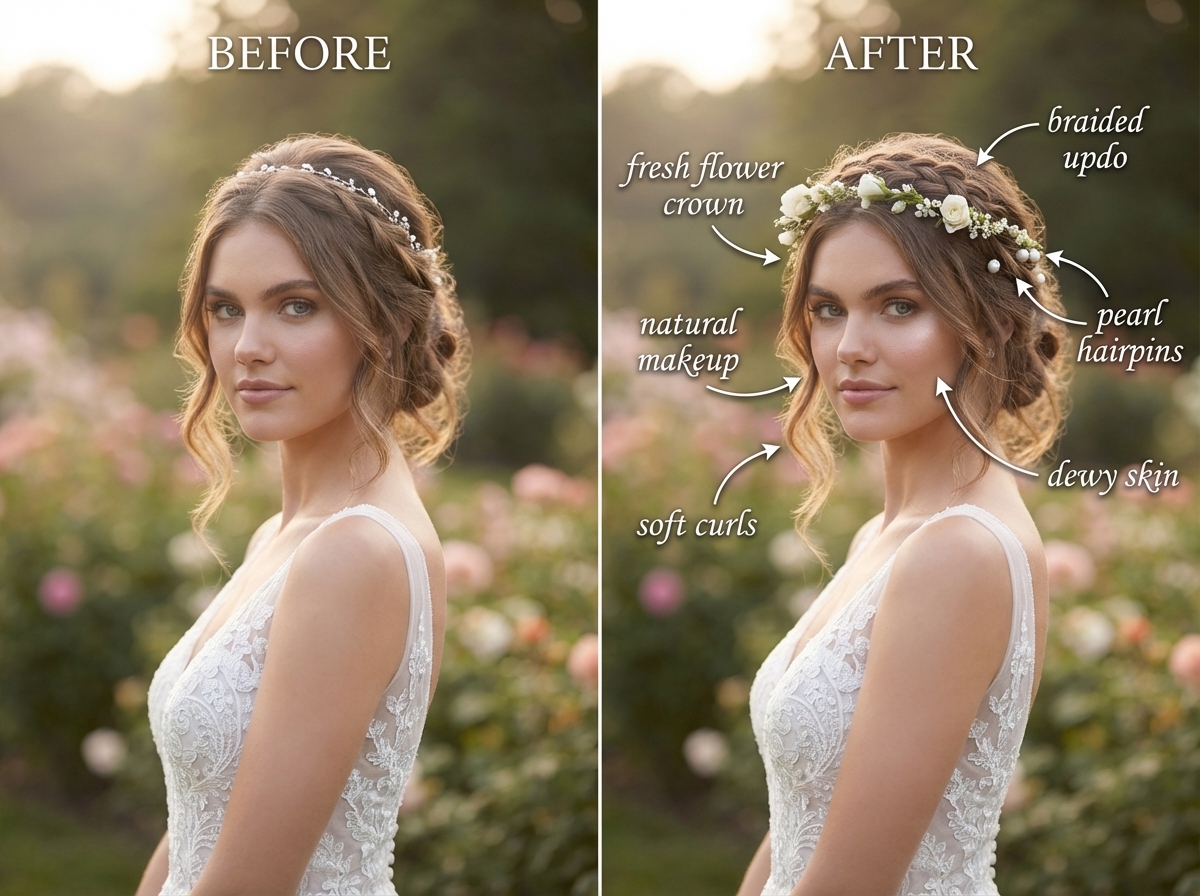
What Wedding Photo Retouching Costs in 2026 (And When Not to Buy It)
Rebuilding Visual Productivity: Curify vs. GPT vs. Canva AI in Agentic Generative Capability

AI Travel Itinerary Templates: Day-by-Day Planners, Packing Lists & Route Maps
Add Subtitles

Drag & Drop or Click to Upload
.mp4/.mov/.webm/.avi/.wmv
Supported Languages
Add Subtitles
Require Translation
Auto Detect
Subtitles
Credits Required:0(Available: 0)