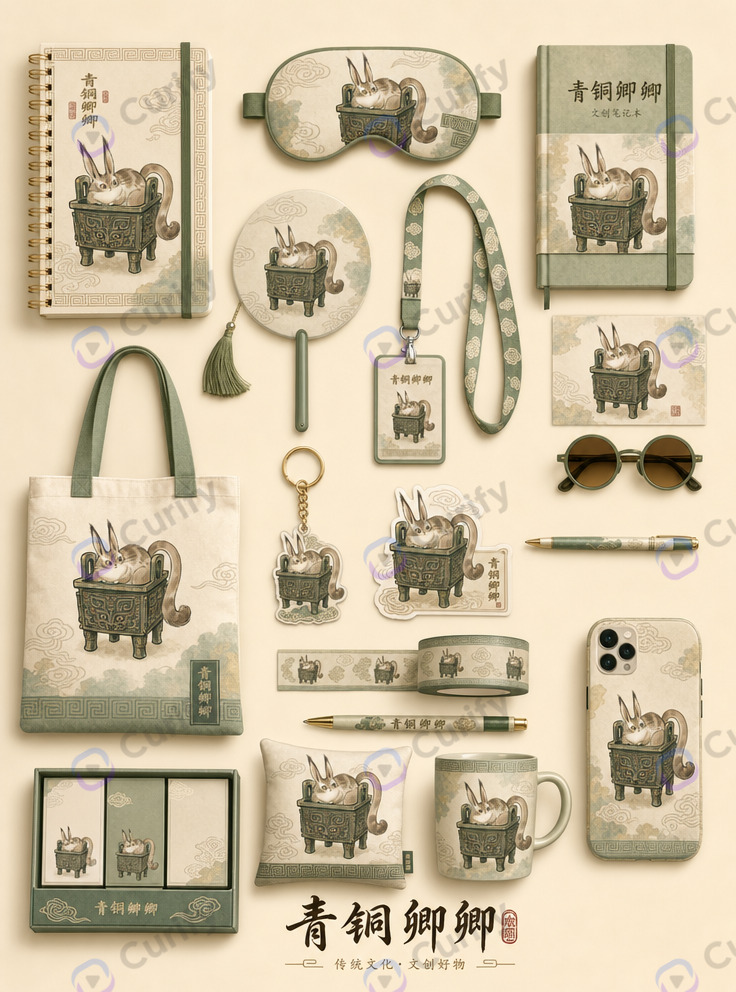
AI Product Photo to E-Commerce Listing Image: Upload Once, Ship in 30 Seconds
E-commerce listing photos are the single highest-impact visual in the conversion funnel — the image that appears in search grids, on product cards, and at the top of the listing page. Etsy sellers see 20-35% CVR lift when the hero shot reads as real brand rather than phone snapshot. Traditional catalog photography means a studio, lighting kit, and photographer per SKU. That model doesn't scale below 500 units and pins independent sellers to phone-shot mediocrity — the visual gap between hobby-scale and brand-scale. The 2026 generation of image-to-image models (Nano Banana Pro, Gemini 3 Pro Image, GPT Image 2) ship the underlying capability. What was missing until now is the templating layer — a way to guarantee that every upload lands in the same visual register, so a 20-SKU catalog reads as one shoot instead of 20 disparate AI outputs. Below: 6 shipped Curify templates that take an uploaded product photo and output a listing-ready image. Each one targets a specific e-commerce visual grammar (Etsy cozy hero, Shopee 9:16 detail, apparel try-on, fashion lookbook, home mood board, storage before/after). Pick the one matching where you list. Two are wrapped in the new [/tools/ecommerce-photo](/tools/ecommerce-photo) tool route — the other four remain accessible via their individual template pages.
What separates a listing-ready image from a generic AI upload
Four ingredients:
- Product fidelity — the AI must preserve the exact product identity (shape, proportions, color, materials, branding). Generic image2image models drift on all four; templated prompts encode the fidelity constraint up front.
- Composition grammar per marketplace — Etsy converts on cozy warm hero shots. Shopee / TikTok Shop / RedNote convert on 9:16 vertical detail-shot layouts. Amazon converts on a clean white-background hero. Each is a different template.
- Catalog consistency — 20 SKUs in a catalog should look like one shoot, not 20 disparate AI outputs. This is where templated generation dominates raw prompt engineering — the style locks once, every generation inherits.
- Ready-to-ship output — no cropping, no color-correcting, no scene-cleaning. If the template output needs post-production, it's a mood board, not a listing image.
The 6 templates
1. Cozy warm hero shot — template-product-poster
The Etsy / DTC brand aesthetic. Soft interior lighting, natural props, wooden-surface staging, warm color register. Reads as artisan, not mass-market. This template preserves product identity precisely — same shape, proportions, colors, materials, controls, branding — and drops it into a cozy warm scene the Etsy shopper visually maps to handmade / small-batch / real person behind this.

Best for: candle makers, aromatherapy sellers, home-goods brands, artisan coffee roasters, plant shops, ceramicists, small-batch skincare, anyone listing on Etsy or a DTC storefront where brand-warmth matters more than clinical precision.
Try it: Open the Product Poster template → — or use the /tools/ecommerce-photo wrapper for the upload → listing-image flow.
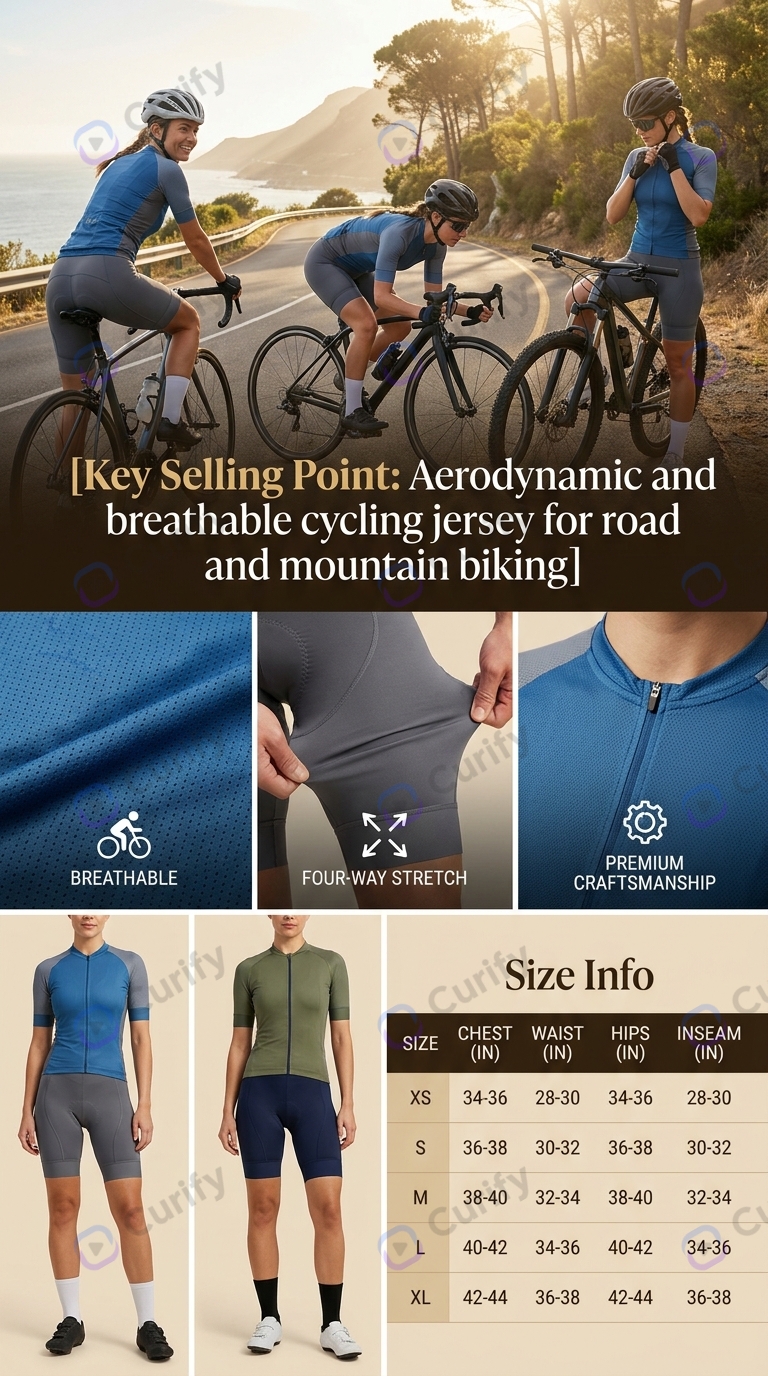
2. 9:16 vertical detail-shot — template-fashion-ecommerce
The Shopee / TikTok Shop / RedNote (Xiaohongshu) grammar. Clean background, feature callouts, larger product-in-frame ratio optimized for mobile grids. The 9:16 aspect is native to the platforms fashion + accessory sellers actually convert on — vertical formats occupy 2.4× more screen real estate than square on a mobile feed, which is where 90% of these platforms' traffic lives.
Best for: clothing, jewelry, accessories, headphones, small consumer electronics, home hardware, beauty devices — anything that lists on Shopee, Lazada, TikTok Shop, RedNote (Xiaohongshu), or Chinese-language marketplaces where the detail-shot-with-callout is the SERP visual.
Try it: Open the Fashion E-Commerce template → — or use the /tools/ecommerce-photo wrapper for the same upload flow.
3. 3-panel outfit try-on — template-ai-outfit-try-on-poster
The apparel-specific listing format. Upload a character reference photo + an outfit reference, get back a 3-panel poster: original character, styled outfit on the character, standalone outfit. Solves the biggest apparel listing problem — buyers want to see the item worn, not just on a hanger.
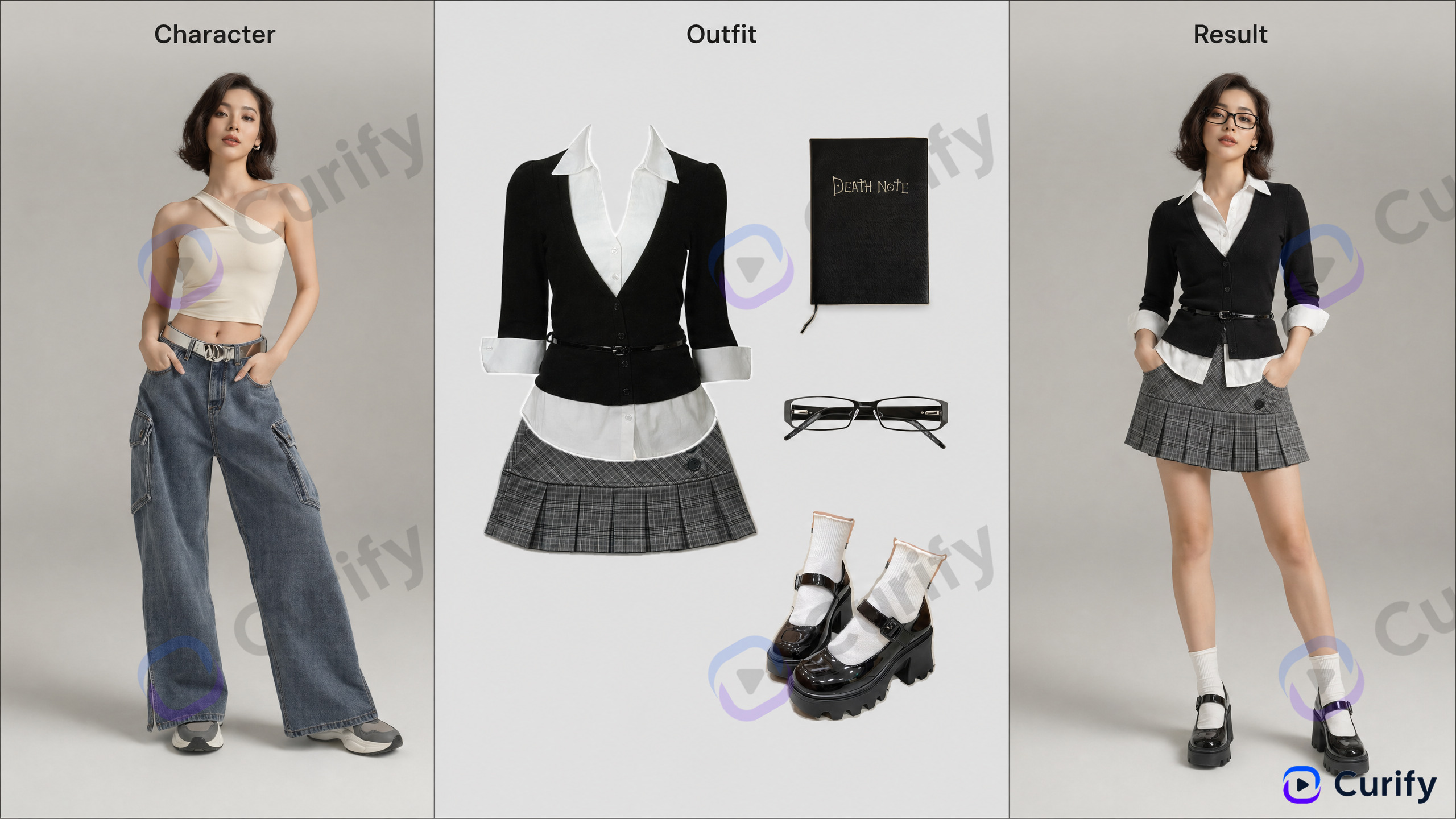
Best for: independent clothing brands, thrift resellers, print-on-demand apparel, anyone selling wearables where the on-model shot matters more than the flat-lay.
4. Lookbook style variations — template-personal-fashion-outfit-style-variations
Upload one reference photo of a person, get back a lookbook grid: the same person styled across N different outfit variations. Identity preserved across every panel. Perfect for a shop by look listing rail.
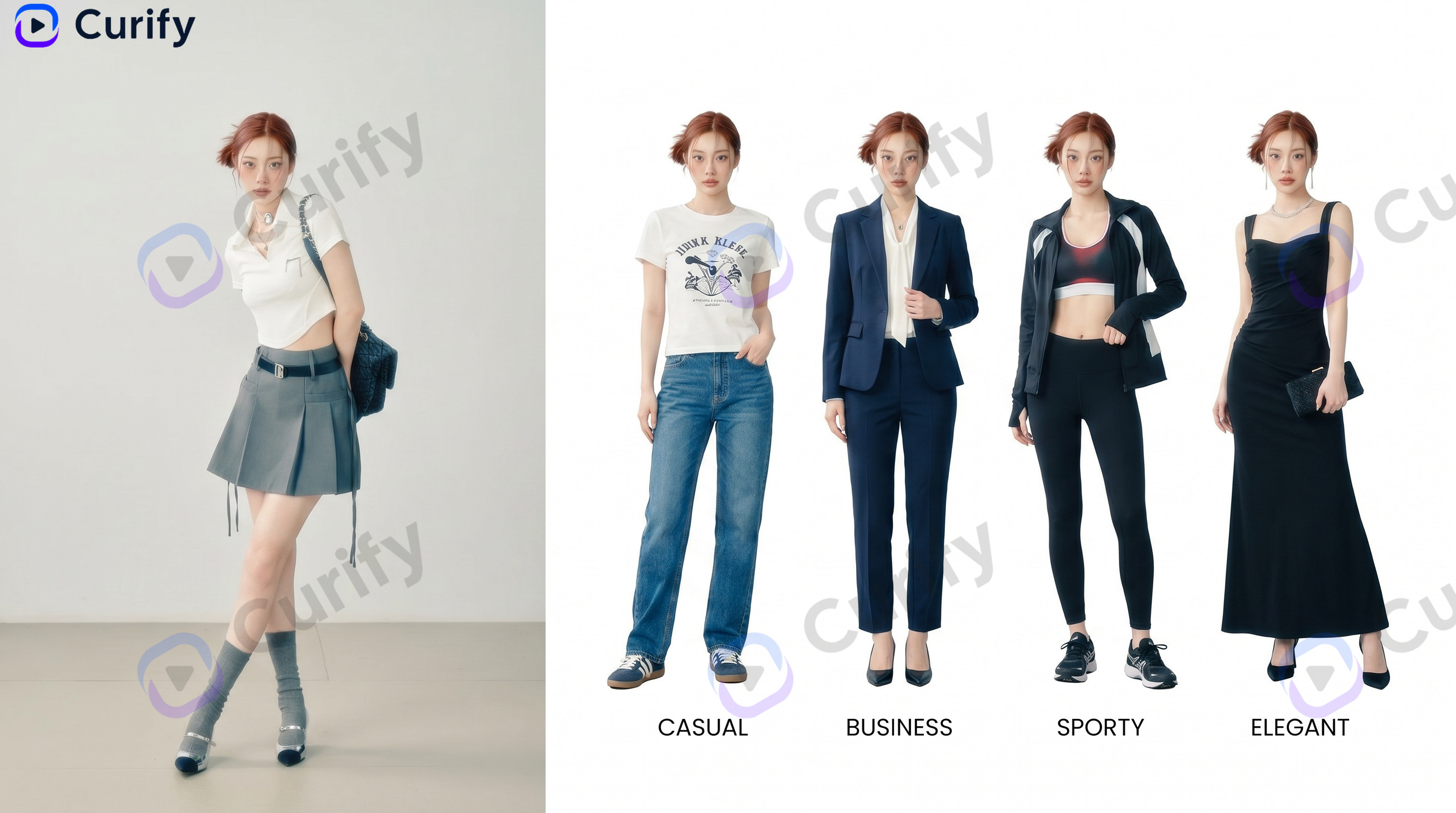
Best for: seasonal capsule collections, styling services, personal shoppers, curated-vintage sellers who need a coordinated lookbook shoot without a photographer.
5. Room → mood board — template-interior-design-mood-board-generator
Upload a photo of a real room, get back a vertical interior-design mood board — the swatch + palette + product callout format that home-goods sellers use to sell an aesthetic, not just an object. The listing shifts from product page to design system.
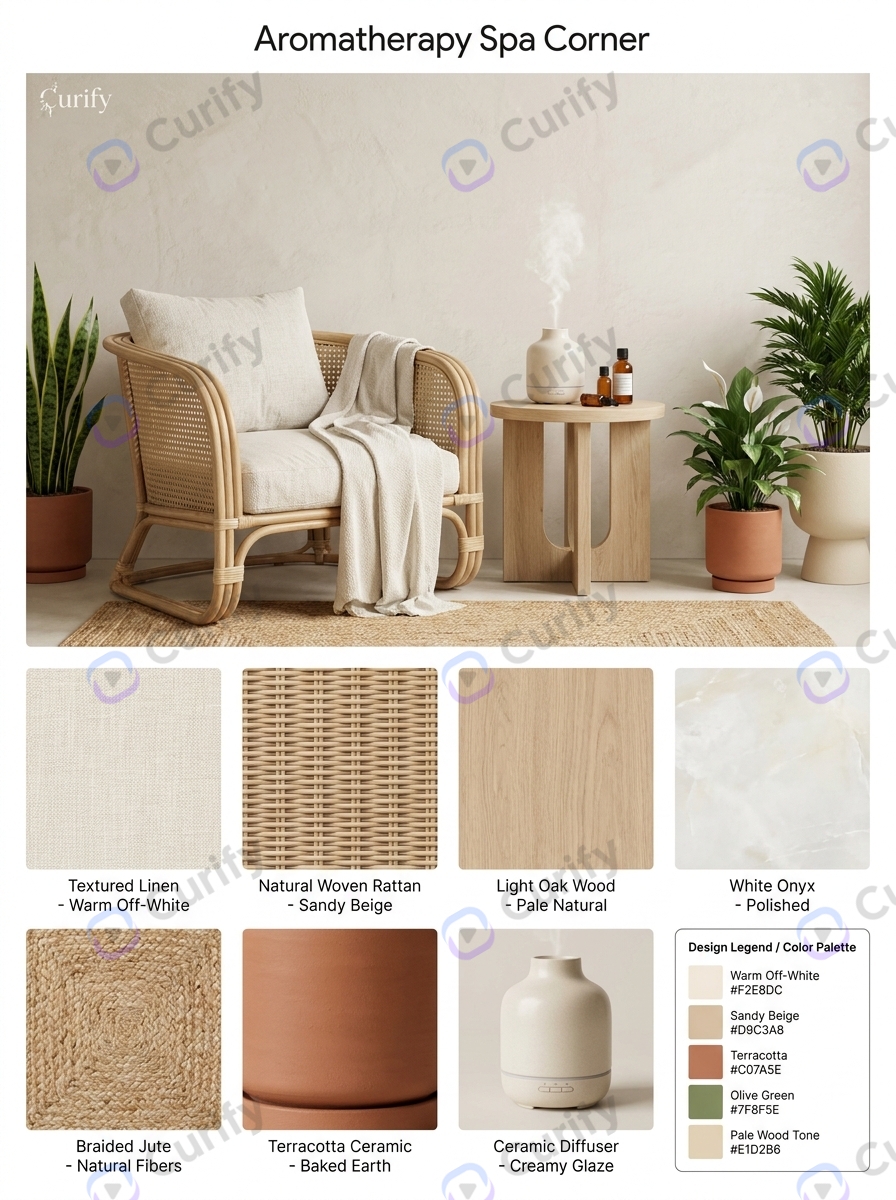
Best for: home-goods, decor, aromatherapy, candles, wall art — anything where the buyer's intent is make the room feel like this rather than buy this exact object.
Where these templates still fail (and how to fix)
- Small-object identity drift — jewelry, watch faces, and other sub-2cm detail features can drift on the first pass. Fix: upload a hero shot with clean lighting and shallow depth of field so the model has strong identity signal.
- Text on packaging — printed labels and small text on packaging can render as garbled glyphs. Fix: for text-heavy packaging use the dedicated
template-food-product-packaging-designwhich is tuned for label preservation, or ship the templated shot as the hero and use your original photo as one of the secondary listing images.
- Amazon compliance — pure white background required. None of these 6 templates optimize for pure white; use the raw image-to-image mini-tool for background removal after generating the hero shot elsewhere.
- Print-quality resolution — templated output ships at screen quality (1024-2048 px). For POD or print catalog, upscale via the print-ready pipeline (backlog, not yet shipped) or Topaz Gigapixel.
- Multi-color / multi-variant SKUs — a single upload cannot generate all 12 color variants of the same shirt. Fix: run each color as a separate template call, or wait for the batch upload flow (early access) which accepts a folder of variant references and returns a coordinated set.
- Reflective / mirror-finish surfaces — chrome, polished stainless steel, and glass distort under scene replacement because the AI has to invent the new reflection. Fix: upload with a plain background and let the template handle the scene, but expect one or two regen passes for luxury-grade finish.
6. Before / after storage — template-home-organization-before-after
Upload a photo of an unorganized space (closet, kitchen drawer, desk, shelf), get back a before/after transformation poster. The dominant listing format for storage organizers, drawer dividers, closet systems, pantry labels — categories where the value prop IS the transformation.
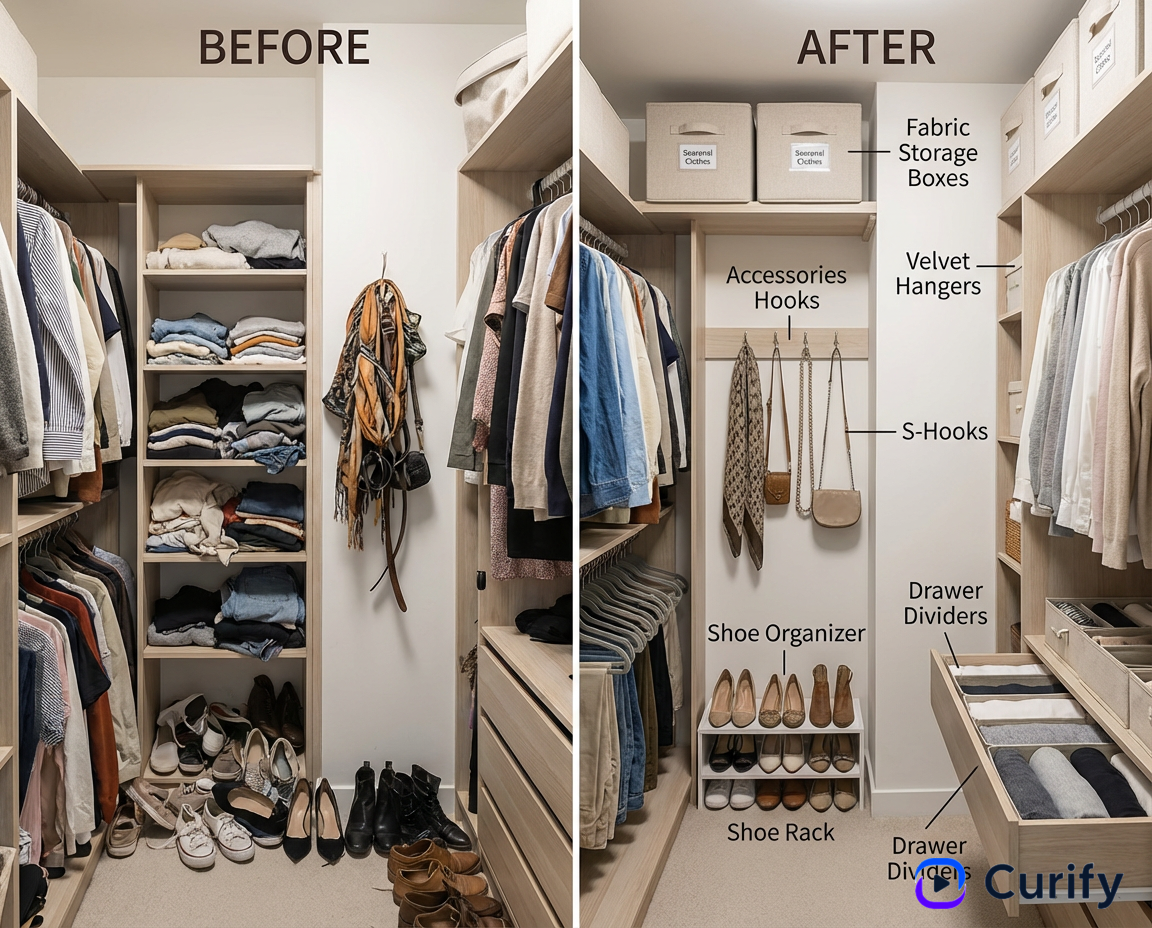
Best for: storage organizer sellers, home-goods brands with transformation-based value props, organizing services, professional organizers building a portfolio.
Why templated beats prompt-engineered for listing images
Three reasons the templated output beats raw prompt engineering, even with the same underlying model (Nano Banana Pro):
- Composition encoding — the template has cozy-hero / 9:16-detail / try-on-3-panel / mood-board / before-after composition already baked in. You supply the product; the model gets a complete spec instead of having to invent the format. Zero prompt iteration.
- Product-fidelity constraints — every template's underlying prompt starts with a preserve exact product identity clause (shape, colors, materials, controls, branding). Raw prompts skip this and drift by generation 3-5.
- Catalog consistency — 20 SKUs generated through one template all look like one shoot. 20 SKUs prompt-engineered separately look like 20 different AI outputs. Consistency is what buyers register as real brand; inconsistency reads as marketplace reseller.
For the broader catalog play, see /blog/ai-product-photo-generator-guide — the same infrastructure powers programmatic-SEO landing pages at 500+ SKU scale. For the merch / POD workflow, see /use-cases/for-merch-operators. For the strategic frame on why templated Completion beats raw Generation, see /blog/programmatic-seo-dtc-visual-first.
Upload once — 30 seconds to a listing image
Try the wrapped tool at /tools/ecommerce-photo — single upload, pick cozy hero or 9:16 detail, done. For the narrower categories (apparel, fashion lookbook, home mood board, storage before/after), open the specific template linked above.
Building a catalog at 20+ SKU scale? Reach out via /contact for early access to the batch pipeline — upload a folder of product photos, get back a coordinated set of listing images with locked visual style across the whole line.
Once your listing images are locked, turn the same product into a 30-second ad in the URL to Product Video workflow — same catalog, one more channel.
Popular Template Examples
Explore our most popular Nano Banana prompt templates to see what's possible:
One image is a sample. A product line needs the whole set.
Every Curify template runs in bulk. Send the list — SKUs, words, characters, teams, scenes — and we return the full set generated against one locked visual direction, so the line reads as a collection instead of forty unrelated images.
- Works on any template, not a special few — the same prompt structure applied across your whole list.
- One locked visual direction across the set, so a 40-design line stays on-brand end to end.
- Production-ready output where the format calls for it — die-cut paths, dielines, print resolution.
Take the next step
Putting what you read into practice.
Browse related topics
More templates and prompts in these areas.
Related Articles
merch-podAI Product Photography: One Hero Shot to 100+ Brand-Consistent Variations
Programmatic SEO for DTC Brands: Why Visual-First Pages Beat Keyword-Stuffed Pages