
Join Curify to Globalize Your Videos
By using Curify, you agree to our
Terms of Service and Privacy Policy
Nano Banana Prompt: AI Outfit Try-On Poster Generator
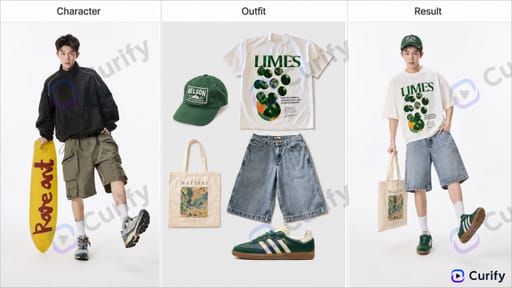
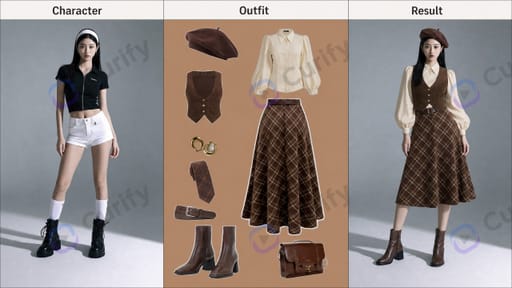
Generate a clean three-panel fashion try-on poster showing a reference character, a flat-lay of the full outfit, and the same character wearing the new outfit with realistic fit and lighting.
Reproduce this template
Use your inputs — the prompt preview updates instantly.

Drag & Drop or Click to Upload
.jpg/.png/.webp
(AI Outfit Try-On Poster Designer) Create a three-panel fashion try-on poster. Layout: 1. Left panel: The original reference character portrait labeled 'Character'. 2. Middle panel: Flat-lay display of the full outfit (clothes, shoes, accessories) labeled 'Outfit'. 3. Right panel: The same character wearing the new outfit, with perfect lighting, pose consistency, and realistic fit, labeled 'Result'. Style: Clean studio background, high-fashion photography style, consistent lighting across all panels, sharp details, realistic textures, commercial fashion aesthetic, horizontal format, 4K ultra HD, direct image generation. Subject: AI Outfit Try-On Comparison Poster.
Other nano banana templates
Explore other categories and presets.
About this template
What is this template?
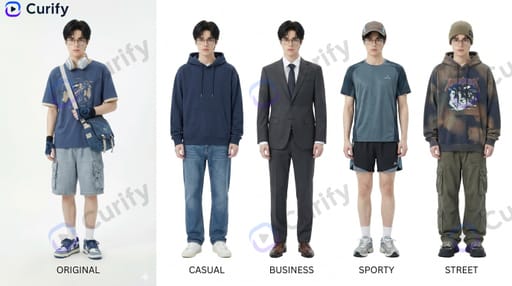
This template uses Nano Banana to generate a three-panel fashion try-on poster on a clean studio background. The left panel shows the original reference character portrait labeled 'Character'; the middle panel displays the full outfit (clothes, shoes, accessories) as a flat-lay labeled 'Outfit'; the right panel renders the same character wearing the new outfit with consistent lighting, pose, and realistic fit, labeled 'Result' — high-fashion photography style with sharp details and commercial aesthetic.
Who should use it?
Suitable for fashion brands, e-commerce stores, personal stylists, lookbook designers, fashion content creators, virtual styling apps, and anyone who wants to visualize an outfit on a specific character before producing or buying.
How to use it
- Provide or describe the reference character portrait for the left panel.
- Specify the full outfit (clothes, shoes, accessories) you want to flat-lay in the middle panel.
- The template renders the right panel with the same character wearing the outfit, matching pose and lighting.
- Generate a horizontal 4K three-panel fashion try-on poster.
Example prompts
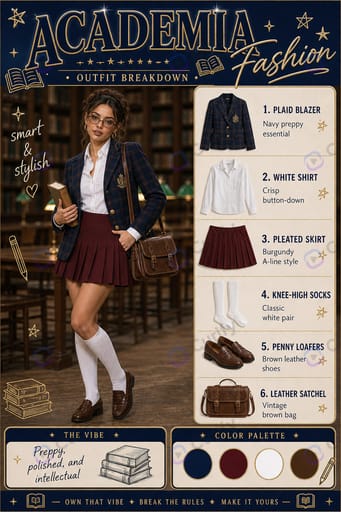
- Generate a try-on poster of a casual streetwear outfit (oversized hoodie, baggy jeans, sneakers).
- Create a try-on poster for a business casual outfit (blazer, slacks, loafers).
- Try on a summer outfit (linen shirt, shorts, sandals) on the same character.