AI Travel Itinerary Templates: Day-by-Day Planners, Packing Lists & Route Maps

Travel itinerary templates have not changed meaningfully in 30 years. Word docs, spreadsheets, the same generic columns: date, location, activity, hotel. They get the information across but they look like a tax return. AI travel itinerary templates ship the same information as a visual artifact — a printable day-by-day with photographic anchors, a route map of the route you actually plan to walk or drive, a packing-list infographic per trip type. Same content as a spreadsheet, designed like a magazine spread. The shift is mostly a visualization upgrade — but the visualization upgrade is what makes the itinerary something a partner or family member actually reads. This guide walks through four AI itinerary template types that ship today, with the use case each one solves and the underlying Curify template you can fork.
Why visual itineraries replace spreadsheet itineraries in 2026
A traditional spreadsheet itinerary works for the trip planner — the person who built it knows the context. It fails for everyone else on the trip. Partners scan it once, get overwhelmed, and ask questions during the trip instead of pre-reading. Kids ignore it entirely.
A visual itinerary fixes this for two structural reasons:
1. Visual hierarchy compresses 5 days into one glance. A day-by-day layout with photographic anchors, time stamps, and walking-distance map shows the shape of the trip immediately. The partner sees "Wednesday is Kyoto's bamboo forest" without reading the row label.
2. Photographs lower the cognitive load of pre-trip research. A spreadsheet says *Arashiyama Bamboo Grove, 9am, 30min walk from Saga-Arashiyama Station*. The visual itinerary shows the actual place at 9am light + the station entrance + the walking path. Same information; 10x faster to absorb.
The traveler still does the planning. The AI template handles the presentation layer that previously needed Canva + 2 hours of formatting per day.
Four itinerary template types — pick by trip shape
Day-by-day travel itinerary — for the multi-stop city trip
The most general-purpose template. 1-2 days per page, each day rendered as a visual block with morning / afternoon / evening blocks, photographic anchor per activity, time + transport notes inline.
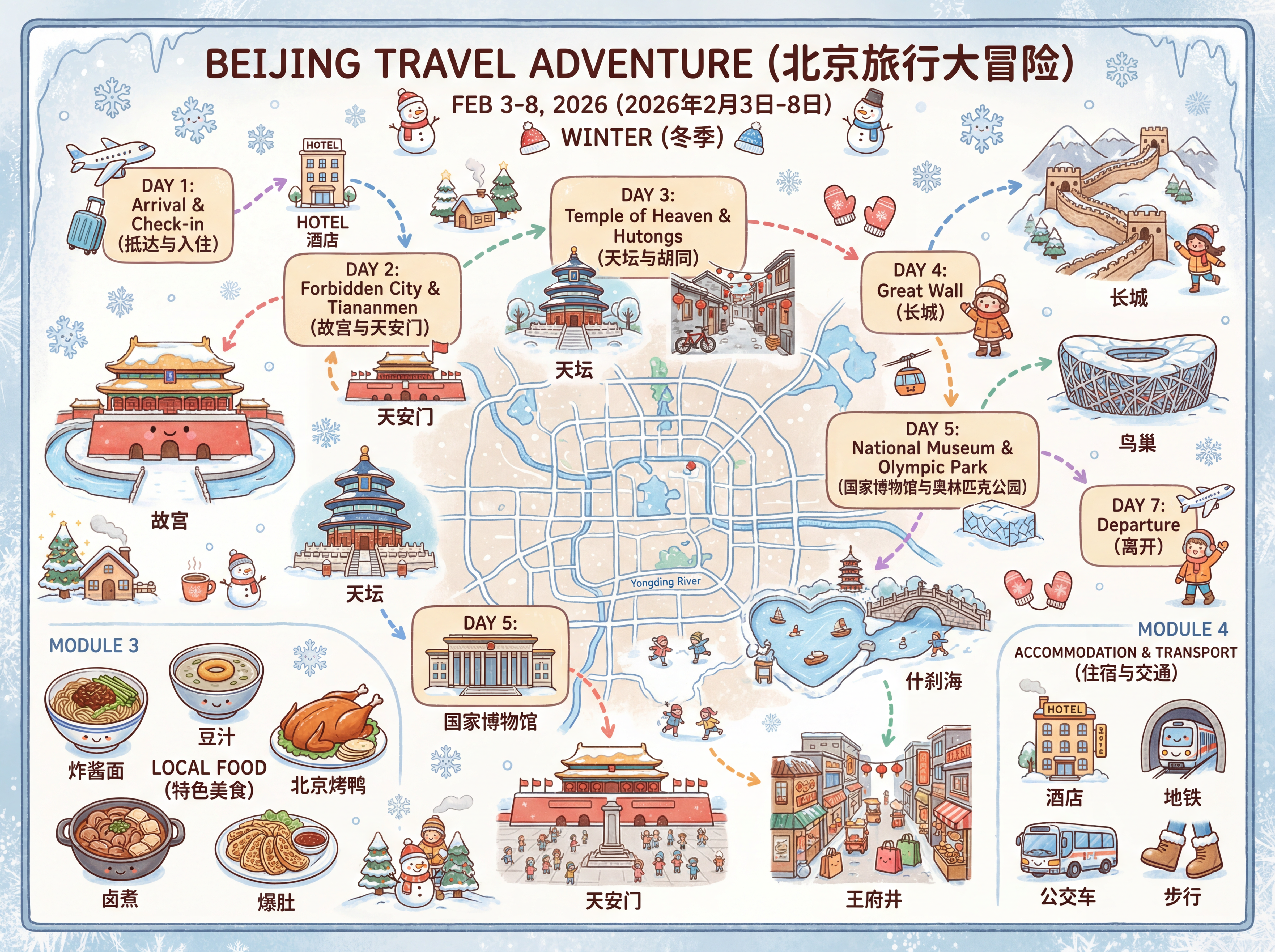
Open the Travel Itinerary template →
Best for: 3-7 day trips through one city or one region with multiple stops per day. The visual block structure scales cleanly to 12 distinct activities.
Multi-day travel series — for the road-trip or multi-country itinerary
When the trip spans multiple cities or regions, a single-page day-by-day gets cluttered. The series template breaks the itinerary into one page per city or region, with a route summary across the top that shows transitions (flight, train, drive).
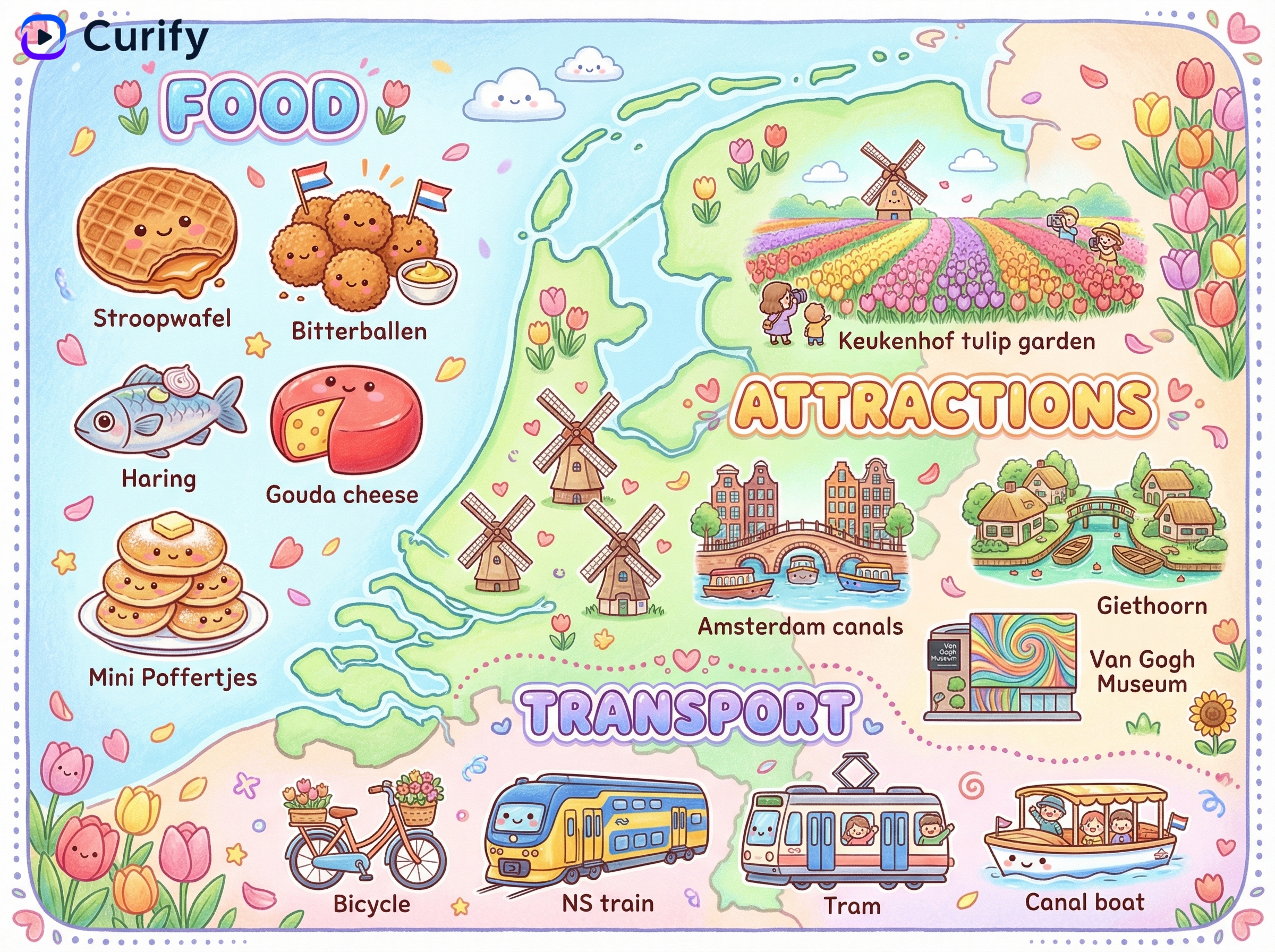
Open the Travel Series template →
Best for: road trips, multi-country Europe trips, cruise itineraries with multiple ports. The series structure communicates that the trip has phases, not just stops.
Packing-list infographic — paired with any itinerary
Spreadsheet packing lists fail for the same reason spreadsheet itineraries fail — the family member packing their own bag does not read a 60-item bullet list. The packing-guide infographic groups items visually by category (clothing, toiletries, electronics, documents) with photographic anchors, trip-type variants (beach, hiking, business, ski), and a count per item.
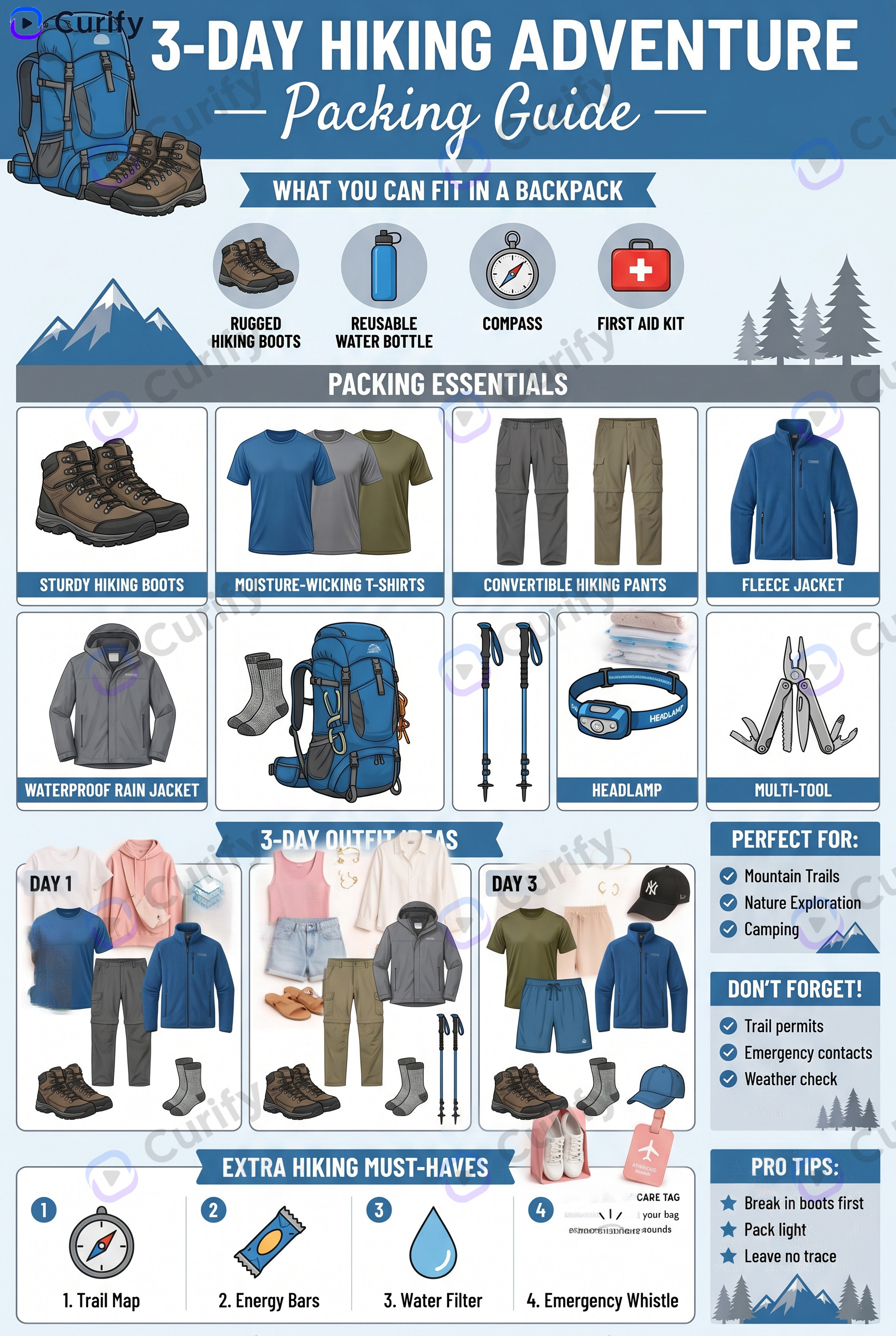
Open the Travel Packing Guide Infographic template →
Best for: trips with a specific packing risk (hiking, ski, beach, business). Pair with the day-by-day itinerary as a 2-page pre-trip handout.
Route map infographic — for the walking / driving itinerary
When the itinerary's geography matters more than its calendar, a route map is the right artifact. Stops numbered along the route, walking or driving distances annotated, time-of-day landmarks called out.
Open the Tourist Spot Watercolor Map template →
Best for: day trips with a heavy walking component (city food tours, museum districts, theme parks). Also strong as a souvenir of the trip itself — the route map prints well as wall art post-trip.
Where these templates do not replace a human travel agent
Three places the AI itinerary workflow has clear limits:
Decisions still belong to the traveler. AI templates render an itinerary you have already decided on. They do not pick the activities, the hotels, or the order. If you need help deciding *what* to do, a travel agent or a destination-guide blog is the right tool first; the visual itinerary is what you build after the decisions are made.
Real-time changes need a different tool. Once the trip starts, weather or transit delays may require swapping activities. The print-out is static; for live changes use a notes app and revisit the visual itinerary on the next trip.
Long trips need pagination, not compression. A 14-day trip rendered on one page is unreadable. Split into a 7-day-per-page series, or one page per region. The series template handles this; the single-page day-by-day does not.
Tools & Resources
Learn about the best tools available...
How to use Curify itinerary templates
All four templates above are free on Curify. The workflow:
1. Pick the template that matches your trip shape (multi-stop city → day-by-day; road trip → series; specialty packing → packing infographic; heavy walking → route map)
2. Fill in the parameters — dates, destinations, activities. The template parses your description and lays out the visual blocks
3. Iterate on the photographic anchors — swap in your own photos or let the template generate destination-appropriate stock imagery
4. Download at print resolution (300 DPI) for a printed handout, or use the digital PDF for sharing
For groups: print one copy per traveler. For families: print one copy in a flexible carrier (the parent) and digital copies for everyone else. The visual format works in both formats because the design is dense — readable at print scale and on a phone screen.
Need a custom template for a niche trip type (multi-language business trip, accessibility-first itinerary, kids-led trip planning)? Reach out via /contact.
Replace your itinerary spreadsheet by Thursday
If your next trip is more than 10 days away, the time investment in switching from a spreadsheet to a visual itinerary is well under an hour. Start with the day-by-day template for a city trip or the series template for a road trip — both ship with example outputs that show what the format looks like before you commit. Add the packing-guide infographic as a pre-trip handout. Skip the route map until the next trip if your geography is simple.
Popular Template Examples
Explore our most popular Nano Banana prompt templates to see what's possible:
Take the next step
Putting what you read into practice.
Browse related topics
More templates and prompts in these areas.
Related Articles
Creator Tools
AI Travel Scrapbook Templates: Watercolor Journals, Vintage Posters & Photo Collages
FIFA 2026 World Cup Host City Travel Guide: Planning Your Trip Across USA, Canada & Mexico