Style Transfer AI in 2026: Turn Video into Ghibli, Pixar, Anime, and 4 More Styles
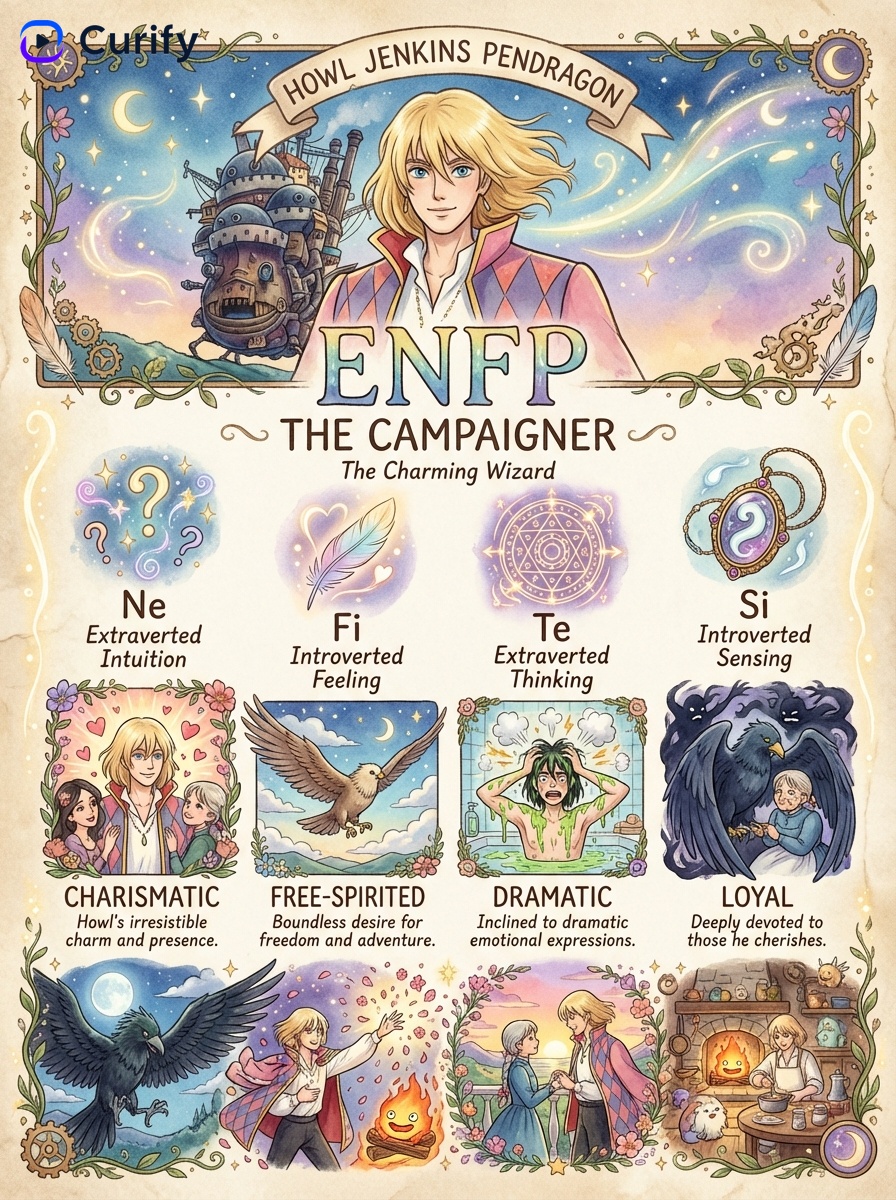
Style transfer AI used to be the cool demo from 2017 that you couldn't ship — every frame jittered, faces drifted, the output was "interesting" but never deliverable. In 2026 the constraint flipped: frame-coherent restyling of a full live-action clip into Pixar, Ghibli, anime, watercolor, retro 80s, or oil painting is now a one-click pipeline. This guide walks you through what actually works, when each style fits, and 5 worked examples you can copy directly. The Curify [style transfer demo](/tools/style-transfer) at the end runs on the same pipeline.
What is Style Transfer AI (and what changed in 2026)
Style transfer AI takes a source video and a target visual style — Pixar 3D, Ghibli painterly, anime line art, watercolor — and re-renders the clip in the target style while preserving the original motion, framing, and subject identity. The output is a new video, not a filter over the original frames.
What changed in 2026: image style transfer has been around for a decade, but video stayed hard because of *temporal coherence*. A naive frame-by-frame restyle flickers — each frame is restyled independently, so colors and textures jitter between adjacent frames. The 2026 generation of pipelines fixes this with shot detection, reference encoding, frame-coherent restyling conditioned on the previous frame, and a temporal smoothing pass. The result: you can ship a 30-second clip in Ghibli style without a designer touching it.
Who actually uses this: indie animators locking a consistent style across hours of footage; educational creators translating a live-action explainer into a kid-friendly painterly version; marketing teams restyling one shoot into multiple visual cuts (corporate / playful / regional) for split-testing without re-shooting.
5 Style Transfer Styles That Actually Land
1. Ghibli — Painterly, Warm, Hand-Drawn
Best for: narrative videos, children's content, slice-of-life vignettes. The painterly Ghibli register turns live-action footage into something that looks like Princess Mononoke or Spirited Away — warm color palette, soft brush textures, hand-drawn line work that preserves character expression.
When it fails: action-heavy footage with rapid cuts. Ghibli's style is built around slow, atmospheric shots — fast cuts produce visible style drift between shots.
Gallery anchor: the Ghibli MBTI character card series in our gallery shows what the Ghibli aesthetic looks like applied to specific characters — Howl, Chihiro, Ashitaka, and 24 others. Same painterly register your video gets after style transfer.
2. Pixar — 3D Render, Bright, Cinematic
Best for: product demos, mascot-driven explainers, brand video for consumer-facing products. The Pixar register applies 3D-render shading, bright saturated colors, and the iconic Pixar cinematic camera lighting.
When it fails: documentary-style or talking-head footage. Pixar's register expects character animation; static subjects get a flat 3D look that reads as cheap rather than premium.
Reference workflow: for the Pixar style preset, the pipeline uses a reference encoding trained on Pixar-style character animation. For anything character-driven (faces, expressive bodies), the restyle preserves expression. For inanimate subjects, the result is decent but flat.
3. Watercolor — Soft, Bleeding, Editorial
Best for: editorial content, food photography, magazine-style storytelling. Watercolor turns the source clip into bleeding-edge paint strokes, soft transitions, and a tactile paper-texture finish.
When it fails: sharp text, signage, logos. Watercolor blurs hard edges — text in the source becomes illegible. Crop or mask text-heavy regions before restyle if you need them readable.
Gallery anchor: the watercolor tutorial template series has 40+ samples (butterflies, lemons, mushrooms, landscapes) showing what the watercolor register produces on still subjects. Video output has the same softness and pigment bleed.
4. Anime — Bold Outlines, Flat Color, High Contrast
Best for: action videos, social-media reels, character-driven content for younger audiences. Anime register applies bold outlines, flat color regions, sharp shadow blocks, and the high-contrast palette of modern Japanese animation.
When it fails: realistic environmental footage. The flat color regions and bold outlines look great on character work and weird on landscape or architectural footage — there's nothing for the outlines to attach to.
Reference workflow: anime is the highest-velocity preset on the platform — fastest restyle time per minute of source. Good default for first-pass tests when you want to see if style transfer works for your content before committing to a slower preset (Ghibli, watercolor).
5. Retro 80s / Synthwave — Neon, Grain, VHS
Best for: music videos, nostalgia content, brand campaigns chasing 80s aesthetic. The retro 80s register adds VHS-like grain, neon-pink/cyan palette shift, soft chromatic aberration, and the slightly degraded broadcast look of period footage.
When it fails: crisp modern footage that doesn't tolerate degradation. Retro 80s looks deliberately *worse* than the source — perfect for a music video, awful for a product spec demo.
Reference workflow: pair with the 80s sound design (synthwave / vaporwave) at the audio layer; the visual restyle alone reads as a filter, but with matching audio it becomes a campaign aesthetic. The cultural-relic retro infographic templates in our gallery show the period-grade palette at work on still subjects.
Where Video Style Transfer Still Fails (and the Workarounds)
Three failure modes to expect, with the workaround:
Hard-edge text becomes illegible. Painterly and watercolor presets blur text into pigment. Workaround: mask text regions before restyle, composite the original text over the styled video, or use a sharper preset (anime, retro) where text survives better.
Subject identity drifts across cuts. Even with shot-aware restyling, the same actor can read as slightly different across two cuts in different lighting. Workaround: lock the reference image (one frame from the source) across all shots so the model anchors on the same subject embedding.
Flicker on fast-motion footage. Frame-coherent restyling assumes moderate motion between adjacent frames. Very fast pans or whip cuts exceed the coherence window. Workaround: add a 0.5x slow-motion pass before restyle, then speed back up after, OR re-cut to remove the fastest transitions.
AI Style Transfer Tools Compared
Curify's style transfer runs on a frame-coherent video pipeline. If you're evaluating alternatives, here's how the 2026 landscape sorts:
| Tool | Best for | Strength | Weakness |
|---|---|---|---|
| Curify Style Transfer | Frame-coherent video restyle, preset + reference workflow | Identity preservation across motion; named-preset + custom-reference both supported | Demo + early access today, not open self-serve |
| Runway Gen-3 Style Transfer | Short generative clips with style conditioning | Best aesthetic quality on 5-10s clips | Weaker on long-form coherence; per-second pricing |
| Stable Video Diffusion + ControlNet | Open-source self-hosted | Full control via ControlNets (pose, edge, depth) | Engineering-heavy setup; quality trails closed source |
| Photoshop Neural Filters (Smart Portrait Style) | Static image restyle | Best UX for single-image work | Image-only, no video temporal coherence |
For the workflow this post describes — turning a real video into a stylized one — stay on Curify Style Transfer. The temporal coherence is the hard part; the pipeline handles it without you tuning anything per clip.
Try It — Curify Style Transfer
The /tools/style-transfer page ships the live demo: a sample live-action clip restyled into Ghibli, side-by-side with the original. Demo runs in your browser, no signup required.
Early access is open for upload of your own footage. The pipeline is still in private testing — early access spots come with direct support from our team while the public release is still in development. Sign up via the Join Early Access button on the tool page.
For the broader Curify catalog of nano-template prompts (still-image style transfer, character cards, MBTI series including the Ghibli set), see /nano-banana-pro-prompts. For the wider AI-for-video-creators tool comparison, see /blog/best-ai-tools.
Pick the Preset That Matches Your Content
Style transfer AI in 2026 is no longer a science demo — it's a one-click step in a content pipeline. Three principles to ship faster:
1. Match preset to subject: Pixar for character-driven, Ghibli for narrative, watercolor for editorial, anime for action, retro for campaigns. The preset does most of the work.
2. Mask text before restyle: any preset that blurs text (painterly, watercolor) will eat captions and signage. Mask first, composite back.
3. Lock the reference across shots: stops the same subject from drifting between cuts in different lighting.
Try the Curify Style Transfer demo, pick your preset, and ship your first restyle this afternoon.
Take the next step
Putting what you read into practice.
Browse related topics
More templates and prompts in these areas.
Related Articles
Creator Tools
50+ AI Makeover Prompts: Portrait, Outfit Try-On, Fashion Annotation — Upload Selfie, Generate in One Click
Best AI Tools for Video Content Creators in 2026: Descript vs ElevenLabs vs Runway