Best AI Tools for Video Content Creators in 2026: Descript vs ElevenLabs vs Runway
Most "best AI tools" lists are 20 entries long because padding helps SEO. We disagree. Three tools cover almost every real video creator workflow — editing/transcripts (Descript), voice and TTS (ElevenLabs), generative video (Runway). This guide picks the three, names what each is actually best at, and flags the one common case (dubbing a video into another language with the original speaker's voice) where you should skip them and use a dubbing tool instead.
Who this is for
Solo creators picking a tool to edit, narrate, or generate video content for YouTube / TikTok / Instagram / paid client work. Agency video teams shipping localized content at volume. Marketing teams building product demos, webinars, course modules. If you're trying to localize an existing video into another language with the original speaker's voice, skip ahead to the What if you don't need a video creator tool? callout — that's a different problem and a different tool.
Quick buyer's guide — what actually matters
Four dimensions matter; the rest is marketing copy.
1. What stage of the workflow do you need help with? Pre-production (scripting / storyboarding) lives in a different tool from production (editing) than from post (voice, dubbing, distribution). Buying one tool to do everything usually means buying a mediocre version of each.
2. Pricing model. Per-minute pricing (most generative video tools) scales linearly — fine for low volume, painful at scale. Subscription plans cap your spend. Per-character pricing (TTS) is similar — cheap for short clips, brutal for long-form narration.
3. Output format flexibility. Can you export in 4K? Do you get raw audio stems or a final mix? Is the transcript downloadable as SRT? Most tools box you into their player or editor; you want the ones that ship clean source files.
4. The hidden cost: time-to-acceptable. A tool that takes 30 minutes per video to learn but produces a polished result on the first try is usually better than a tool that produces a result in 30 seconds but needs three iterations to look right. The second category compounds across 50 videos.
How we picked these three
Most "best AI tools" lists are 15-20 entries long because padding helps SEO. We disagree. Three tools cover the entire video creator stack — editing/transcripts, voice, generative video. We dropped 17 tools that overlap with these three: CapCut AI, Adobe Premiere Firefly, Lumen5, Pictory, InVideo, and Veed sit in the same editing bucket as Descript; Murf, Play.ht, Speechify, WellSaid, Lovo sit in the same voice bucket as ElevenLabs; Pika, Sora, Luma, Kling, Synthesia, HeyGen sit in the same generative-video bucket as Runway. If you want the long listicle, those are a Google search away. If you want a decision, read on.
The three tools worth comparing
Past the marketing copy, the AI-for-video space sorts into three buckets: the editing + transcript workhorse (Descript), the voice and TTS leader (ElevenLabs), and the generative video frontrunner (Runway). Each owns a different stage of the workflow. Pick by what's most expensive in your stack today.
1. Descript
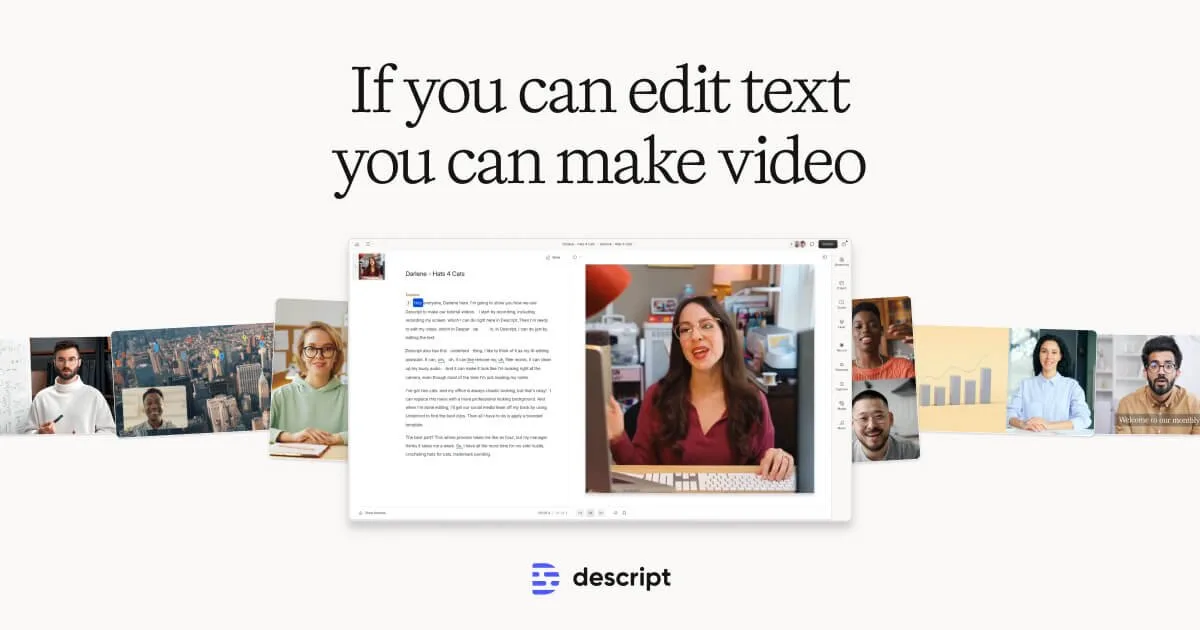
Multimodal editor — edit video by editing the transcript
- Best for: Podcast and video editing, transcript-driven cuts, multi-track audio + video, screen recording for tutorials
- Pricing: Free tier limited; paid plans start ~$16/mo; enterprise tiers for team workflows
- Languages: Transcription supports 23+ languages; voice cloning (Overdub) supports English + select others
- Notable limitation: Editing model assumes podcast-style talking-head content; weaker on narrative video, no native AI b-roll generation, voice cloning quality trails ElevenLabs
Pick Descript when most of your editing time goes to cutting interview footage, podcast episodes, course videos, or screen recordings — content where the transcript is the structural scaffold. Edit-by-deleting-words is the killer feature: cut a sentence from the transcript and the video matches. The free tier is generous enough to evaluate; paid tiers add multi-track, voice cloning (Overdub), and the AI eye-contact correction.

2. ElevenLabs
Voice and TTS leader — the polished commercial choice
- Best for: Voiceover for explainer videos, audiobook narration, character voices for media, custom voices for product features
- Pricing: Per-character billing — free tier limited; paid plans start ~$5/mo; enterprise tiers for high-volume API use
- Languages: 30+ languages with mature voice library; instant voice cloning with 10-30s reference; professional cloning with 30+ min reference
- Notable limitation: Closed platform with content-policy gates on voice cloning (consent verification required for custom voices); per-character costs add up at high volume
Pick ElevenLabs when you need a voice — for narration on a YouTube essay, a tutorial voiceover, a podcast intro, an audiobook. The API and voice library are the most mature in the category. For a deeper head-to-head on voice cloning specifically, see /blog/voice-cloning-tools.
3. Runway
Generative video — text-to-video and motion brush at production quality
- Best for: Generative b-roll, abstract scene generation, motion graphics, music-video shots, product reveal sequences
- Pricing: Free tier limited; paid plans start ~$15/mo; enterprise for high-volume Gen-3 / Gen-4 use
- Languages: Text prompt interface in English; output is visual, language-independent
- Notable limitation: Strong on short cinematic clips (5-10 seconds); weaker on coherent long-form narrative; per-second pricing makes long sequences expensive; control over specific actions (e.g. "the character throws the ball") still inconsistent
Pick Runway when you need cinematic generative video — abstract intros, product reveals, motion graphics, music-video shots, b-roll that doesn't exist. The Gen-3 and Gen-4 models lead the category on visual quality. Pair it with a real video editor (Descript, Premiere, Final Cut) for the assembly step.
Side-by-side
The same four dimensions across the three tools. Use this to triangulate the call after you've read the per-tool boxes.
| Descript | ElevenLabs | Runway | |
|---|---|---|---|
| Best for | Podcast and video editing, transcript-driven cuts, multi-track audio + video, screen recording for tutorials | Voiceover for explainer videos, audiobook narration, character voices for media, custom voices for product features | Generative b-roll, abstract scene generation, motion graphics, music-video shots, product reveal sequences |
| Pricing | Free tier limited; paid plans start ~$16/mo; enterprise tiers for team workflows | Per-character billing — free tier limited; paid plans start ~$5/mo; enterprise tiers for high-volume API use | Free tier limited; paid plans start ~$15/mo; enterprise for high-volume Gen-3 / Gen-4 use |
| Languages | Transcription supports 23+ languages; voice cloning (Overdub) supports English + select others | 30+ languages with mature voice library; instant voice cloning with 10-30s reference; professional cloning with 30+ min reference | Text prompt interface in English; output is visual, language-independent |
| Limitation | Editing model assumes podcast-style talking-head content; weaker on narrative video, no native AI b-roll generation, voice cloning quality trails ElevenLabs | Closed platform with content-policy gates on voice cloning (consent verification required for custom voices); per-character costs add up at high volume | Strong on short cinematic clips (5-10 seconds); weaker on coherent long-form narrative; per-second pricing makes long sequences expensive; control over specific actions (e.g. "the character throws the ball") still inconsistent |
Which one for which use case
- Podcast or interview-driven video editing → Descript. Edit by transcript is the workflow.
- Voiceover for narration or product feature → ElevenLabs. Polish + low engineering surface.
- Generative b-roll or cinematic scene generation → Runway. Best visual quality in the bucket.
- Localizing a video into another language with the original speaker's voice → skip all three. Read the next section.
What if you don't need a video creator *tool*?
Most readers landing on "best AI tools for video creators" are trying to solve one of two problems: build a new video from scratch, OR localize an existing video into another language while keeping the original speaker's voice. The three tools above handle the first problem. For the second problem, you don't need any of them.
Curify Video Dubbing clones the original speaker's voice from the source video, translates the audio, aligns it to the source timing, and ships a dubbed track in the target language with the speaker's identity preserved. The voice cloning is invisible — upload a video, pick a language, get a dub.
When this is the right fit: localizing a YouTube video, a course module, a product demo, a webinar, a tutorial.
When it's not: building new video content from scratch (use Runway or Descript), generating voiceover for a script (use ElevenLabs), editing an interview down (use Descript). Different category, different tool.
Frequently asked questions
Do I need all three tools?
No — depends on your workflow. A solo creator making explainer videos might use just Descript (record + edit) + ElevenLabs (voice if not using your own). A motion-graphics-heavy creator might use Runway + Descript. Most creators don't need generative video; most creators do need transcript-driven editing. Start with the bucket that eats most of your time today.
Are there free tiers I can evaluate with?
All three have free tiers. Descript: ~1 hour of transcription per month, watermarked exports. ElevenLabs: 10k characters/month (~10 minutes of voice). Runway: limited generations per month, watermarked. The free tiers are enough to evaluate; production work needs paid plans. Curify Video Dubbing's early-access waitlist is also free to join.
What's the cheapest combination that covers a YouTube creator's needs?
Descript Creator plan (~$16/mo) covers editing + transcription + rough Overdub voice. ElevenLabs Starter ($5/mo) covers high-quality voiceover. Total ~$21/mo for a stack that handles a YouTube channel doing 1-2 videos per week. Add Runway only if you need generative b-roll regularly.
How do I clone my own voice for voiceover?
ElevenLabs Instant Voice Clone needs 10-30 seconds of reference audio and works in minutes. ElevenLabs Professional Voice Clone needs 30+ minutes of clean studio audio and reaches near-broadcast fidelity. Descript Overdub takes a similar approach inside the editor but the fidelity trails ElevenLabs. For a full head-to-head on voice cloning specifically — including open-source options (F5-TTS, OpenVoice) — see /blog/voice-cloning-tools.
Can these tools generate full-length videos automatically?
Not at production quality, no. Runway can produce 5-30 second clips that look cinematic. Stringing them into a 10-minute coherent narrative still requires a human editor (Descript, Premiere, or Final Cut). Tools that promise "AI generates your full video" almost always ship something that looks like AI generated it. The three tools above are best understood as assists, not replacements.
I just want to dub a YouTube video in my own voice. Which tool?
None of the three above on their own — you'd assemble a pipeline. You'd need: extract original audio, clone the speaker's voice, translate the script, generate dubbed audio in the cloned voice, align it to the source video timing, optionally lip-sync. Curify Video Dubbing does all six steps end-to-end. Voice cloning is internal; you upload a video, pick a language, get a dub. Different category from "AI video creator tools".
The short version
Three tools, one decision: Descript if most of your editing is interview / podcast / screen recording content where the transcript drives the cut; ElevenLabs if you need polished voiceover or voice cloning; Runway if you need generative b-roll or cinematic short clips. And if your real problem is dubbing an existing video in the original speaker's voice, try Curify — different category, the voice cloning is automatic, you don't have to learn any of the three above.
Take the next step
Putting what you read into practice.