ストーリーボードからAIパイプラインへ - アニメーション再定義

ほとんどの人は、AI ビデオを「テキストを入力し、クリップアウトする」ことを意味すると考えています。しかし、映画のようなディレクターレベルのコントロールを目指している場合は、まったく別のゲームになります。
従来のアニメーションでは、キャラクターデザイン、動きの連続性、タイミング、シーン遷移など、あらゆる要素が重要です。私たちの目標は、AIでもその精度に到達することです。
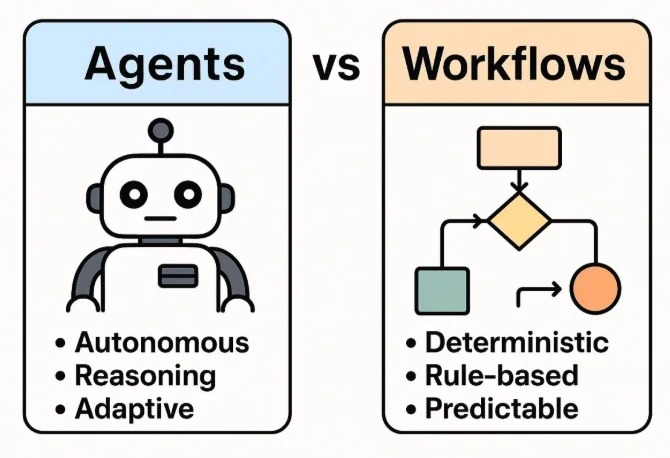
現在のアニメーションは、芸術であると同時に、構造化されたオーケストレーションの課題でもあります。私たちは監督のように考え、エンジニアのように実装します。
そのため、ワンショット生成ではなく、制御された生成パイプラインを構築します。これらのパイプラインは構造と創造性を組み合わせています。
AI動画生成パイプライン
AI動画生成パイプラインは、明確な入力・出力・設定を持つ構造化ステージを通して、テキストプロンプトを完成動画へ変換します。
それでは、AIパイプラインが実運用でどのように機能するか、シンプルな例で見ていきましょう。
Step 1: 基本プロンプトを作る
真夜中の駅に少女が立ち、風が髪を揺らしている。
GPTやローカルLLMを使い、全体スタイル、キャラクター定義、シーンごとの分解を含む構造化JSONへ展開します。
A young woman standing alone on a midnight train platform, dim lights reflecting off the wet ground, wind blowing her hair, cinematic lighting, anime art style, 4KStep 2: プロンプトをストーリーボード表へ変換
| Scene | Shot | Camera | Visual | Dialogue |
|---|---|---|---|---|
| 1 | Wide | Sway | The girl waits alone at the platform. Wet pavement reflects dim station lights. Wind gently lifts her hair. | (No dialogue – ambient station sounds) |
| 2 | Medium | Push | The camera slowly zooms in on her eyes. A distant light appears — a train approaches. | She whispers, "It's time." |
| 3 | Close-up | Static | Her hand tightens on an old ticket, knuckles white. Her gaze flickers with nerves and resolve. | (No dialogue – deep inhale) |
| 4 | Wide | Handheld | The train screeches in, spraying mist. The doors open with a hiss. | (No dialogue – train arrival and footsteps) |
| 5 | Over-the-shoulder | Track | From behind, she steps inside. Her silhouette framed by the train's pale light. | She says softly, "I hope you're there." |
| 6 | Inside train | Swivel | She sits beside an empty seat, the world passing in blurred streaks outside. | (No dialogue – distant announcement echoes) |
| 7 | Insert | Static | Close-up of her phone: a message reads "I'm waiting." Her lips form a faint smile. | |
| 8 | Medium | Dolly | The train slows. She stands and approaches the door, breath catching in anticipation. | (No dialogue – heartbeat and brakes squeal softly) |
🛠️ 🛠️ Step 3: ビジュアル生成
ComfyUIワークフローを通して、Stable Diffusionで各ショットの高品質キーフレームを生成します。
🎬 🎬 Step 4: After Effectsで動きと空気感を追加
Adobe After Effects(または同等の合成ツール)で、静止キーフレームに動き、パララックス、雰囲気表現を加えます。
🎧 🎧 Step 5: 音声と字幕を追加
ストーリーボードに合わせた音声を生成し、アクセシビリティと明瞭性のため字幕を付与します。
📦 Step 6: FFMPEGで最終合成
FFMPEGで各素材を結合し、音声と字幕付きの最終動画ファイルを生成します。
ffmpeg -f concat -safe 0 -i mylist.txt -c copy output_temp.mp4

ffmpeg -i output_temp.mp4 -i music.mp3 -filter_complex "[0:a][1:a]amix=inputs=2" output_final.mp4
# -filter_complex: Apply audio filter to mix both audio tracks
# [0:a][1:a]amix=inputs=2: Mix both audio streams (from video and music)
# output_final.mp4: Final output file with video and mixed audio
📁 必要なもの
- storyboard.json – short scene descriptions
{ "project_name": "Midnight Train", "scenes": [ { "scene_number": 1, "shot_type": "Wide", "camera_movement": "Sway", "description": "Girl waits alone at a midnight train platform. Wet pavement reflects dim station lights. Wind gently lifts her hair.", "duration_seconds": 5, "visual_elements": ["night", "train station", "wind effect", "reflections"], "audio_cues": ["ambient station sounds", "distant train"] }, { "scene_number": 2, "shot_type": "Medium", "camera_movement": "Push", "description": "Camera slowly zooms in on her eyes. A distant light appears — a train approaches.", "duration_seconds": 4, "visual_elements": ["close-up", "eyes", "approaching train light"], "audio_cues": ["train approaching", "whisper"] } ], "style": "cinematic anime", "aspect_ratio": "16:9", "fps": 24 } - prompts.json – GPT-expanded prompts
{ "base_prompt": "A girl stands at a midnight train station, wind blowing her hair.", "expanded_prompts": { "scene_1": { "visual_description": "A young woman standing alone on a midnight train platform, dim lights reflecting off the wet ground, wind blowing her hair, cinematic lighting, anime art style, 4K", "camera_instructions": "Wide shot, slight camera sway to create tension, shallow depth of field", "lighting": "Low-key lighting with high contrast, blue hour ambiance, artificial station lights casting long shadows" }, "scene_2": { "visual_description": "Close-up of the woman's eyes, reflecting the approaching train light, detailed eyelashes, subtle eye movement, cinematic anime style", "camera_instructions": "Slow push-in, slight handheld shake for intensity, focus pull from eyes to reflection", "lighting": "Chiaroscuro lighting, single key light source from the approaching train" } }, "style_guide": { "color_palette": ["#0a1a2f", "#1a3a5f", "#4a90e2", "#f5f5f5"], "mood": "Mysterious, anticipatory, cinematic", "art_references": ["Makoto Shinkai's night scenes", "Ghost in the Shell lighting"] } } - scene1.png, scene2.png – image outputs
- scene1.wav – voice narration per scene
- build_project.jsx – AE import + animation script
- combine_video.sh – FFMPEG merge script
Take the next step
Putting what you read into practice.
関連する記事
Creator Tools
Best AI Tools for Video Content Creators in 2026: Descript vs ElevenLabs vs Runway
From Raw Footage to Storyboards: AI-Powered Video Analysis