Nano TemplateCreator ToolsDesign & BrandingMerch & PODVideo DubbingContent AutomationProgrammatic SEOLearning & EducationDS & AI EngineeringAI Strategy
aeVsComfyUi.heading
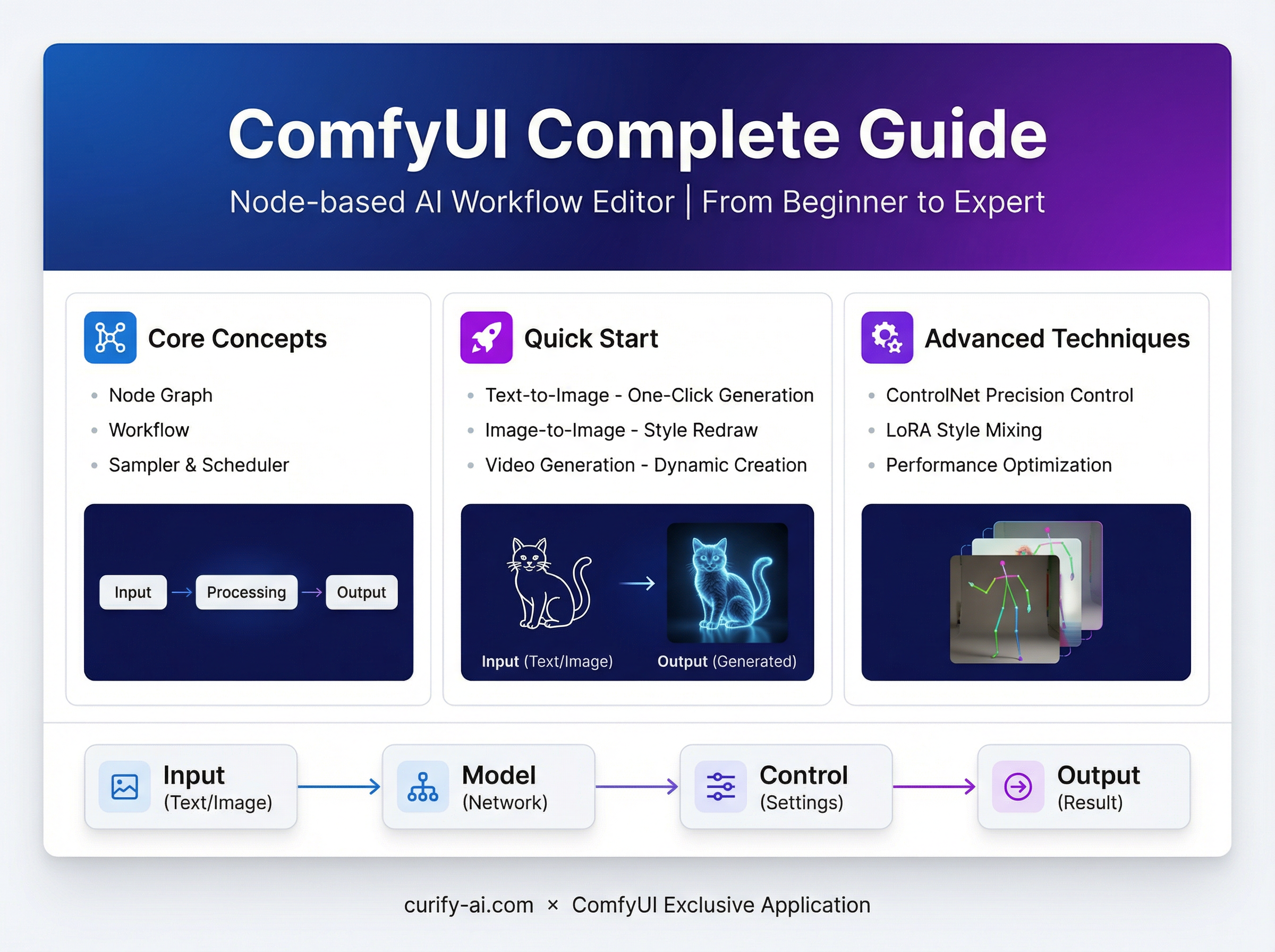
aeVsComfyUi.intro1
aeVsComfyUi.intro2
aeVsComfyUi.sections.s1.title
aeVsComfyUi.sections.s1.p1
aeVsComfyUi.sections.s1.p2
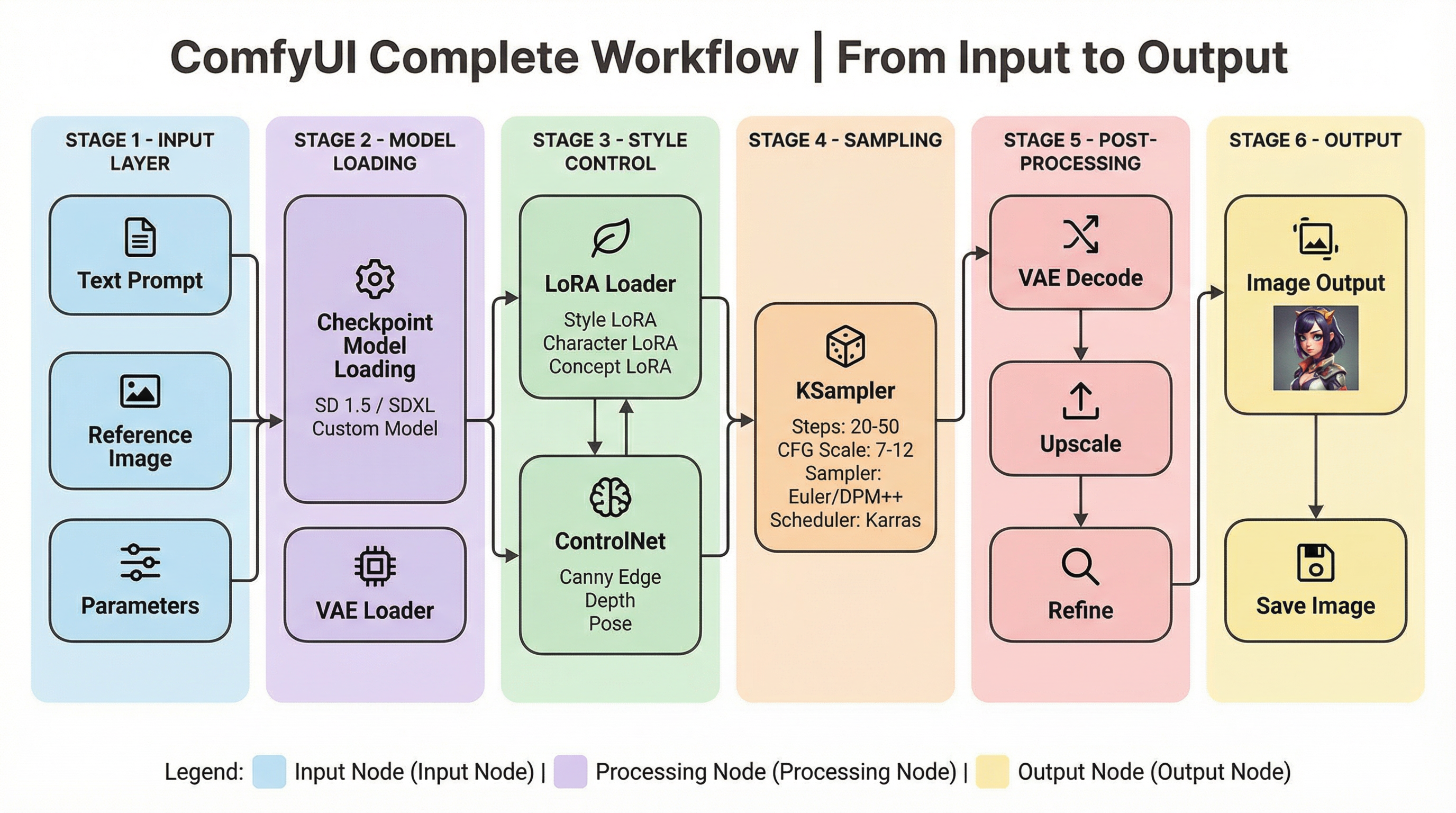
aeVsComfyUi.sections.s2.title
aeVsComfyUi.sections.s2.sub1.title
- aeVsComfyUi.sections.s2.sub1.b1StrongaeVsComfyUi.sections.s2.sub1.b1
- aeVsComfyUi.sections.s2.sub1.b2StrongaeVsComfyUi.sections.s2.sub1.b2
- aeVsComfyUi.sections.s2.sub1.b3StrongaeVsComfyUi.sections.s2.sub1.b3
aeVsComfyUi.sections.s2.sub2.title
- aeVsComfyUi.sections.s2.sub2.b1StrongaeVsComfyUi.sections.s2.sub2.b1
- aeVsComfyUi.sections.s2.sub2.b2StrongaeVsComfyUi.sections.s2.sub2.b2
- aeVsComfyUi.sections.s2.sub2.b3StrongaeVsComfyUi.sections.s2.sub2.b3
aeVsComfyUi.sections.s2.sub3.title
- aeVsComfyUi.sections.s2.sub3.b1StrongaeVsComfyUi.sections.s2.sub3.b1
- aeVsComfyUi.sections.s2.sub3.b2StrongaeVsComfyUi.sections.s2.sub3.b2
- aeVsComfyUi.sections.s2.sub3.b3StrongaeVsComfyUi.sections.s2.sub3.b3
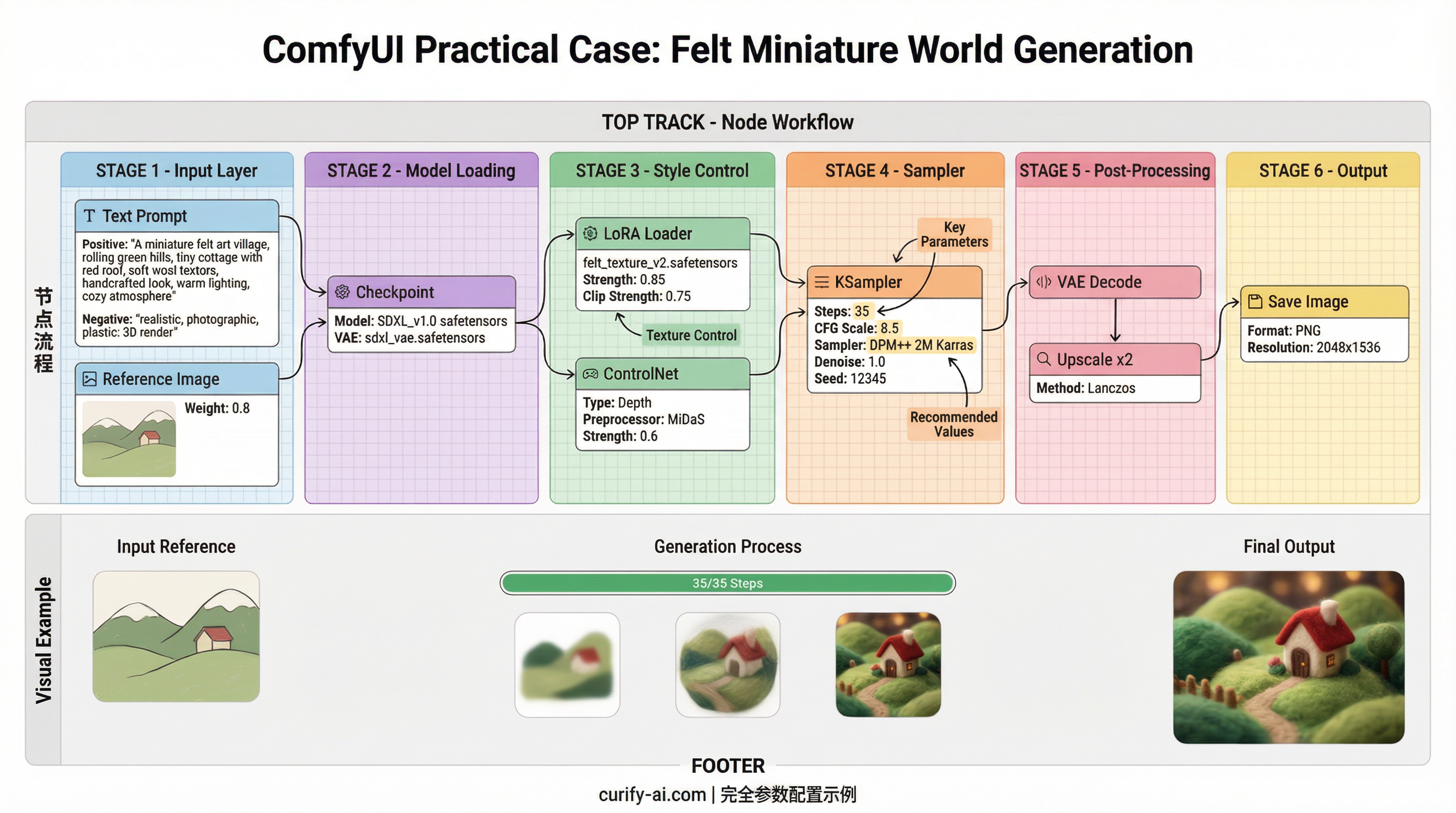
aeVsComfyUi.sections.s3.title
aeVsComfyUi.sections.s3.sub1.title
- aeVsComfyUi.sections.s3.sub1.b1StrongaeVsComfyUi.sections.s3.sub1.b1
- aeVsComfyUi.sections.s3.sub1.b2StrongaeVsComfyUi.sections.s3.sub1.b2
- aeVsComfyUi.sections.s3.sub1.b3StrongaeVsComfyUi.sections.s3.sub1.b3
aeVsComfyUi.sections.s3.sub2.title
- aeVsComfyUi.sections.s3.sub2.b1StrongaeVsComfyUi.sections.s3.sub2.b1
- aeVsComfyUi.sections.s3.sub2.b2StrongaeVsComfyUi.sections.s3.sub2.b2
- aeVsComfyUi.sections.s3.sub2.b3StrongaeVsComfyUi.sections.s3.sub2.b3
aeVsComfyUi.sections.s3.sub3.title
- aeVsComfyUi.sections.s3.sub3.b1StrongaeVsComfyUi.sections.s3.sub3.b1
- aeVsComfyUi.sections.s3.sub3.b2StrongaeVsComfyUi.sections.s3.sub3.b2
aeVsComfyUi.sections.s4.title
aeVsComfyUi.sections.s4.sub1.title
aeVsComfyUi.sections.s4.sub1.p1
aeVsComfyUi.sections.s4.sub2.title
- aeVsComfyUi.sections.s4.sub2.b1
- aeVsComfyUi.sections.s4.sub2.b2
aeVsComfyUi.sections.s4.sub3.title
- aeVsComfyUi.sections.s4.sub3.b1StrongaeVsComfyUi.sections.s4.sub3.b1
- aeVsComfyUi.sections.s4.sub3.b2StrongaeVsComfyUi.sections.s4.sub3.b2
- aeVsComfyUi.sections.s4.sub3.b3StrongaeVsComfyUi.sections.s4.sub3.b3
aeVsComfyUi.sections.s5.title
| aeVsComfyUi.sections.s5.table.dimension | aeVsComfyUi.sections.s5.table.ae | aeVsComfyUi.sections.s5.table.comfy |
|---|---|---|
| aeVsComfyUi.sections.s5.table.row1.dim | aeVsComfyUi.sections.s5.table.row1.ae | aeVsComfyUi.sections.s5.table.row1.comfy |
| aeVsComfyUi.sections.s5.table.row2.dim | aeVsComfyUi.sections.s5.table.row2.ae | aeVsComfyUi.sections.s5.table.row2.comfy |
| aeVsComfyUi.sections.s5.table.row3.dim | aeVsComfyUi.sections.s5.table.row3.ae | aeVsComfyUi.sections.s5.table.row3.comfy |
| aeVsComfyUi.sections.s5.table.row4.dim | aeVsComfyUi.sections.s5.table.row4.ae | aeVsComfyUi.sections.s5.table.row4.comfy |
| aeVsComfyUi.sections.s5.table.row5.dim | aeVsComfyUi.sections.s5.table.row5.ae | aeVsComfyUi.sections.s5.table.row5.comfy |
aeVsComfyUi.sections.s5.conclusionTitle
aeVsComfyUi.sections.s5.conclusion
| aeVsComfyUi.table.colAE | aeVsComfyUi.table.colComfy |
|---|---|
| aeVsComfyUi.table.row1a | aeVsComfyUi.table.row1b |
| aeVsComfyUi.table.row2a | aeVsComfyUi.table.row2b |
| aeVsComfyUi.table.row3a | aeVsComfyUi.table.row3b |
aeVsComfyUi.outro
aeVsComfyUi.sections.s6.title
- aeVsComfyUi.sections.s6.b1
- aeVsComfyUi.sections.s6.b2
- aeVsComfyUi.sections.s6.b3
Take the next step
Putting what you read into practice.