<metadata>
title: Unveiling Flawless Beauty: A Makeup Journey - PromptGather.io
description: Transform your look with this detailed tutorial! From base to lips, each step showcases effortless elegance and skillful techniques. Perfect your makeup game!
og_title: Unveiling Flawless Beauty: A Makeup Journey - PromptGather.io
og_description: Transform your look with this detailed tutorial! From base to lips, each step showcases effortless elegance and skillful techniques. Perfect your makeup game!
</metadata>

<webpage_content>
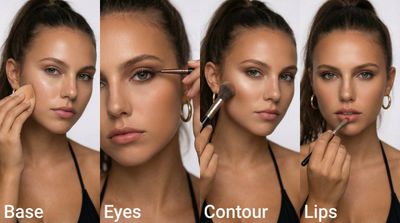
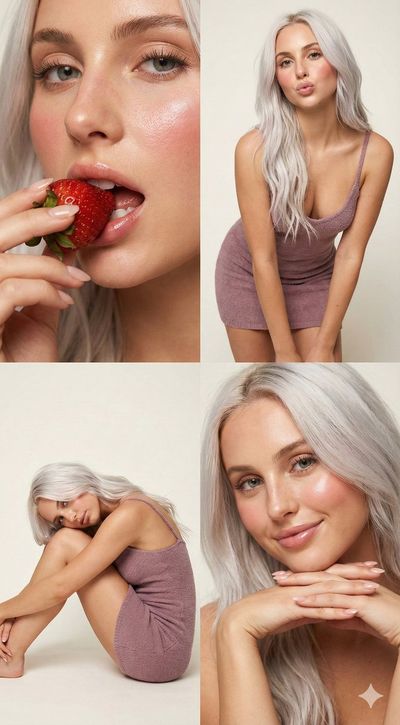
# Unveiling Flawless Beauty: A Makeup Journey

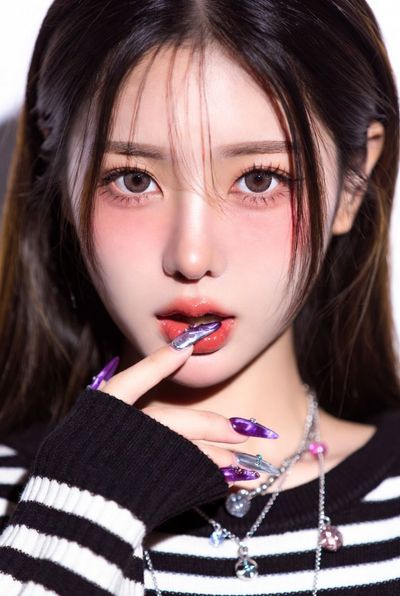
Transform your look with this detailed tutorial! From base to lips, each step showcases effortless elegance and skillful techniques. Perfect your makeup game!


## Key Sections:
- Unveiling Flawless Beauty: A Makeup Journey
- 🎨 AI Image Generation Guide
- Camera Settings
- Lighting Setup
- Equipment Considerations

## Content:
We'll send a magic link to your email for a passwordless login
By continuing, you agree to ourTerms of ServiceandPrivacy Policy.
Transform your look with this detailed tutorial! From base to lips, each step showcases effortless elegance and skillful techniques. Perfect your makeup game!
Please sign in to view the image prompt and unlock more features.
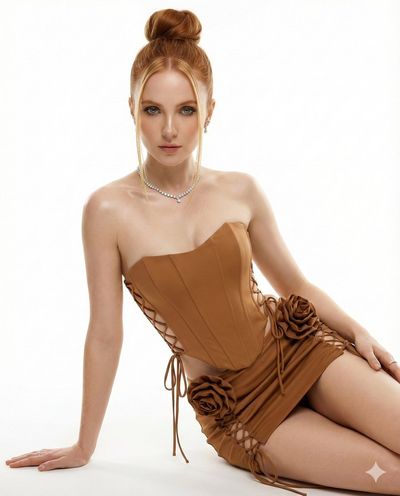
Capturing flawless beauty in portrait photography can be incredibly challenging, especially when the goal is to highlight makeup artistry. The most demanding aspect often lies in how to balance skin texture and makeup details while avoiding over-processing. Makeup can enhance a subject’s features, but it can also lead to unflattering results if not captured correctly, particularly in high-resolution images.
For portraits, I usually opt for a wide aperture, like f/1.8 or f/2.8, to achieve that beautiful bokeh effect that separates the subject from the background. A lower ISO setting, around 100-200, helps retain sharpness and minimize noise, which is crucial for showing makeup details. Shutter speed should be fast enough to prevent motion blur—1/200s is a good benchmark when working with handheld shots.
Natural light is often my go-to for showcasing makeup, but if I'm using artificial sources, I lean towards soft diffused lighting. A softbox or ring light can work wonders. Position the light source at a 45-degree angle to the subject's face to create flattering highlights and shadows. Avoid harsh direct light, as it can wash out details and create unflattering shine.
While a high-quality prime lens is ideal for portraits, you don’t need to break the bank. A 50mm lens is affordable and versatile. If you're using an ai image generator for makeup looks, ensure that the generated images can capture fine details like eyeliner and lip gloss effectively. Post-processing with a tool that offers skin retouching can also elevate the final image.
One common pitfall is neglecting to consider skin tones and makeup color harmony. Ensure that the colors don’t clash with the background. Additionally, over-editing can strip away the natural beauty and texture of skin, making the makeup appear artificial.
When working with an ai image generation tool, experiment with specific ai image generation prompts that focus on makeup styles and skin tones. I often incorporate descriptive phrases about the lighting and mood I want to achieve in the prompt. This can lead to more professional-looking results that align with the creative vision.

## Details:
- Home
- ExploreVideo PromptsBrowse AI video promptsVideo TagsBrowse AI video tagsImage PromptsBrowse AI image promptsImage TagsBrowse AI image tags
- Video PromptsBrowse AI video prompts
- Video TagsBrowse AI video tags
- Image PromptsBrowse AI image prompts
- Image TagsBrowse AI image tags
- Pricing
- GenerateAI Video GeneratorGenerate AI videosAI Image GeneratorGenerate AI images
- AI Video GeneratorGenerate AI videos
- AI Image GeneratorGenerate AI images
- Video PromptsBrowse AI video prompts
- Video TagsBrowse AI video tags
- Image PromptsBrowse AI image prompts
- Image TagsBrowse AI image tags
- AI Video GeneratorGenerate AI videos
- AI Image GeneratorGenerate AI images
</webpage_content>

---
Source: https://promptgather.io/image/eQTBa1rFgq
Image: https://files.promptgather.io/759f6e7e9603a89a6a768e6efe9d438e_image_1765466292475.jpg