Join Curify to Globalize Your Videos
or
By using Curify, you agree to our
Terms of Service and Privacy Policy
Master Portrait Retouching with Our Blueprint Generator
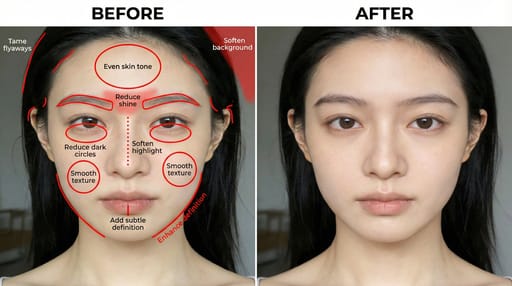
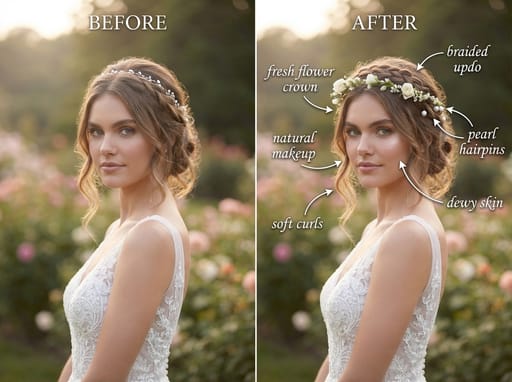
This example showcases the transformative power of our Portrait Retouching Blueprint Generator. It visually demonstrates how you can enhance portraits with ease and precision. Ideal for creators and designers looking to refine their skills, this tool simplifies the retouching process, allowing for stunning results. Explore the potential of AI-driven prompts to elevate your work and achieve professional-quality portraits effortlessly.
Prompt
Professional portrait retoucher and blueprint designer. Create a professional portrait retouching blueprint with two side-by-side panels.

Left panel:
- Show ONLY the original portrait (do not retouch it).
- Mark all areas to be modified with precise red annotations (red lines, red circles, red dotted lines, red hand-drawn grid textures).
- Each annotation must have a short, clear imperative English instruction.

Right panel:
- Show the fully retouched, optimized final portrait according to the left panel annotations.

Retouching areas and requirements (must be annotated on the left and executed on the right):
- Skin: refine texture, reduce oiliness, even skin tone, reduce redness.
- Face: reshape eyebrows, define jawline, refine nose shape, slightly whiten teeth.
- Eyes: reduce dark circles, eliminate puffiness, refine eye shape.
- Hair: tame stray hairs, add natural volume.
- Lighting & background: soften background, enhance fill light, balance overall lighting.

Output rules:
- Left: original + accurate red annotations + short imperative English labels.
- Right: polished, natural-looking retouched version.
- No extra descriptions; only output the two-panel blueprint image.
- Style: realistic, high-detail, professional portrait retouching blueprint.
Generate directly.
Use this example for
More like this
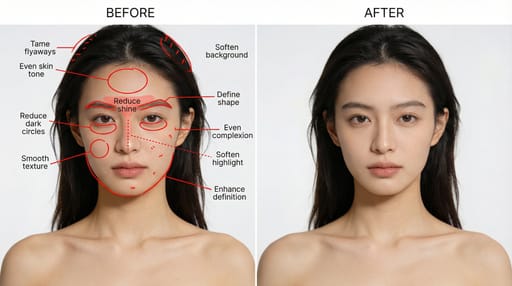
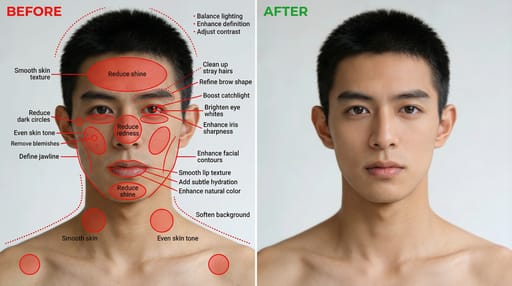
Other nano banana templates
Explore other categories and presets.