
अपने वीडियो को वैश्विक बनाने के लिए क्यूरीफाई से जुड़ें
क्यूरिफाई का उपयोग करके, आप हमारी बात से सहमत हैं
सेवा की शर्तें और गोपनीयता नीति
AI wedding photo generator
Create AI wedding photos from a photo of you together. Choose a studio, garden or traditional wedding look, then review the generated portrait before downloading.
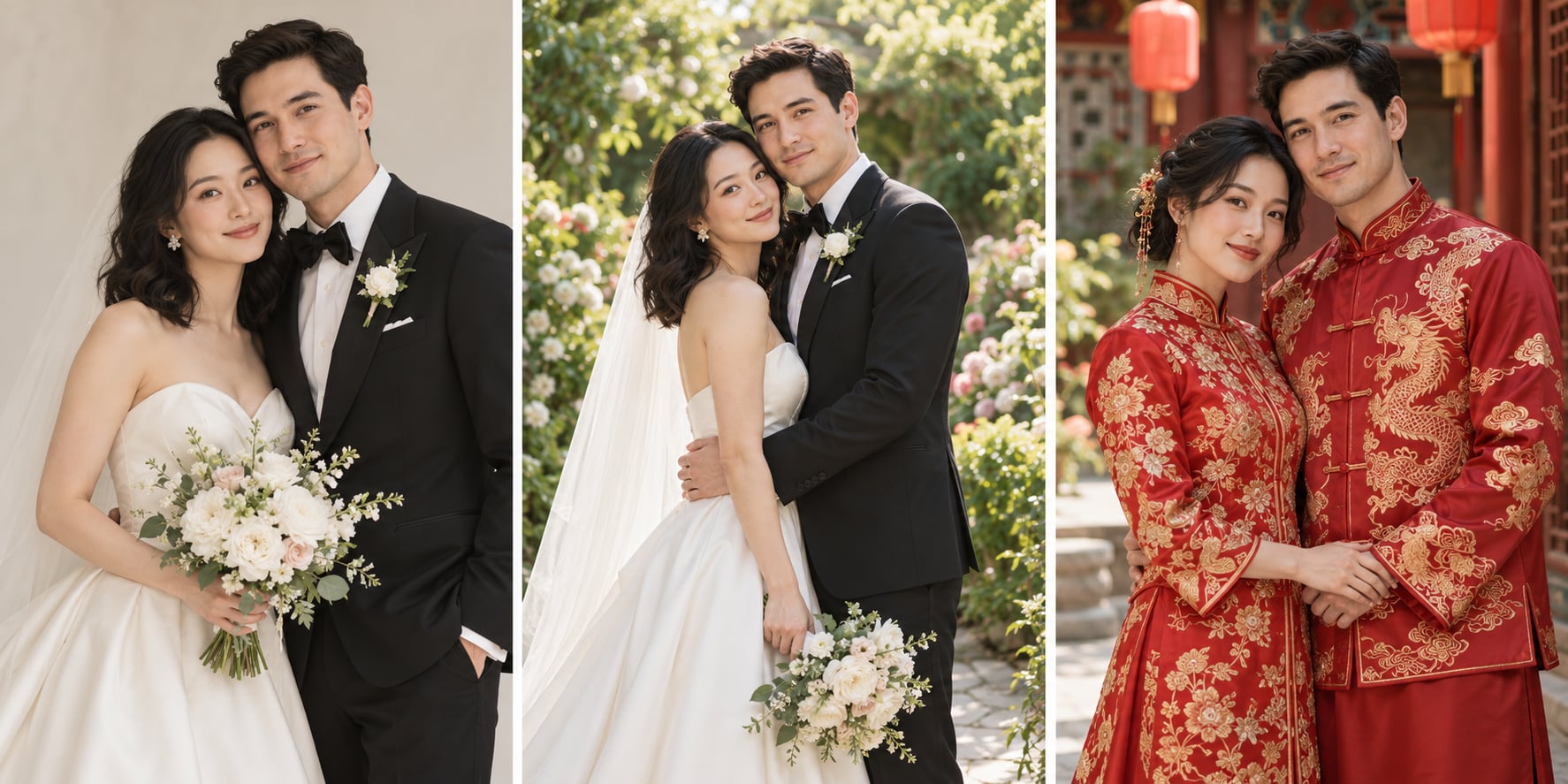
Illustrative AI-generated style board made with ImageGen. These are fictional subjects, not customer images or verified outputs from this generator.
Upload one JPEG, PNG or WebP with both adults clearly visible. A single photo of you together works best.
Prompt preview
Create one realistic wedding-inspired portrait using the attached photo of two adults as the identity reference. Keep both people recognizable: preserve facial structure, skin tone, age and distinctive features. Do not exchange, merge or replace their identities. Style: Studio wedding portrait. Requested details: Natural pose, soft light, understated wedding attire. Use natural expressions, anatomically plausible hands, coherent attire and flattering natural light. Output one image, not a collage, comparison, text or logo. This is a newly generated scene, not documentation of an actual ceremony.
Upload your image on the left to generate.
Fill the parameters and Generate, or pick an output format — results appear here and save to your workspace.
Need a custom collection?
Share the number of images, your reference style and deadline. We will review the scope before quoting.
Create a portrait from your photo
- Start with your own reference photo, then choose a style.
- Use the brief to describe the details you want to keep.
- Image generation uses 5 credits per completed image. Sign in to generate.
- Generated scenes can change faces, hands, clothing and details. Review both people carefully; this does not replace documentary wedding photography.
Questions before you generate
What should I upload?
Upload one JPEG, PNG or WebP with both adults clearly visible. A single photo of you together works best.
Will the result look exactly like my photo?
Generated scenes can change faces, hands, clothing and details. Review both people carefully; this does not replace documentary wedding photography.
How much does it cost?
Generation uses 5 credits per completed image. The workbench shows your generation cost; removing a watermark is a separate optional purchase shown with the result.
Can I choose a different style?
Choose a style in the workbench and describe the setting or details in your brief. Each new generation is a separate image.
Are the illustrations examples of this tool’s output?
The style board is an illustrative ImageGen concept using fictional subjects. It is not a production benchmark, a client delivery or a guarantee of identity preservation.
Does this make a video?
No. This page generates a still portrait. Video animation is a different workflow.
A new portrait inspired by your reference
Create AI wedding photos from a photo of you together. Choose a studio, garden or traditional wedding look, then review the generated portrait before downloading.
Generated scenes can change faces, hands, clothing and details. Review both people carefully; this does not replace documentary wedding photography.
Use the result as a creative concept. Review it before sharing or ordering any physical print.
How to create your portrait
Upload a clear reference image.
Choose a style and describe your preferred finish.
Generate and compare important details with your source.
Download the result you want to keep.
For a coordinated collection, use the custom collection form to discuss scope and a quote.
Ways to use your portrait
Personal keepsakes →
Explore a new style from your own reference photo.
Creative exploration →
Compare settings, lighting and portrait styles.
Custom collections →
Discuss a coordinated collection and agree on the scope before production.
संबंधित उपकरण
वेडिंग और पोर्ट्रेट फ़ोटो एडिटिंग
एक फ़ोटो अपलोड करें — बिखरे बाल हटाए जाते हैं, त्वचा का रंग एकसार होता है पर उसका टेक्सचर बना रहता है, सफ़ेद कपड़ों से पीलापन निकल जाता है। आपका फ़्रेम, बैकग्राउंड और पोशाक बिल्कुल वैसे ही रहते हैं।
AI pet portrait generator
Turn a photo of your cat or dog into a studio portrait, painted keepsake or royal-style portrait. Choose a style and review your pet’s distinctive markings in the result.
Add Subtitles

Drag & Drop or Click to Upload
.mp4/.mov/.webm/.avi/.wmv
Supported Languages
Add Subtitles
Require Translation
Auto Detect
Subtitles
Credits Required:0(Available: 0)