
Rejoignez Curify pour globaliser vos vidéos
En utilisant Curify, vous acceptez nos
Conditions d'utilisation et politique de confidentialité
Wedding & portrait photo editing
Upload one frame. Flyaway hairs come off the forehead, skin evens out without losing its pores, and the amber comes out of the whites — while your crop, your background and the dress stay exactly as you shot them.
Drop one photo here, or click to choose
JPG or PNG, up to 25MB. One frame at a time.
Why edit with Curify?
- Region by region, not frame by frame. Every edit happens inside a named area — the strands crossing her forehead, the shine on his nose, the creases in the skirt — and every pixel outside those areas is byte-identical to the file you sent.
- Skin keeps its pores. Texture is measured before and after; a smoothing pass that flattens it fails the check instead of being delivered to you.
- Colour is handled numerically, not by eye. An amber reception room comes back neutral and the dress reads white the same way on every frame, which is the part that actually costs you evenings across a whole gallery.
- You see the checks. Six measurements run on every result and the numbers are shown to you, because "actually edit the photo, don't recreate it" is a fair thing to ask us to prove.
Frequently asked questions
Do I need an account?
No. Upload one frame, add an email so we can send the finished file, and that is the whole flow. Nothing to install and nothing to sign.
Will it re-crop or change my composition?
No, and this is checked rather than promised. The output is returned at your input's exact resolution, and a low-frequency correlation against your original has to stay above 0.60 or the result is rejected. Correct outputs measure 0.98 to 1.00.
Is this a filter or a beauty app?
Neither. A filter moves every pixel in the frame; a beauty app smooths skin until the pores are gone. Here the model only ever sees the crops that were planned — blemishes, flyaways, eyes, mouth, fabric — and the skin's fine grain is put back over the result by construction.
How long does one frame take?
About two to three minutes. Each planned region is a separate edit, so a two-person frame is six to eight passes. You can close the tab; the finished file is emailed to you.
Can you match my own editing style across a full gallery?
That is the interesting version of this problem and it is what we would want to talk about. Consistency across a set — rather than one heroic frame — is where the evenings actually go, and it is the part we handle numerically.
What this tool actually does
It runs a five-stage retouching pass on one photograph: it plans the work, heals the specific patches that need it, applies a light face-contour slim, restores facial modelling, and neutralises the colour cast. The stages run in the order a professional retoucher works them — heal at high zoom first, liquify second, dodge and burn late, colour last.
The thresholds are not invented. They were measured against eight real before-and-after pairs from a working studio retoucher: how much yellow comes out of skin, how much chroma, how much texture is allowed to be lost. Those measurements are what every output is scored against.
What it is not is a whole-frame regeneration. That approach was tried and measured, and it does not preserve anything — detail correlation against the input came out at 0.007 on a backdrop and 0.016 on a jacket, and one run invented a lily that was never in the photograph. Here the model never sees the whole frame.
How it works
Upload one frame. JPG or PNG, up to 25MB, at whatever resolution you shot it.
The photograph is read and a plan comes back — where each face is, and which specific patches need work. The plan names regions; it never chooses how strongly to change them, because magnitudes belong in one auditable place rather than being re-decided per image.
Each planned region is cropped out with a margin, edited on its own, and composited back under a feathered mask. A returned crop that has been re-composed rather than cleaned is rejected and your original is kept — doing nothing is a valid outcome for a region.
Then the numeric stages: a light slim that follows the measured contour of the face, a low-opacity dodge-and-burn pass that adds depth back without touching the highlights, and a white balance plus chroma compression that lands the colour on the house target.
Six checks run on the result and you get the numbers with the file, at your original resolution.
Who this is for
Wedding & portrait photographers →
You shot 400 frames and the couple wants 80. The editing is not the hard part of your week — the volume is. Start with one frame here and see whether the result is the one you would have produced.
Content creators and personal brands →
Headshots and portrait sets that need to look edited rather than filtered, with the skin still reading as skin.
Studios and agencies →
If you are outsourcing editing already, the questions worth asking us are consistency across a set, turnaround, and whether we can match a look from your own reference gallery. Those are the parts this pipeline handles numerically.
Outils connexes
Générateur de photos de produits AI
Générez des photos de produits en accord avec votre marque à grande échelle — grilles de 9 images, emballages, essayages de tenues et photos de style de vie à partir de prompts modélisés.
Photo de produit → Image de liste E-Commerce
Téléchargez n'importe quelle photo de produit — obtenez une image prête à lister en 30 secondes. Photos héroïques confortables pour les pages de marque Etsy / DTC ; mises en page de détails 9:16 pour Shopee, TikTok Shop, RedNote.
Personnage → planche de stickers d'expressions
Téléversez un dessin de votre personnage — obtenez une planche d'expressions de 9 poses (差分, planche d'expressions) en 30 secondes. Le même visage, neuf émotions : joyeux, triste, en colère, amour, en pleurs, surpris et plus — prête pour packs d'emotes, stickers de chat et merch 谷子 (fan merch).
Lectures connexes
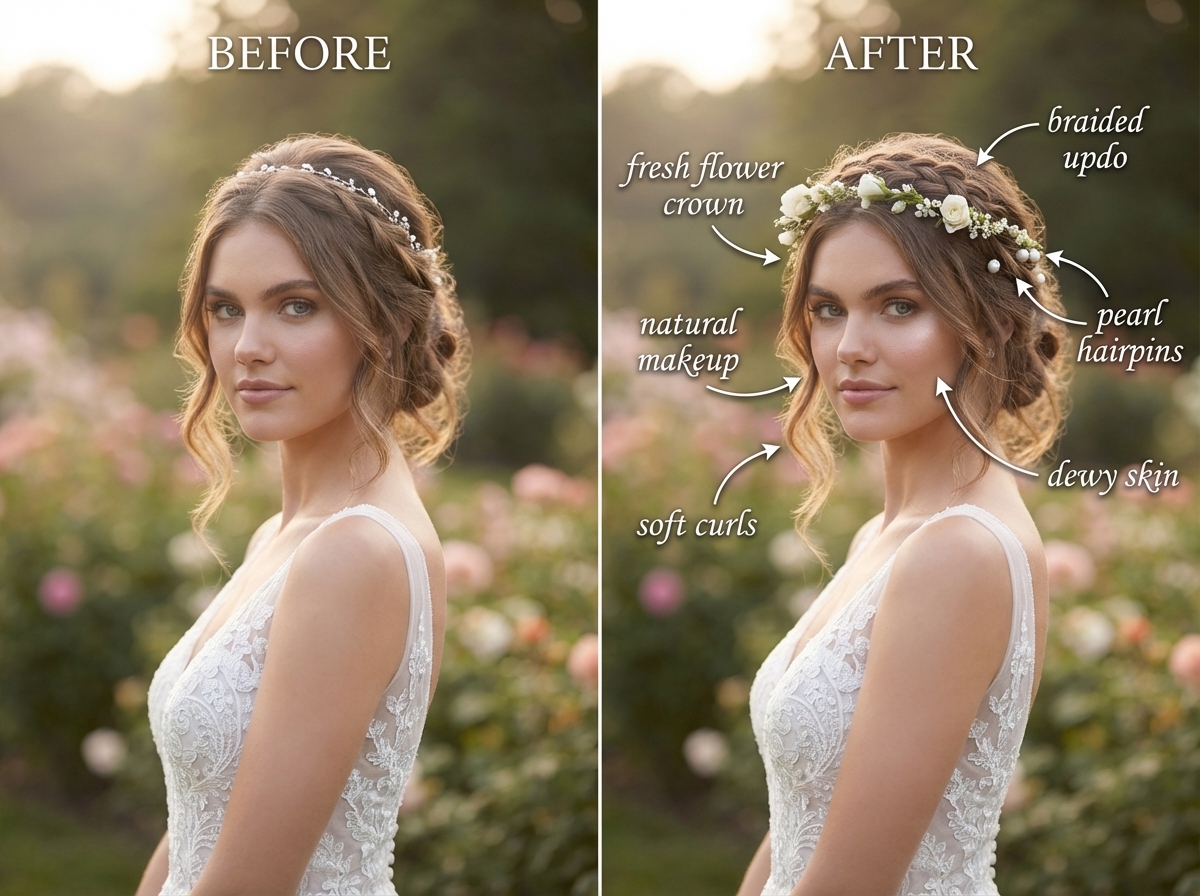
What Wedding Photo Retouching Costs in 2026 (And When Not to Buy It)
Reconstruire la productivité visuelle : Curify vs. GPT vs. Canva AI dans la capacité générative agentique

Modèles d'Itinéraire de Voyage AI : Planificateurs Jour par Jour, Listes de Bagages & Cartes d'Itinéraire
Add Subtitles

Drag & Drop or Click to Upload
.mp4/.mov/.webm/.avi/.wmv
Supported Languages
Add Subtitles
Require Translation
Auto Detect
Subtitles
Credits Required:0(Available: 0)