Fotografía de Producto AI: Una Toma Principal a 100+ Variaciones Consistentes de Marca

Cuando alguien busca *fotografía de producto AI*, quiere una de dos cosas: tomas de producto fotorrealistas que no parecen generadas por AI, o una forma de multiplicar un único activo de marca en una temporada de creatividad sin volver a fotografiar. En 2026, ambas son económicamente obvias — para las categorías de producto adecuadas y el flujo de trabajo correcto. Las sesiones fotográficas de catálogo tradicionales cuestan **$200-2,000 por SKU** cuando incluyes estudio, fotógrafo, modelo, accesorios y postproducción. La fotografía de producto AI reduce eso a centavos por imagen — pero solo si puedes evitar la trampa de la consistencia (la generación AI genérica produce 1,000 interpretaciones visualmente diferentes de *foto de producto* en 1,000 páginas de producto). La generación con plantillas cierra esa brecha: bloquea el estilo una vez, varía solo el sujeto por variante, obtén un catálogo que parece que un director de arte lo produjo. La promesa DTC en la que se basa esta guía: **una foto de producto dentro, 100+ variaciones creativas consistentes de marca fuera — en menos de un día.** Cinco plantillas de Curify anclan un pipeline de cuatro etapas que cubre mockups de empaque, carteles promocionales, páginas de detalles de ecommerce y (para ropa + accesorios) infografías de tallas.
Lo que 'fotografía de producto AI' realmente entrega en 2026
Tres cosas en las que la fotografía de producto AI ahora es confiablemente buena:
1. Tomas fotorrealistas de un solo producto. Nano Banana Pro, GPT Image 2 y Midjourney v7 han cruzado el umbral de fidelidad donde la salida de AI es difícil de distinguir de una sesión fotográfica de catálogo real para el SKU cotidiano. Iluminación suave, fondos limpios, reflexión de material precisa — empaques, joyería, ropa, electrónica se renderizan con calidad de listado minorista.
2. Variaciones consistentes de marca a escala de catálogo. Este es el verdadero desbloqueo. Bloquea la huella visual de la marca (paleta, iluminación, vocabulario de accesorios, densidad de composición) en una plantilla, intercambia solo el SKU por renderizado. 100+ variaciones que se leen como la salida de un solo director de arte — lo que habría tomado a un equipo creativo de 4 personas un mes, se envía en un día.
3. Conversión de formato a partir de una única referencia. Toma una toma principal, genera el mismo producto como un mockup de empaque, una escena de estante minorista, una composición de página de detalles de ecommerce y un banner promocional — sin volver a fotografiar.
Lo que sigue siendo difícil: complejidad extrema del producto (botellas de perfume transparentes con color de líquido específico), reproducción exacta de microdetalles de un producto real existente, y cualquier composición donde la AI tenga que inventar texto que no ha visto. Ninguno de estos bloquea el 90% del trabajo de catálogo DTC.
El pipeline de fotografía de producto AI en cuatro etapas
Etapa 1: Bloquear la toma principal + huella de marca
Comienza con una buena toma principal de tu producto. Una foto real si tienes una, un render AI limpio si no. Esto se convierte en la referencia en la que todo lo que sigue está condicionado.
La huella de marca es todo lo que va más allá del producto en sí — paleta, registro de iluminación, vocabulario de accesorios, densidad de composición. Bloquea estos como una guía de estilo a nivel de plantilla para que cada render posterior los respete. Eso es lo que hace que 100+ variaciones se sientan como un solo catálogo en lugar de 100 freelancers diferentes.
El mecanismo de bloqueo de personajes de Curify (originalmente construido para la consistencia de la serie de IP de ilustradores) se aplica de manera idéntica aquí. El *personaje* es la huella visual de tu marca; el bloqueo es el mismo tipo de capa de restricción.
Etapa 2: Mockups de empaque + renders de estante minorista
El empaque es donde la fotografía de producto AI se paga más rápido. Una sesión fotográfica de empaque real necesita el empaque impreso real — lo que significa que no puedes mostrar el producto terminado hasta después del pedido de impresión. La AI te permite simular el empaque a partir de un archivo de diseño plano y colocarlo en escenas de estante minorista, caja de regalo y estilo de vida antes de comprometerte a imprimir.
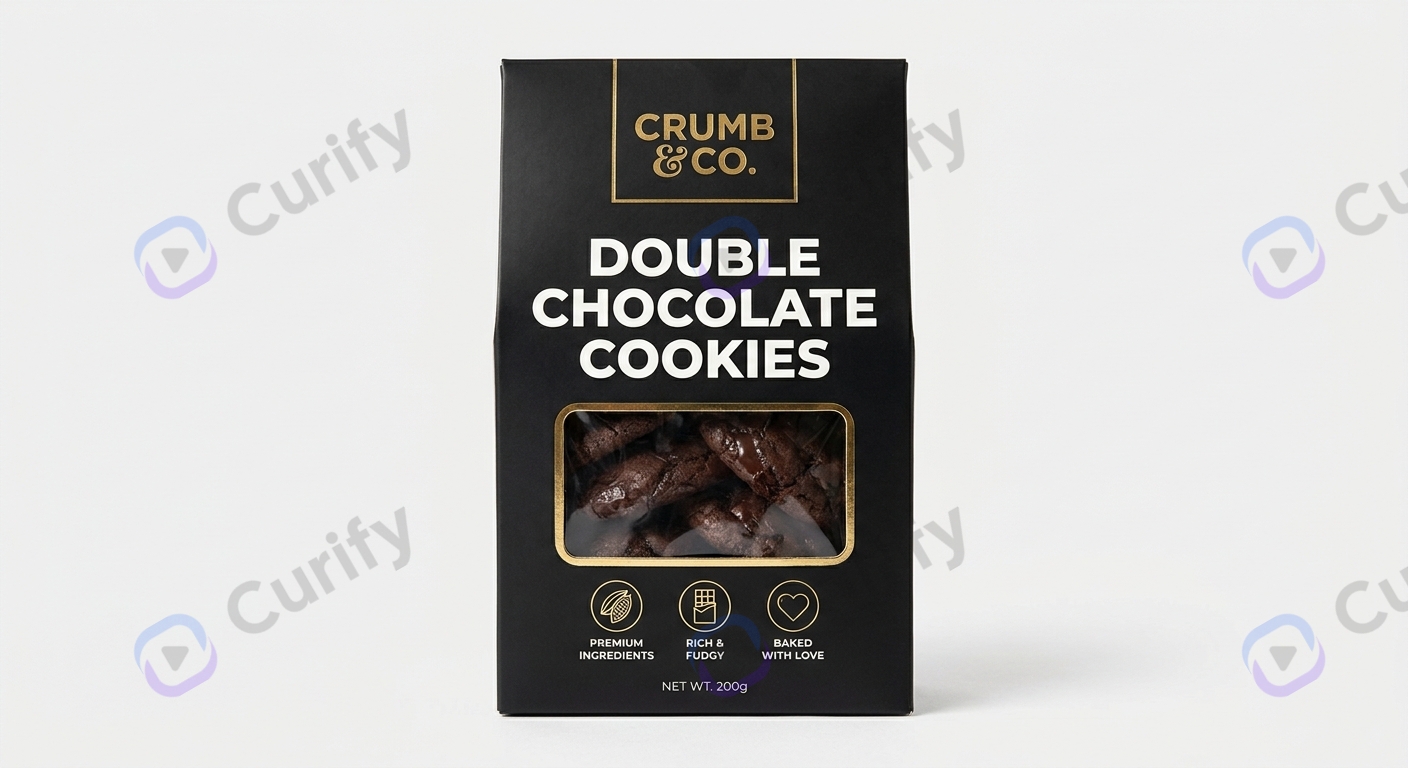
Abre la plantilla de Diseño de Empaque de Comida / Producto →
La plantilla maneja el mapeo de superficie (la etiqueta se ajusta a la geometría de botella/caja), iluminación realista (iluminación suave de estante minorista) y precisión de material (el foil vs mate vs brillo se lee correctamente). Coloca un PSD o PNG de etiqueta; la plantilla devuelve visuales listos para estante minorista.
Etapa 3: Carteles promocionales + creativos de estilo de vida
Dos familias de plantillas manejan la capa de marketing por encima del listado. Úsalas en conjunto: exhibición de producto de estilo de vida para colocaciones orgánicas / aspiracionales de marca, carteles de banner promocional para creatividad de venta pagada + estacional.
Abre la plantilla de Cartel de Producto (exhibición de estilo de vida) →
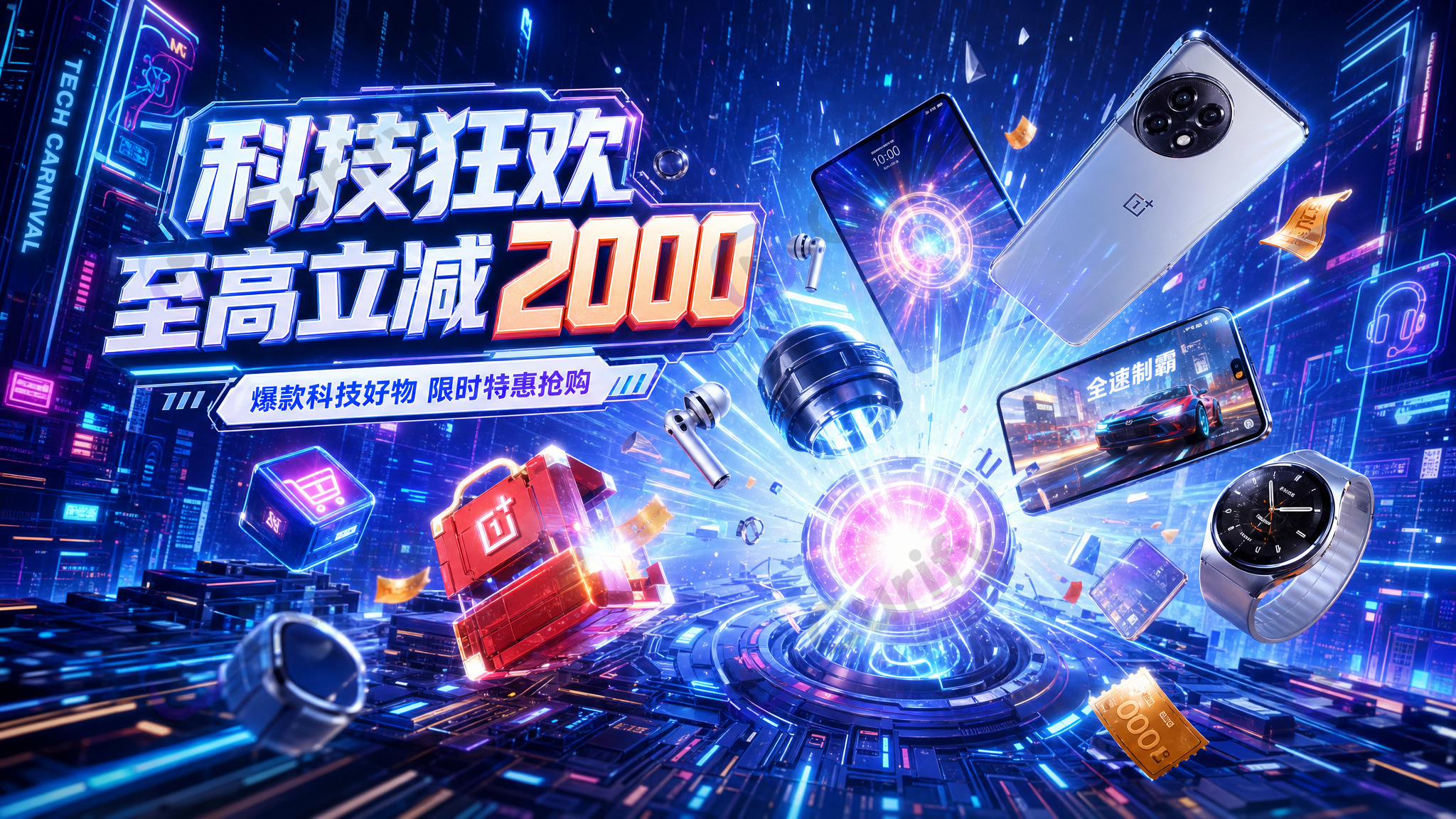
Abre la plantilla de Cartel Promocional de Tema de Producto →
La plantilla de estilo de vida renderiza el producto en una escena interior o ambiental aspiracional (buena para social orgánico, sitio de marca, héroe de boletín). La plantilla promocional añade espacios para texto, geometría de banner de venta y color de marca bloqueado en la paleta para que la salida se integre directamente en un pipeline de anuncios pagados o banner de tienda.
Etapa 4: Páginas de detalles de ecommerce + infografías de tallas
La parte inferior del embudo — lo que convierte el clic en una compra. Dos plantillas manejan las dos necesidades distintas de ecommerce.

Abre la plantilla de Moda / Ecommerce →
La plantilla de ecommerce maneja visuales PDP de producto único — iluminación de estudio limpia, ángulo configurable, intercambio de variantes de color o material. Funciona para ropa, joyería, accesorios, pequeños artículos para el hogar.
Para ropa + accesorios utilizables, la plantilla de infografía de tallas maneja la superposición que impulsa la conversión que frecuentemente falta en los PDP:
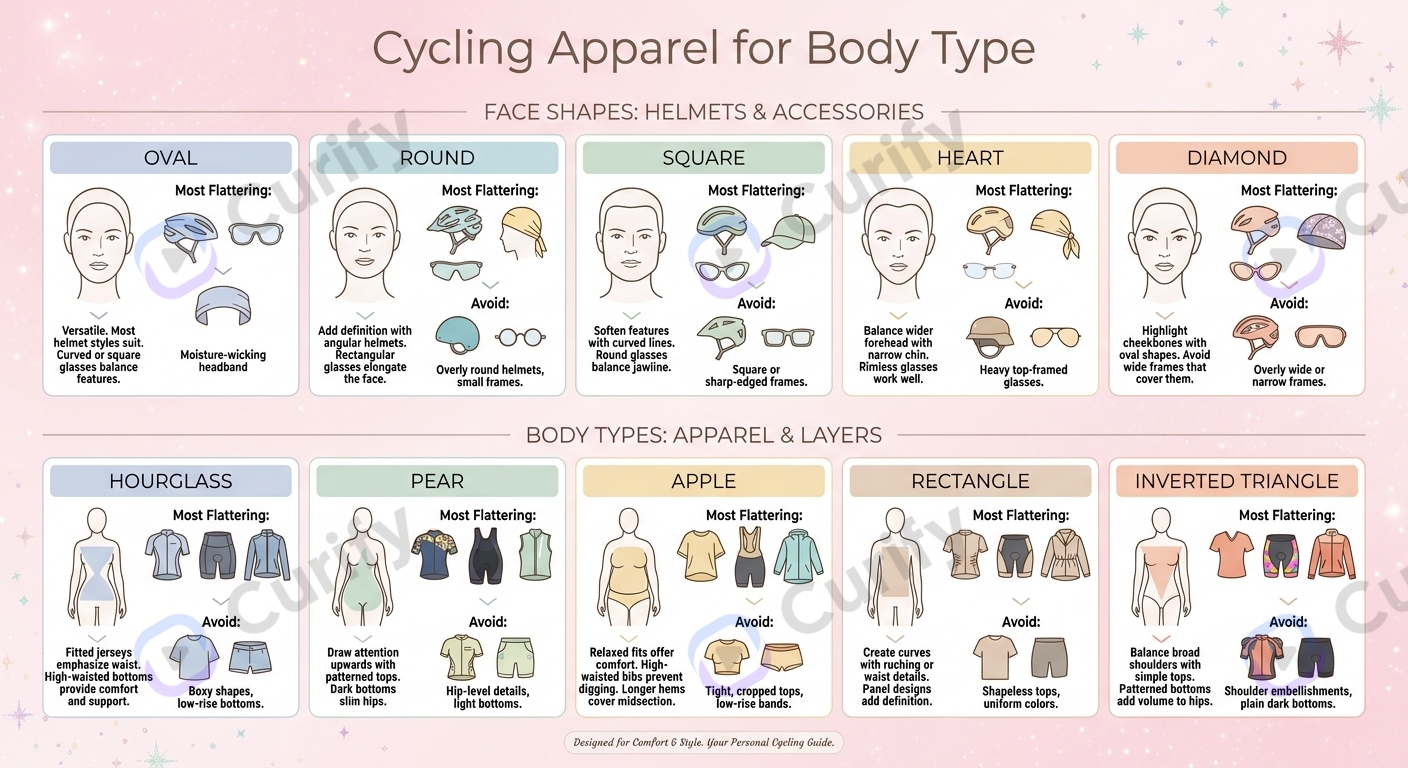
Abre la plantilla de Infografía de Guía de Forma de Moda →
Las devoluciones disminuyen notablemente cuando los compradores pueden previsualizar el ajuste. Esta plantilla es la palanca más barata para reducir la tasa de devoluciones en el libro de jugadas del catálogo.
Dónde la fotografía de producto AI aún no cumple
Tres lugares donde el flujo de trabajo no entrega:
La calidad de la toma principal es un mínimo. La expansión con plantillas depende de tu referencia — una toma débil produce un catálogo débil. La AI no salva una mala fuente. Invierte en una buena toma por familia de SKU; el flujo de trabajo hace el resto.
SKUs hiper detallados aún necesitan fotografía real. Botellas de perfume transparentes con color de líquido específico, relojes con microtexto grabado, joyería con cortes de piedra preciosas específicos — estos aún superan a la AI por el momento. El 90% de los SKUs DTC que no están en esta categoría de extremo final están bien dentro del rango.
La consistencia de marca se desvía más allá de ~150 variaciones por plantilla. Más allá de eso, vuelve a entrenar o divide la plantilla. La mayoría de los catálogos se envían muy por debajo de este umbral, pero los operadores de alto SKU (1,000+ variantes por temporada) necesitan planificar ciclos de reentrenamiento en el flujo de trabajo.
Tools & Resources
Learn about the best tools available...
Dos modelos de compromiso para marcas DTC y vendedores de ecommerce
Modelo A — Catálogo como servicio para marcas DTC. Curify produce el bloqueo de toma principal + 100+ variaciones consistentes de marca como un lanzamiento de catálogo terminado. Precios por SKU + por lote con descuentos por asociación a largo plazo. Mejor ajuste: marcas DTC que envían lanzamientos estacionales de 50-500 SKU que desean visuales de catálogo sin reconstruir el flujo de trabajo de AI internamente. Tiempo de entrega para un primer catálogo completo: un día por 100 SKUs una vez que las tomas principales están listas.
Modelo B — Licenciamiento de flujo de trabajo para operaciones de diseño internas. Para marcas con su propio diseñador + equipo creativo, Curify envía la pila de flujo de trabajo determinista como puntos finales de API + componentes de plantilla configurables. La marca se integra con la gestión de activos existente, ejecuta sus propios lotes, mantiene el juicio creativo interno. Mejor ajuste: marcas DTC establecidas y operadores de ecommerce con catálogos anuales de 500+ SKU.
Ambos caminos preservan la promesa central: una foto de producto dentro, 100+ variaciones consistentes de marca fuera. La diferencia es si Curify envía los activos o el flujo de trabajo.
Envía un catálogo de 100 SKUs esta semana
Si eres una marca DTC o un operador de ecommerce a punto de encargar una sesión fotográfica de catálogo estacional — háblanos primero. El lanzamiento de 100 SKUs que tradicionalmente toma a un equipo creativo de 4 personas un mes, se envía en un día con el flujo de trabajo de cuatro etapas anterior. Una primera iteración (10 SKUs a través de empaque + estilo de vida + ecommerce + infografía de tallas) toma de 24 a 48 horas desde que recibes tus tomas principales y la referencia de huella de marca.
Contáctanos a través de /contact para una conversación inicial de evaluación. O prueba el flujo de trabajo tú mismo en la demostración en vivo en /tools/ai-product-photo-generator.
Popular Template Examples
Explore our most popular Nano Banana prompt templates to see what's possible:
Una imagen es una muestra. Una línea de productos necesita todo el conjunto.
Cada plantilla de Curify se ejecuta en masa. Envía la lista: SKUs, palabras, personajes, equipos, escenas, y devolvemos el conjunto completo generado contra una dirección visual bloqueada, para que la línea se lea como una colección en lugar de cuarenta imágenes no relacionadas.
- Funciona en cualquier plantilla, no solo en unas pocas especiales: la misma estructura de solicitud aplicada a toda tu lista.
- Una dirección visual bloqueada en todo el conjunto, para que una línea de 40 diseños se mantenga en la marca de principio a fin.
- Salida lista para producción donde el formato lo requiere: caminos troquelados, líneas de corte, resolución de impresión.
Take the next step
Putting what you read into practice.
Artículos Relacionados
merch-pod
Best Programmatic SEO Tools in 2026: AirOps vs Webflow vs WordPress at Scale
Transferencia de Estilo AI en 2026: Convierte Video en Ghibli, Pixar, Anime y 4 Estilos Más