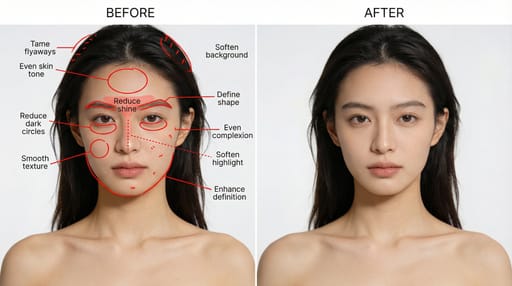
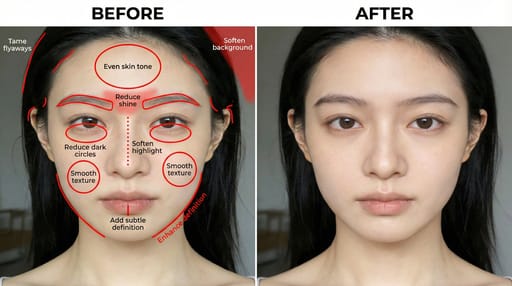
Professional portrait retoucher and blueprint designer. Use the ATTACHED PHOTO as the original portrait — the real person to retouch; preserve their exact identity, face, and features. Create a professional portrait retouching blueprint with two side-by-side panels.

Left panel:
- Show ONLY the original portrait from the attached photo (do not retouch it).
- Mark all areas to be modified with precise red annotations (red lines, red circles, red dotted lines, red hand-drawn grid textures).
- Each annotation must have a short, clear imperative English instruction.

Right panel:
- Show the fully retouched, optimized final portrait of the same person, according to the left panel annotations.

Retouching areas and requirements (must be annotated on the left and executed on the right):
- Skin: refine texture, reduce oiliness, even skin tone, reduce redness.
- Face: reshape eyebrows, define jawline, refine nose shape, slightly whiten teeth.
- Eyes: reduce dark circles, eliminate puffiness, refine eye shape.
- Hair: tame stray hairs, add natural volume.
- Lighting & background: soften background, enhance fill light, balance overall lighting.

Output rules:
- Left: the original portrait from the attached photo + accurate red annotations + short imperative English labels.
- Right: polished, natural-looking retouched version of the same person.
- No extra descriptions; only output the two-panel blueprint image.
- Style: realistic, high-detail, professional portrait retouching blueprint.
Generate directly.