How to Transcribe Video to Text (AI Tools for YouTube, Meetings & Content Creators)
Transcribing video pulls out the spoken text so you can search, repurpose, and translate the audio locked inside your recordings. This guide walks the actual workflow — uploading a video to [/tools/video-transcript-generator](/tools/video-transcript-generator), what the AI extracts (speakers, timestamps, language), and how the resulting transcript chains into Curify's dubbing and subtitle pipelines for multilingual distribution.
What is Video Transcription?
Video transcription is the process of converting spoken content in videos into written text, creating searchable, accessible records of your video content. Modern AI video transcription tools can automatically transcribe video to text with 95%+ accuracy, making it essential for YouTube creators, meeting organizers, and content marketers.
AI video transcription works through advanced speech recognition models like WhisperX that analyze audio tracks and generate time-synced transcripts. These systems handle multiple speakers, background noise, and various accents while producing word-level timestamps for perfect subtitle synchronization.
For content creators, video transcription unlocks multiple benefits: improved SEO through searchable text, better accessibility for hearing-impaired viewers, and the foundation for content repurposing into blog posts, social media clips, and multilingual translations.
Why Creators Need Video Transcription
SEO Benefits: Transcribing YouTube videos adds 8,000-12,000 words of searchable content per hour, dramatically improving your video's discoverability. Search engines can index your spoken content, helping you rank for long-tail keywords you never explicitly targeted.
Accessibility & Compliance: Video transcription ensures ADA compliance and expands your audience to include viewers with hearing impairments. Studies show videos with captions have 40% higher engagement rates and 80% more shares.
Content Repurposing: Transcripts become source material for blog posts, social media content, email newsletters, and training materials. One transcribed video can generate 10+ pieces of derivative content, reducing content creation costs by up to 70%.
Global Reach: Transcription is the first step in translating content for international audiences. Once you have a transcript, you can easily create subtitles in multiple languages and use AI dubbing for voice localization.
AI Video Transcription Workflow
Step 1: Upload Your Video
Start by uploading your video file to the transcription platform. Most AI video transcription tools support common formats (MP4, MOV, AVI) and can process content from YouTube links, cloud storage, or direct uploads. The system automatically extracts the audio track for processing.
Step 2: Automatic Transcription
The AI analyzes your audio using advanced speech recognition models like WhisperX. The system identifies different speakers, handles background noise, and generates a time-synced transcript with 95%+ accuracy. Processing typically takes 2-5 minutes per hour of video content.
Step 3: Edit and Refine
Review the automatically generated transcript for accuracy. Most tools provide an intuitive editor where you can correct misrecognized words, add punctuation, adjust speaker labels, and fine-tune timestamps. Quality assurance features highlight low-confidence segments for review.
Step 4: Export Subtitles and Transcripts
Export your transcript in multiple formats: SRT subtitles for video platforms, plain text for documentation, or timed transcripts for translation workflows. Advanced tools can automatically generate subtitle files optimized for YouTube, Vimeo, and social media platforms.
Video Transcription Use Cases
YouTube Content: Transcribe YouTube videos to improve search rankings, create accessible content, and generate blog posts from your video scripts. Many top creators see 40-60% increases in organic traffic after adding transcripts.
Meeting Transcription: Automatically transcribe Zoom meetings, team calls, and conferences. Create searchable meeting records and action items without manual note-taking.
Podcast Production: Convert podcast audio to text for show notes, blog content, and social media clips. Transcripts help listeners find specific topics and improve podcast discoverability.
Educational Content: Transcribe lectures and tutorials for student accessibility. Create study guides and searchable course content from video lessons.
TikTok & Social Media: Generate subtitles for short-form content to increase engagement on muted viewing. Studies show 85% of Facebook videos are watched without sound.
Best AI Video Transcription Tools
| Tool | Accuracy | Speed | Best For | Pricing |
|------|----------|-------|----------|---------|
| Curify Transcription | 95-98% | 2-5 min/hr | Creators & Teams | $0.50-2.00/hr |
| WhisperX | 95-97% | 3-6 min/hr | Developers | Free/Open Source |
| ElevenLabs | 94-96% | 2-4 min/hr | Voice Focus | $1.00-3.00/hr |
| Otter.ai | 90-94% | Real-time | Meetings | $0.25-0.50/hr |
| Rev.com | 99% (human) | 24+ hours | Legal/Medical | $1.50-3.00/hr |
Key Features to Look For:
- Multi-speaker identification
- Word-level timestamps
- Automatic punctuation
- Noise reduction
- Batch processing
- API integration
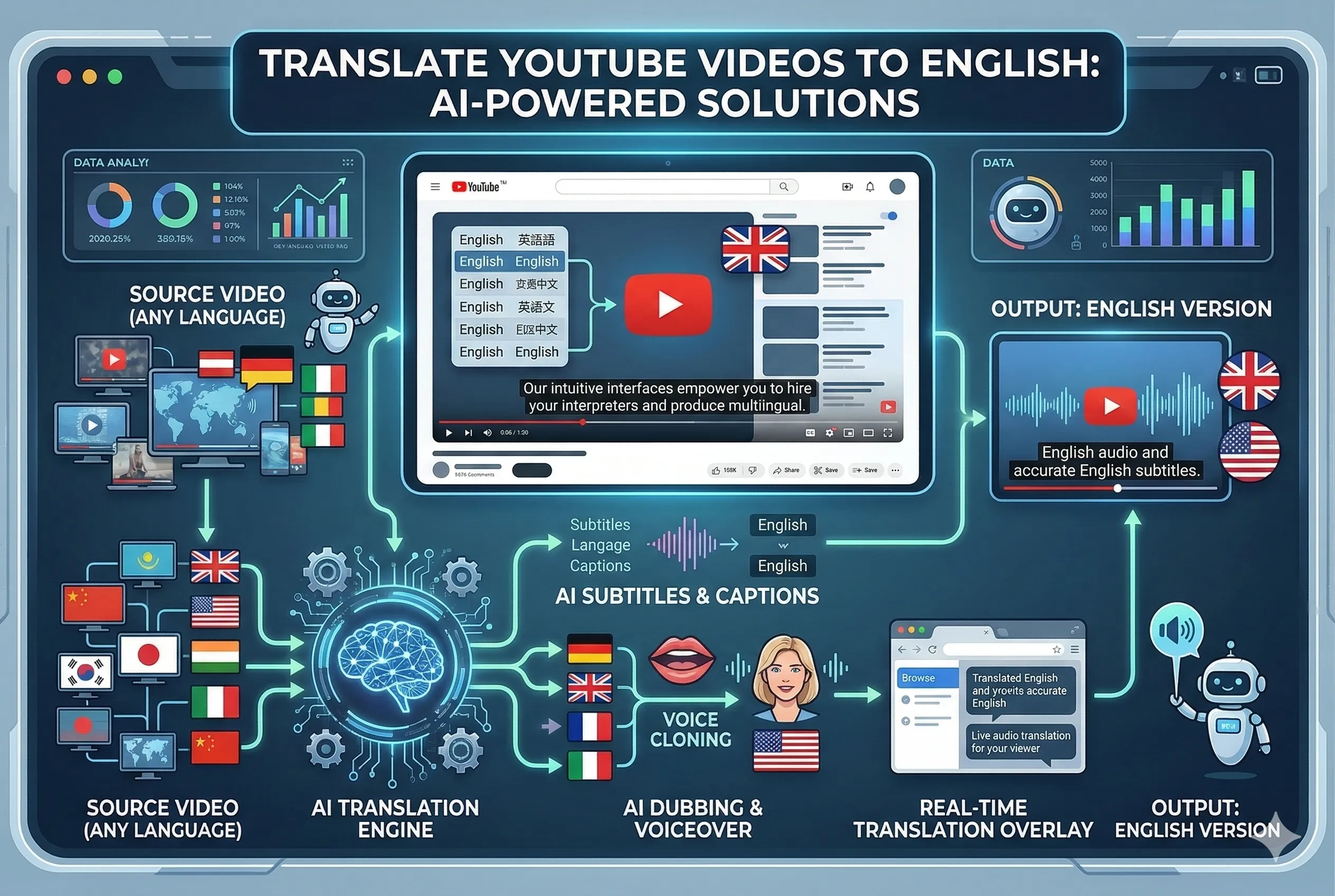
From Transcription to Translation to Dubbing
Video transcription is just the beginning of your content globalization journey. Once you have an accurate transcript, you can:
1. Translate your content into 50+ languages using AI translation
2. Generate subtitles in multiple languages automatically
3. Create AI voice dubs using voice cloning technology
4. Publish localized versions for global audiences
This complete workflow transforms a single video into a multilingual content asset that can reach billions of viewers worldwide.
🎯 Ready to transcribe your videos with AI? Try Curify's Video Transcription
Curify's Complete Video Transcription Solution
[/tools/video-transcript-generator](/tools/video-transcript-generator) handles MP4, MOV, and YouTube URLs. The transcript comes back with speaker turns and word-level timestamps so the same output can feed [/tools/translate-subtitles](/tools/translate-subtitles), [/tools/video-dubbing](/tools/video-dubbing), or [/tools/bilingual-subtitles](/tools/bilingual-subtitles) without re-uploading the source.
What the transcript carries downstream:
- Speaker turns — so the dubbing tool can keep distinct voices when there are multiple speakers
- Word-level timestamps — so subtitle alignment matches the original timing
- Detected source language — so the translation tool knows the input language without you having to declare it
One pipeline, multiple outputs. Upload once; pull a transcript, a dubbed video, and a bilingual subtitle file from the same source. The same speaker timestamps drive all three.
Start Transcribing Your Videos Today
A transcript is the input layer for every downstream localization step. Once you have it, dubbing into a new language is minutes of work instead of days — the speaker timestamps and source-language metadata are already there. If you record a video this week, run it through transcription before anything else; everything else (subtitles, dubs, repurposed blog excerpts) gets cheaper after.
Take the next step
Putting what you read into practice.