Transform Video into Storyboards with AI
How we built an advanced pipeline that converts hours of footage into structured, searchable storyboards in minutes.

Curify AI Team
AI Research Team
Imagine uploading hours of raw footage and getting a detailed scene-by-scene breakdown of your entire video in minutes. That's exactly what our AI-powered scene detection system delivers—transforming lengthy footage into organized, searchable storyboards with remarkable accuracy and speed.
Built with advanced Python libraries and state-of-the-art deep learning models, this intelligent pipeline goes far beyond simple scene change detection. It interprets visual cues, analyzes audio context, and understands semantic patterns to identify key subjects, actions, and transitions. The result is a structured, metadata-rich storyboard ready for editing workflows, content indexing, or video analytics pipelines.
Pro Tip
How it works: Under the hood
Video Processing Pipeline
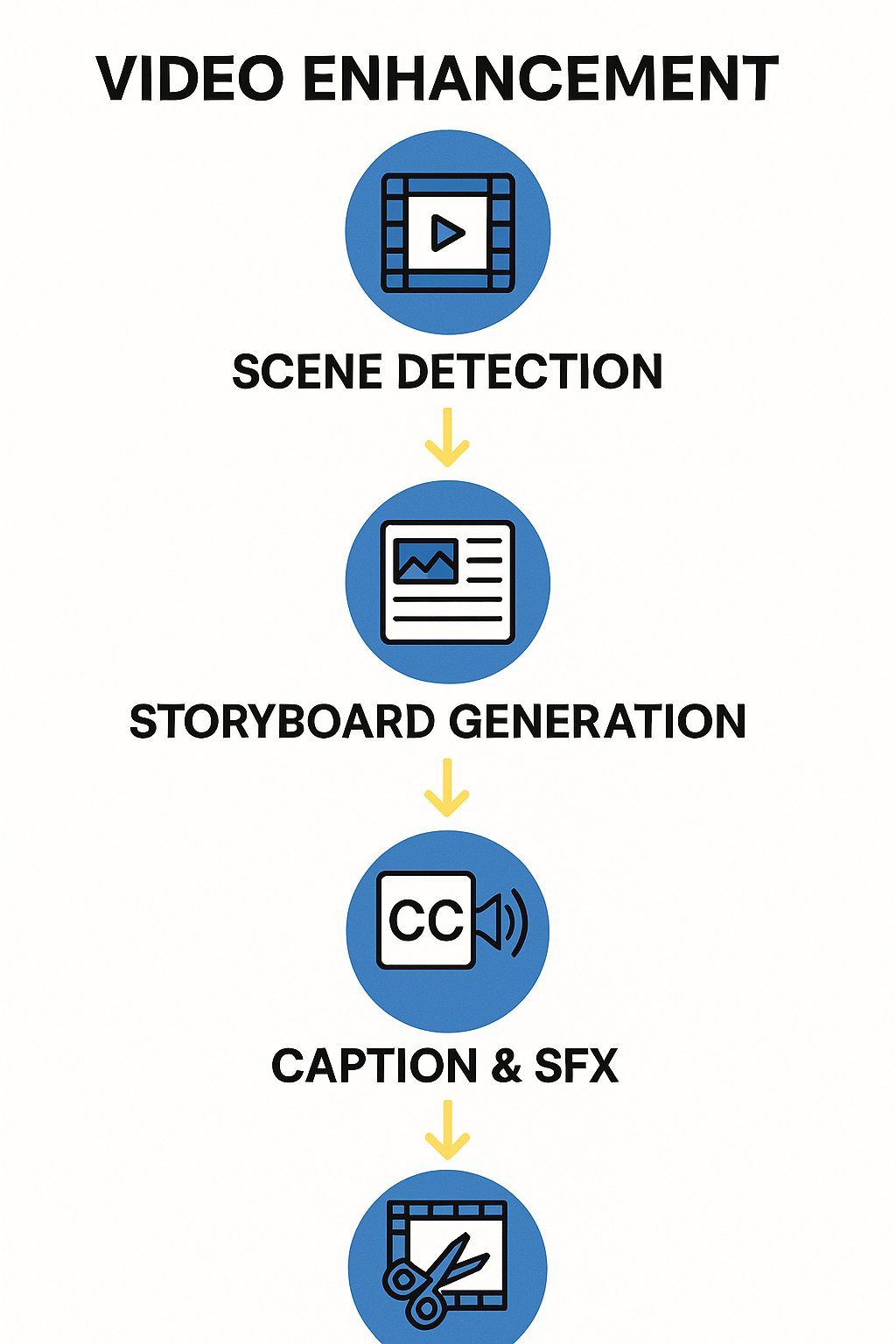
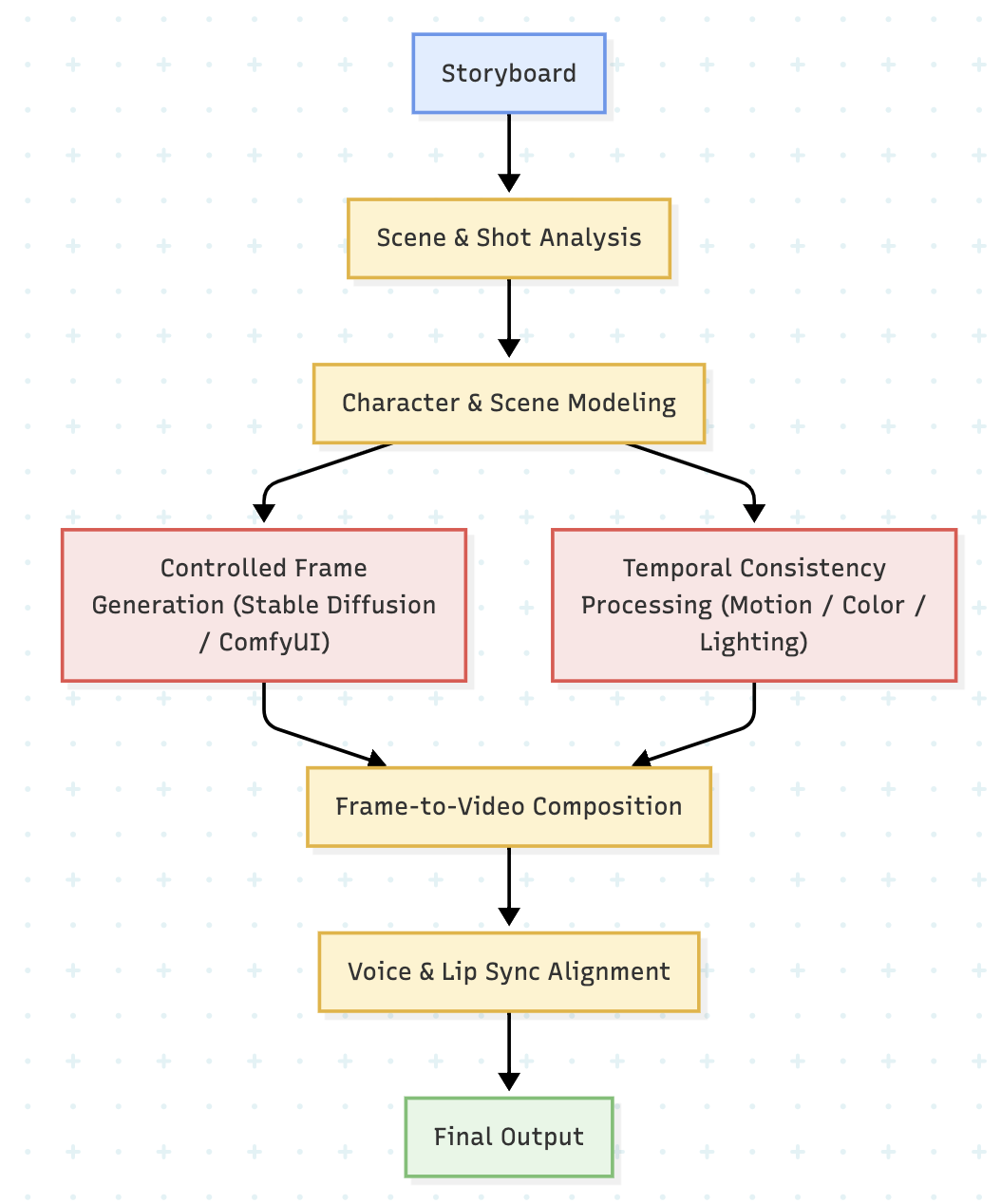
Our system processes videos through a sophisticated multi-stage pipeline that ensures accurate scene detection and analysis:
Seamless Video Integration
Process local files, YouTube links, or cloud storage with our unified interface.
Customizable Output
Export metadata to JSON format for integration with other tools.
Camera Movement Detection
Automatically identify pans, zooms, and other camera movements.
AI-Powered Analysis
Enhance scene understanding with our optional AI analysis module.
Powerful Features at Your Fingertips
Seamless Video Integration
Process local files, YouTube links, or cloud storage with our unified interface.
Seamless Video Integration
Process local files, YouTube links, or cloud storage with our unified interface.
Camera Movement Detection
Automatically identify pans, zooms, and other camera movements.
Customizable Output
Export metadata to JSON format for integration with other tools.
Performance Metrics
Rich Structured Output
Our system generates comprehensive JSON output that includes scene boundaries, metadata, and analysis results for seamless integration with your existing tools and workflows.
{ "scenes": [ { 1"scene_id": 1, 0.0"start_time": 0.0, 5.2"end_time": 5.2, "key_frame": "path/to/keyframe.jpg", "shot_type": "establishing", "camera_move": "static", "detected_objects": ["person", "car", "building"] } ], "metadata": { 120.5"duration": 120.5, "resolution": "1920x1080", 30"fps": 30 }}Export Options
- JSON for programmatic access
- CSV for spreadsheet analysis
- XML for legacy system integration
- Custom formats available
Export Options
Easy Integration
Our scene detection API integrates seamlessly with popular video editing platforms and content management systems:
Key Benefits of AI Scene Detection
- Modular Architecture - The system consists of separate components for video analysis, AI processing, and output generation, making it easy to extend and maintain.
- Optimized Performance - Efficient frame processing and parallelization ensure fast analysis even for long videos.
- AI-Enhanced Analysis - Optional AI components provide deeper scene understanding and more accurate labeling.
Advanced Usage
Take your scene detection to the next level with these advanced features and techniques.
Custom Thresholds
Fine-tune detection sensitivity for different types of content and production styles.
AI-Enhanced Analysis
Leverage advanced AI models for deeper content understanding and more accurate scene classification.
Output Customization
Customize the output format and metadata fields to match your specific workflow requirements.
Integration Options
Our scene detection system can be integrated with various tools and platforms:
- 1Video Editing Software - Direct integration with popular NLEs for seamless workflow integration.
- 2Content Management Systems - Automated content tagging and organization for large media libraries.
- 3AI Training Platforms - Use scene detection data to train custom AI models for specific use cases.
Dream Level Analysis: Inception Scene Breakdown
Discover how our AI analyzes the complex dream layers and visual effects in Inception:
Analysis: Dream layer detection and visual effects breakdown
Scene Analysis Breakdown
Scene 1 (1.50s)
A woman stands on a sidewalk, looking to the side. A man stands behind her.
Practical Example: Titanic Scene Analysis
See how our system analyzes a scene from Titanic, detecting shot changes and generating detailed scene metadata:
Analysis: Scene detection and metadata extraction in real-time
Understanding Scene Detection Output
Let's look at a typical scene detection output to understand how our AI analyzes and structures video content. Under each explanation, you'll find the corresponding JSON structure that enables these insights.
Scene Boundary Detection
Our AI analyzes visual and audio cues to identify precise scene transitions, using advanced computer vision techniques to detect changes in lighting, composition, and movement patterns.
JSON Structure:
{
  "scene_id": "scene_001",
  "start_time": "0.0",
  "end_time": "150.0",
  "transition_type": "hard_cut",
  "confidence": 0.98
}
Each scene includes precise timing, transition detection, and confidence scores for reliable segmentation.
Visual Analysis
Comprehensive visual feature extraction including color palettes, lighting conditions, motion vectors, and composition analysis to understand the visual characteristics of each scene.
JSON Structure:
{
  "visual_analysis": {
    "brightness": 0.78,
    "contrast": 0.65,
    "color_palette": [
      "#3A5FCD",
      "#87CEEB",
      "#F5F5DC"
    ],
    "lighting_condition": "daylight",
    "environment": "studio"
  }
}
Visual metadata enables content-based search and aesthetic analysis across your video library.
Audio Processing
Advanced audio analysis detects speech, music, and sound effects while extracting spoken content and analyzing audio levels for comprehensive scene understanding.
JSON Structure:
{
  "audio_analysis": {
    "has_speech": true,
    "speech_confidence": 0.92,
    "background_noise_level": 0.15,
    "speaker_demographics": [
      "male",
      "female"
    ],
    "speech_text": "Let's discuss how AI is changing video production..."
  }
}
Audio metadata provides context for content discovery and accessibility features like automatic transcription.
Content Classification
AI-powered categorization identifies scene types, settings, subjects, and sentiment to enable intelligent content organization and automated tagging.
JSON Structure:
{
  "content_analysis": {
    "primary_category": "interview",
    "setting": "studio",
    "subjects": [
      "host",
      "guest"
    ],
    "sentiment": "neutral_positive",
    "tags": [
      "technology",
      "AI",
      "video production"
    ]
  }
}
Content classification enables powerful search, filtering, and automated content management workflows.
Bringing It All Together
By combining these elements, our system creates a comprehensive map of your video content. This structured data enables features like intelligent search, automated editing, and content analysis.
Complete Scene Data Example
Here's how all the components come together in a complete scene analysis:
{
  "scene_id": "scene_001",
  "start_time": "\"2.5\"",
  "end_time": "\"5.2\"",
  "duration": "\"2.7\"",
  "metadata": {
    "created_at": "2025-12-11T14:25:30Z",
    "video_source": "interview_001.mp4",
    "resolution": "1920x1080",
    "fps": "\"30\""
  },
  "visual_analysis": {
    "brightness": "\"0.78\"",
    "contrast": "\"0.65\"",
    "color_palette": "\"#3A5FCD,#87CEEB,#F5F5DC\"",
    "lighting_condition": "daylight",
    "environment": "studio"
  },
  "audio_analysis": {
    "has_speech": "\"true\"",
    "speech_confidence": "\"0.92\"",
    "background_noise_level": "\"0.15\"",
    "speaker_gender": "\"male,female\"",
    "speech_text": "Let's discuss how AI is changing video production..."
  },
  "content_analysis": {
    "primary_category": "interview",
    "setting": "studio",
    "subjects": "\"host,guest\"",
    "sentiment": "neutral_positive"
  },
  "shots": "\"[object Object],[object Object]\""
}
Key Benefits
- Efficient Editing: Jump directly to any scene or shot without hours of searching through footage
- Intelligent Search: Find content based on visual elements, not just metadata
- Consistent Quality: Identify and maintain visual consistency across your project
- Data-Driven Decisions: Get insights into your content's structure and pacing
Transforming Video Production with AI
AI-powered scene detection is revolutionizing how we work with video content. By automating the tedious process of scene identification and analysis, we're enabling creators to focus on what matters most—telling compelling stories.
The future of video production is here, and it's powered by intelligent automation that enhances human creativity rather than replacing it. Ready to transform your video workflow? Explore our AI-powered tools and see the difference for yourself.
Take the next step
Putting what you read into practice.