
Treten Sie Curify bei, um Ihre Videos zu globalisieren
Durch die Nutzung von Curify stimmen Sie unseren zu
Nutzungsbedingungen Und Datenschutzrichtlinie
AI wedding photo generator
Create AI wedding photos from a photo of you together. Choose a studio, garden or traditional wedding look, then review the generated portrait before downloading.
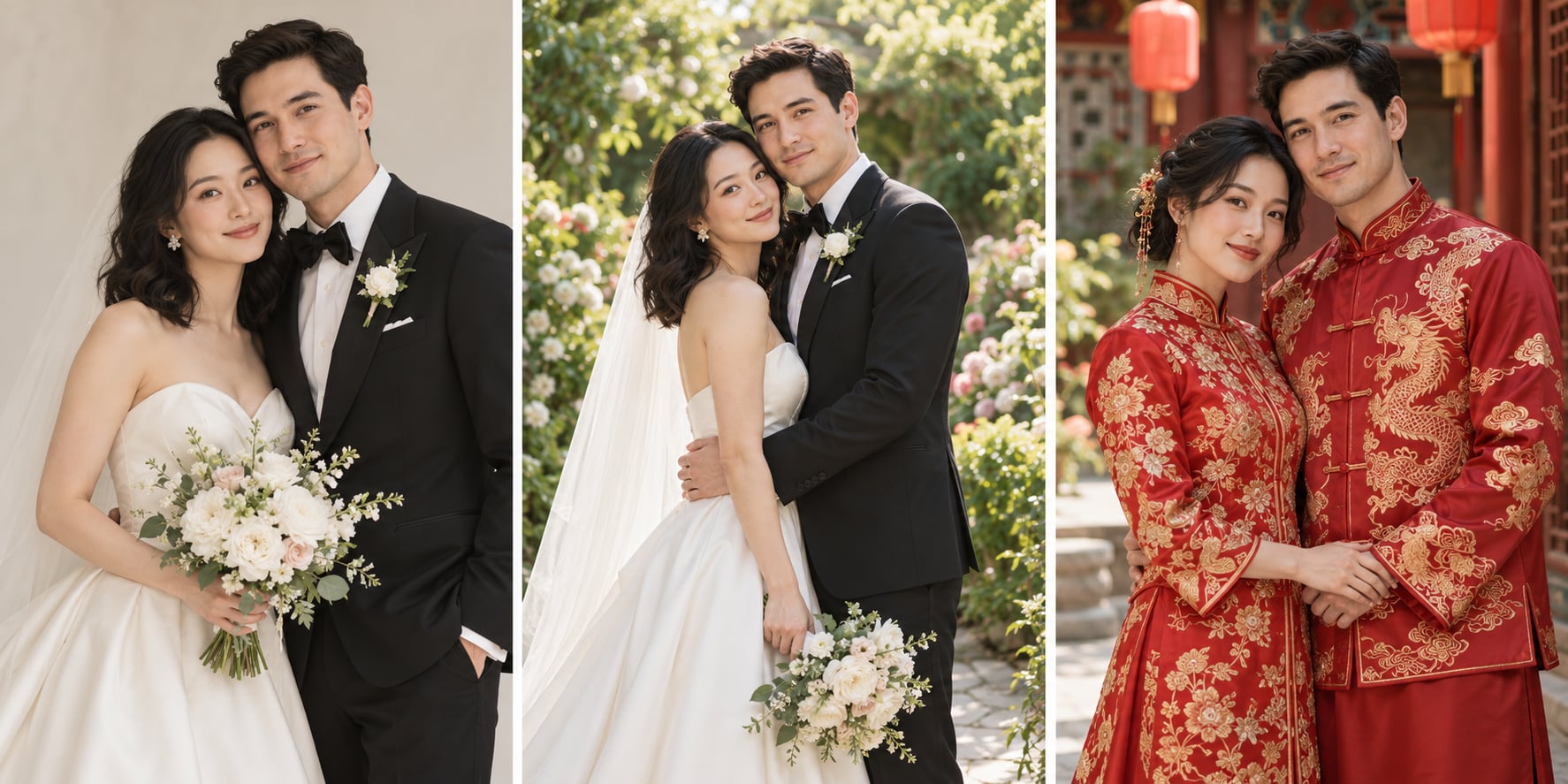
Illustrative AI-generated style board made with ImageGen. These are fictional subjects, not customer images or verified outputs from this generator.
Upload one JPEG, PNG or WebP with both adults clearly visible. A single photo of you together works best.
Prompt preview
Create one realistic wedding-inspired portrait using the attached photo of two adults as the identity reference. Keep both people recognizable: preserve facial structure, skin tone, age and distinctive features. Do not exchange, merge or replace their identities. Style: Studio wedding portrait. Requested details: Natural pose, soft light, understated wedding attire. Use natural expressions, anatomically plausible hands, coherent attire and flattering natural light. Output one image, not a collage, comparison, text or logo. This is a newly generated scene, not documentation of an actual ceremony.
Upload your image on the left to generate.
Fill the parameters and Generate, or pick an output format — results appear here and save to your workspace.
Need a custom collection?
Share the number of images, your reference style and deadline. We will review the scope before quoting.
Create a portrait from your photo
- Start with your own reference photo, then choose a style.
- Use the brief to describe the details you want to keep.
- Image generation uses 5 credits per completed image. Sign in to generate.
- Generated scenes can change faces, hands, clothing and details. Review both people carefully; this does not replace documentary wedding photography.
Questions before you generate
What should I upload?
Upload one JPEG, PNG or WebP with both adults clearly visible. A single photo of you together works best.
Will the result look exactly like my photo?
Generated scenes can change faces, hands, clothing and details. Review both people carefully; this does not replace documentary wedding photography.
How much does it cost?
Generation uses 5 credits per completed image. The workbench shows your generation cost; removing a watermark is a separate optional purchase shown with the result.
Can I choose a different style?
Choose a style in the workbench and describe the setting or details in your brief. Each new generation is a separate image.
Are the illustrations examples of this tool’s output?
The style board is an illustrative ImageGen concept using fictional subjects. It is not a production benchmark, a client delivery or a guarantee of identity preservation.
Does this make a video?
No. This page generates a still portrait. Video animation is a different workflow.
A new portrait inspired by your reference
Create AI wedding photos from a photo of you together. Choose a studio, garden or traditional wedding look, then review the generated portrait before downloading.
Generated scenes can change faces, hands, clothing and details. Review both people carefully; this does not replace documentary wedding photography.
Use the result as a creative concept. Review it before sharing or ordering any physical print.
How to create your portrait
Upload a clear reference image.
Choose a style and describe your preferred finish.
Generate and compare important details with your source.
Download the result you want to keep.
For a coordinated collection, use the custom collection form to discuss scope and a quote.
Ways to use your portrait
Personal keepsakes →
Explore a new style from your own reference photo.
Creative exploration →
Compare settings, lighting and portrait styles.
Custom collections →
Discuss a coordinated collection and agree on the scope before production.
Verwandte Werkzeuge
Hochzeits- und Porträt-Bildbearbeitung
Ein Bild hochladen — fliegende Haare entfernt, Haut ausgeglichen ohne ihre Textur zu verlieren, der Gelbstich aus dem Weiß gezogen. Bildausschnitt, Hintergrund und Kleid bleiben exakt wie aufgenommen.
AI pet portrait generator
Turn a photo of your cat or dog into a studio portrait, painted keepsake or royal-style portrait. Choose a style and review your pet’s distinctive markings in the result.
Add Subtitles

Drag & Drop or Click to Upload
.mp4/.mov/.webm/.avi/.wmv
Supported Languages
Add Subtitles
Require Translation
Auto Detect
Subtitles
Credits Required:0(Available: 0)