Von Storyboards zu KI-Pipelines - Animation neu definiert

Die meisten Menschen denken, KI-Video bedeute „Text rein, Clip raus“. Wenn Sie jedoch filmische Kontrolle auf Regie-Niveau anstreben, ist das ein völlig anderes Spiel.
In der traditionellen Animation zählt jedes Detail: Charakterdesign, Bewegungskontinuität, Timing und Szenenübergänge. Unser Ziel ist es, KI auf dieses Präzisionsniveau zu bringen.
Vandaag is animatie zowel een kunst als een uitdaging in gestructureerde orkestratie. We denken als regisseurs, maar bouwen als ingenieurs.
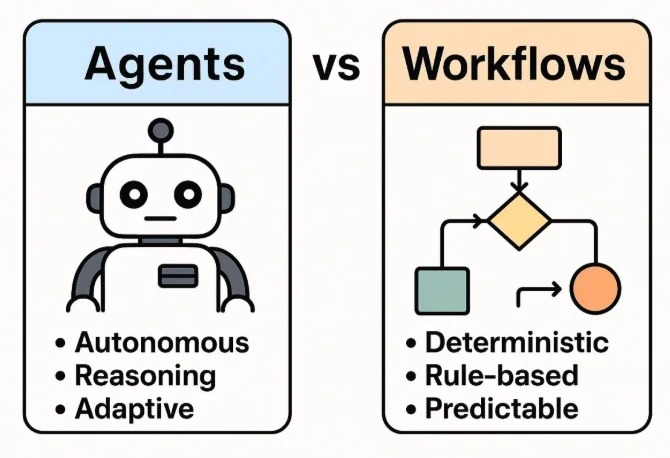
Deshalb bauen wir Pipelines für kontrollierte Generierung statt One-Shot-Generierung. Diese Pipelines verbinden Struktur und Kreativität:
AI-videogeneratiepijplijn
Die KI-Videogenerierungs-Pipeline verwandelt Text-Prompts in fertig ausgearbeitete Videos über strukturierte Stufen mit klaren Inputs, Outputs und Konfigurationen.
Schauen wir uns nun ein einfaches Beispiel an, um zu zeigen, wie KI-Pipelines in der Praxis funktionieren.
Stap 1: Begin met een Eenvoudige Prompt
Een meisje wacht op een treinstation om middernacht, de wind beweegt haar haar.
Mit Hilfe von GPT oder eines lokalen LLM erweitern wir dies zu einem strukturierten JSON-Objekt mit globalem Stil, Charakterdefinitionen und einer Aufschlüsselung pro Szene.
A young woman standing alone on a midnight train platform, dim lights reflecting off the wet ground, wind blowing her hair, cinematic lighting, anime art style, 4KSchritt 2: Konvertieren Sie die Eingabeaufforderung in eine Storyboard-Tabelle
| Scene | Shot | Camera | Visual | Dialogue |
|---|---|---|---|---|
| 1 | Wide | Sway | The girl waits alone at the platform. Wet pavement reflects dim station lights. Wind gently lifts her hair. | (No dialogue – ambient station sounds) |
| 2 | Medium | Push | The camera slowly zooms in on her eyes. A distant light appears — a train approaches. | She whispers, "It's time." |
| 3 | Close-up | Static | Her hand tightens on an old ticket, knuckles white. Her gaze flickers with nerves and resolve. | (No dialogue – deep inhale) |
| 4 | Wide | Handheld | The train screeches in, spraying mist. The doors open with a hiss. | (No dialogue – train arrival and footsteps) |
| 5 | Over-the-shoulder | Track | From behind, she steps inside. Her silhouette framed by the train's pale light. | She says softly, "I hope you're there." |
| 6 | Inside train | Swivel | She sits beside an empty seat, the world passing in blurred streaks outside. | (No dialogue – distant announcement echoes) |
| 7 | Insert | Static | Close-up of her phone: a message reads "I'm waiting." Her lips form a faint smile. | |
| 8 | Medium | Dolly | The train slows. She stands and approaches the door, breath catching in anticipation. | (No dialogue – heartbeat and brakes squeal softly) |
🛠️ Schritt 3: Generieren Sie die Bilder
Generieren Sie hochwertige Keyframe-Bilder für jede Aufnahme mit Stable Diffusion über einen ComfyUI-Workflow.
🎬 Schritt 4: Fügen Sie Bewegung und Atmosphäre in After Effects hinzu
Verbessern Sie statische Keyframes mit Bewegung, Parallaxe und Atmosphäre mit Adobe After Effects (oder einem gleichwertigen Compositor).
🎧 Schritt 5: Stimme und Untertitel hinzufügen
Generieren Sie Voiceover, die auf das Storyboard abgestimmt sind, und fügen Sie Untertitel hinzu, um die Zugänglichkeit und Klarheit zu gewährleisten.
📦 Schritt 6: Endgültige Komposition mit FFMPEG
Verwenden Sie FFMPEG, um alle Teile in einer Videodatei mit Audio und Untertiteln zusammenzufassen.
ffmpeg -f concat -safe 0 -i mylist.txt -c copy output_temp.mp4

ffmpeg -i output_temp.mp4 -i music.mp3 -filter_complex "[0:a][1:a]amix=inputs=2" output_final.mp4
# -filter_complex: Apply audio filter to mix both audio tracks
# [0:a][1:a]amix=inputs=2: Mix both audio streams (from video and music)
# output_final.mp4: Final output file with video and mixed audio
📁 Das brauchst du
- storyboard.json – short scene descriptions
{ "project_name": "Midnight Train", "scenes": [ { "scene_number": 1, "shot_type": "Wide", "camera_movement": "Sway", "description": "Girl waits alone at a midnight train platform. Wet pavement reflects dim station lights. Wind gently lifts her hair.", "duration_seconds": 5, "visual_elements": ["night", "train station", "wind effect", "reflections"], "audio_cues": ["ambient station sounds", "distant train"] }, { "scene_number": 2, "shot_type": "Medium", "camera_movement": "Push", "description": "Camera slowly zooms in on her eyes. A distant light appears — a train approaches.", "duration_seconds": 4, "visual_elements": ["close-up", "eyes", "approaching train light"], "audio_cues": ["train approaching", "whisper"] } ], "style": "cinematic anime", "aspect_ratio": "16:9", "fps": 24 } - prompts.json – GPT-expanded prompts
{ "base_prompt": "A girl stands at a midnight train station, wind blowing her hair.", "expanded_prompts": { "scene_1": { "visual_description": "A young woman standing alone on a midnight train platform, dim lights reflecting off the wet ground, wind blowing her hair, cinematic lighting, anime art style, 4K", "camera_instructions": "Wide shot, slight camera sway to create tension, shallow depth of field", "lighting": "Low-key lighting with high contrast, blue hour ambiance, artificial station lights casting long shadows" }, "scene_2": { "visual_description": "Close-up of the woman's eyes, reflecting the approaching train light, detailed eyelashes, subtle eye movement, cinematic anime style", "camera_instructions": "Slow push-in, slight handheld shake for intensity, focus pull from eyes to reflection", "lighting": "Chiaroscuro lighting, single key light source from the approaching train" } }, "style_guide": { "color_palette": ["#0a1a2f", "#1a3a5f", "#4a90e2", "#f5f5f5"], "mood": "Mysterious, anticipatory, cinematic", "art_references": ["Makoto Shinkai's night scenes", "Ghost in the Shell lighting"] } } - scene1.png, scene2.png – image outputs
- scene1.wav – voice narration per scene
- build_project.jsx – AE import + animation script
- combine_video.sh – FFMPEG merge script
Take the next step
Putting what you read into practice.
Verwandte Artikel
Creator Tools
Best AI Tools for Video Content Creators in 2026: Descript vs ElevenLabs vs Runway
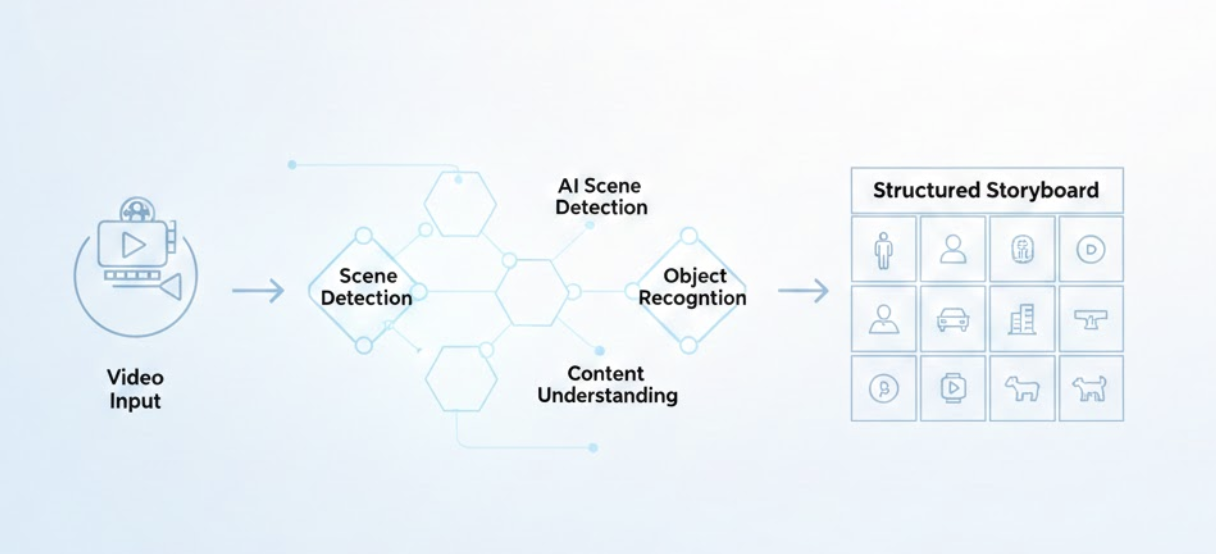
From Raw Footage to Storyboards: AI-Powered Video Analysis