PROJECT NOTES / 02 · PRODUCT VIDEO
From product photos to a feature video: the ZEELUM backpack demo
A photography studio wanted a product-only bag video: no hands, an opening zipper and a clear view of the interior. The sample discussion exposed a useful distinction between making a product move and explaining how it works.
Curify · 2026-11-07
The final generated demo from our ZEELUM trial (V10), based on supplied product photographs. This is an AI-assisted sample, not evidence of an approved client campaign or sales results. The web version is silent.
Start with photographs that show the product
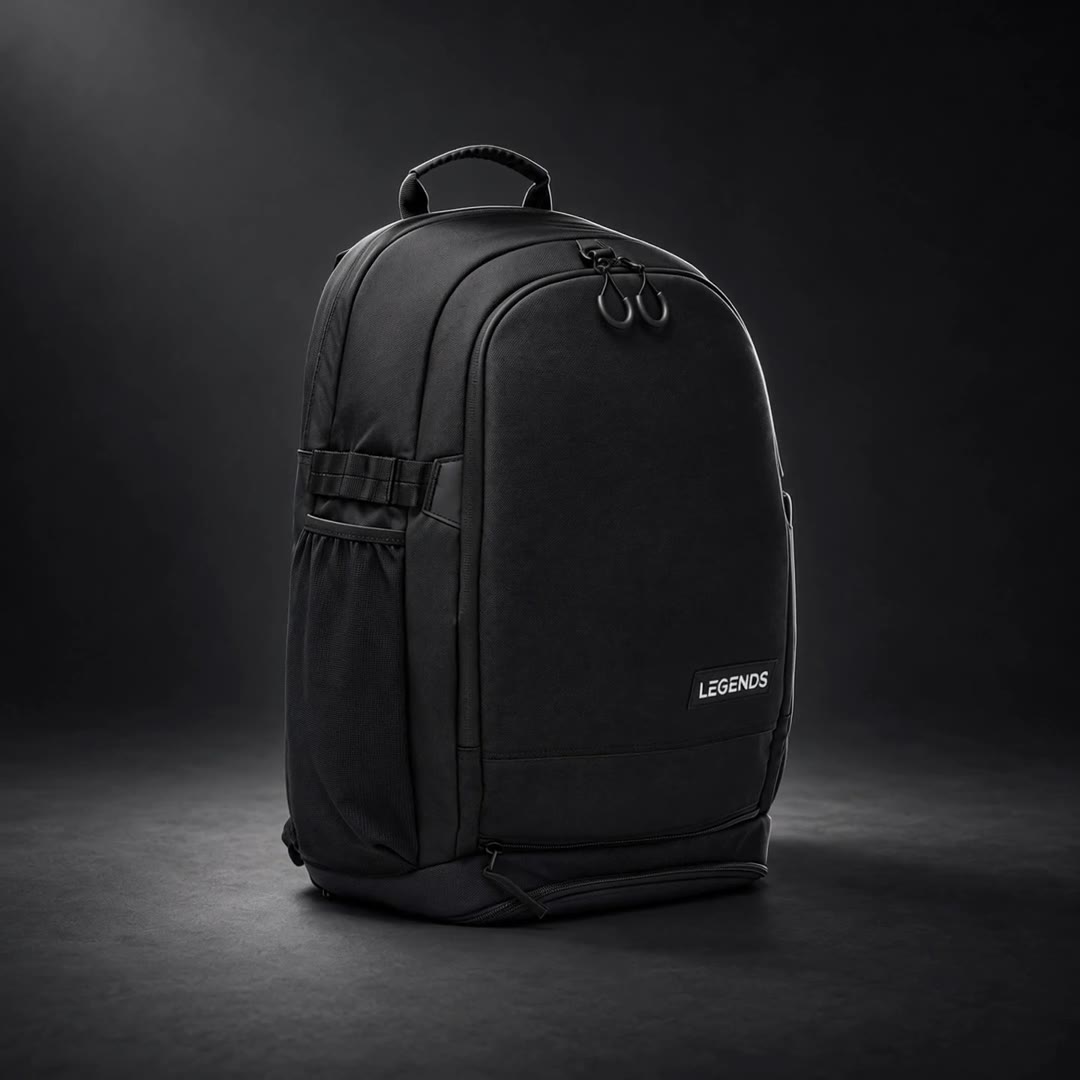
The supplied black backpack photographs provided separate views of the exterior, branding and interior. We used the views recorded as BACKPACK_BLACK_05, _14 and _07 for the studio treatment, and BACKPACK_BLACK_11 for the actual open lower compartment. That open photograph matters: it gives the model a reference for the flap, lining and zipper rather than asking it to invent an unseen interior.
Unify the stills before adding motion
We used image editing to place the supplied photographs in a consistent charcoal studio, with a neutral softbox and edge light. The instructions preserved the bag silhouette, seams, zipper tracks and LEGENDS lettering while making the black textile and interior readable. These are generated relit frames, not a new physical photoshoot; texture and lettering still need comparison with the originals.
Generate camera movement and the opening action
For the hero and interior shots, MiniMax-H3 animated the prepared stills with a camera arc and a controlled inward glide. The lower-compartment shot used a different construction: start from the known open reference, generate a six-second closing movement, then reverse the clip to show opening. This made the visible interior the starting constraint. It remains an AI visualization, not filmed proof of how the physical mechanism moves.
Assemble the final 10-second product-only edit
V10 reused the earlier hero, label and interior material with the product-only opening clip; this final edit did not require a new generation. The timing is 0–1.5 seconds for the hero, 1.5–2.25 for the label, 2.25–7 for the opening, 7–8.5 for the main interior and 8.5–10 for the closing hero shot. The 1080 × 1080 output runs at 24 fps. There are no hands or narration; the reference soundtrack has been removed for this web presentation.
01 · CLOSED
Establish the product
Show the shape and the starting position of the zipper.
02 · OPENING
Make the action legible
Keep the zipper path and hardware coherent through the transition.
03 · OPEN
Hold on the feature
Give the viewer time to inspect the real interior and compartments.
Check the mechanism as well as the look
Compare the silhouette, handles, seams, logo and zipper track with the source photos. Inspect transitions for changing hardware, invented compartments and distorted fabric; then watch at normal speed to check whether the opening is readable. The production record includes sampled-frame checks. Those checks do not establish exact mechanical fidelity across every frame, and the trial feedback still described the pace as fast and choppy.
What the trial established—and what remains
This trial demonstrates a practical path from existing photographs to one short feature sequence, including reuse of successful shots across versions. It does not establish client approval, a paid campaign or a repeat order. For the next sample, we would request consistent closed, partly open and fully open views, agree the motion and hold times, and approve one sequence before producing a batch.
Before requesting a batch
- Share the product category and available closed, open and detail views.
- Name the exact action and features to demonstrate; specify whether hands are allowed.
- List the details that must remain unchanged and who will approve them.
- Specify duration, aspect ratios, number of variants and deadline.
- Approve one sample’s motion and fidelity before expanding the scope.
Discuss a product-video sample
Have product photos and a feature to show? Send the available views, desired action and number of videos. We’ll review whether the inputs support a sample and what additional material may be needed.
Explore production and collaboration →